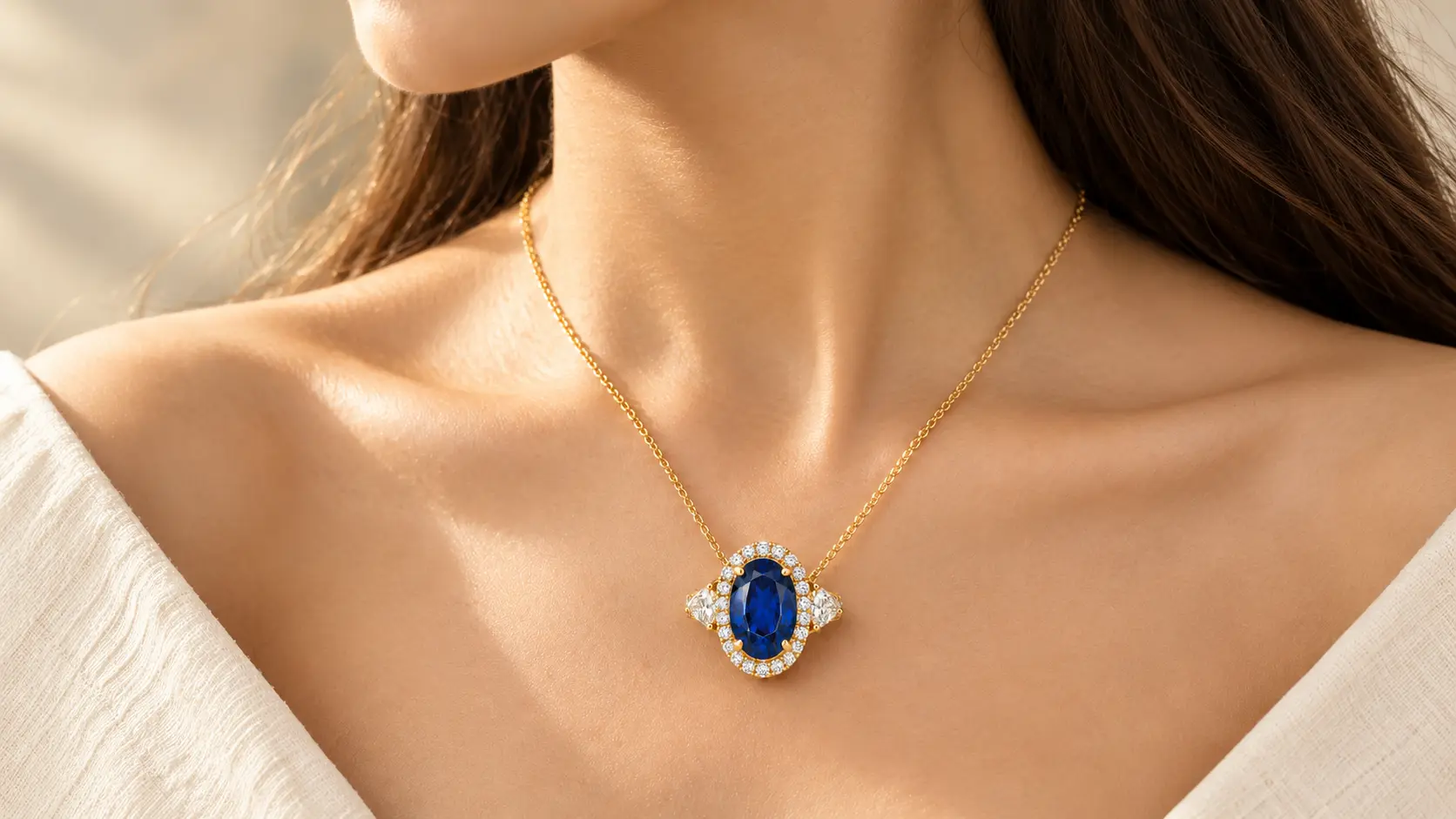
Jewelry photography is one of the hardest product categories to shoot well. Small pieces require macro focus with controlled lighting that reveals the sparkle on diamonds, the warm reflection of gold, and the texture of pearl surfaces without blowing out highlights or losing shadow detail. Professional jewelry photography commonly costs hundreds of dollars per piece through traditional studio sessions, which prices most independent jewelers, Etsy shops, and small jewelry brands out of professional product imagery entirely. AI photo tools have reshaped this specific production step by letting jewelry sellers upload one clean photo of each piece and generate professional product shots, ad creative, poster designs, and model placement imagery through text prompts rather than studio bookings.
This guide covers 15 ready-to-paste AI jewelry prompts covering six specific production categories: clean product photoshoot shots, atmospheric backgrounds, ad and shop creative, model placement imagery, ring and earring and bracelet detail shots, and design concept sketches. Every prompt runs on Google Gemini AI's Nano Banana Pro through Templix as the primary model, with alternate model recommendations noted where another image model (GPT Image 2.5, Flux 3, Ideogram v4, Seedream 5.0 Lite) produces measurably stronger output for that specific prompt category.
Key Takeaways
A strong jewelry prompt names five elements: the piece, the metal or stone, the surface, the light, and the camera angle.
Uploading your actual jewelry photo keeps the real product details intact while the scene around it changes.
Marble and velvet surfaces make gold and gemstones read richer than clean white or neutral backdrops.
Soft diffused even light reveals diamond and gemstone sparkle better than hard directional light.
The same prompt structure works across product listings, paid ads, and poster creative with small adaptations.
The Core Jewelry Prompt Framework
Every effective jewelry prompt follows the same five-element structure. Changing any element produces different output while keeping the other four constant reveals how each element shapes the final shot.
Piece + Metal or Stone + Surface + Light + Camera Angle.
Swap in your specific details and keep the structural order. "Gold emerald necklace on white Carrara marble, soft morning window light, three-quarter angle at jewelry level" produces measurably better output than "a beautiful necklace on marble with nice lighting" because the specific vocabulary carries predictable information the model can execute on, while the vague version leaves every creative decision to statistical defaults.
For creators building stronger prompt techniques generally across image models, our AI image prompt guide covers the three-layer prompt framework (subject, craft, technical) that transfers across every image generation workflow including jewelry production specifically.
Jewelry Photoshoot and Photo Edit Prompts
Three foundational prompts covering clean product shots and photo cleanup.
1. Clean White Store Listing Shot
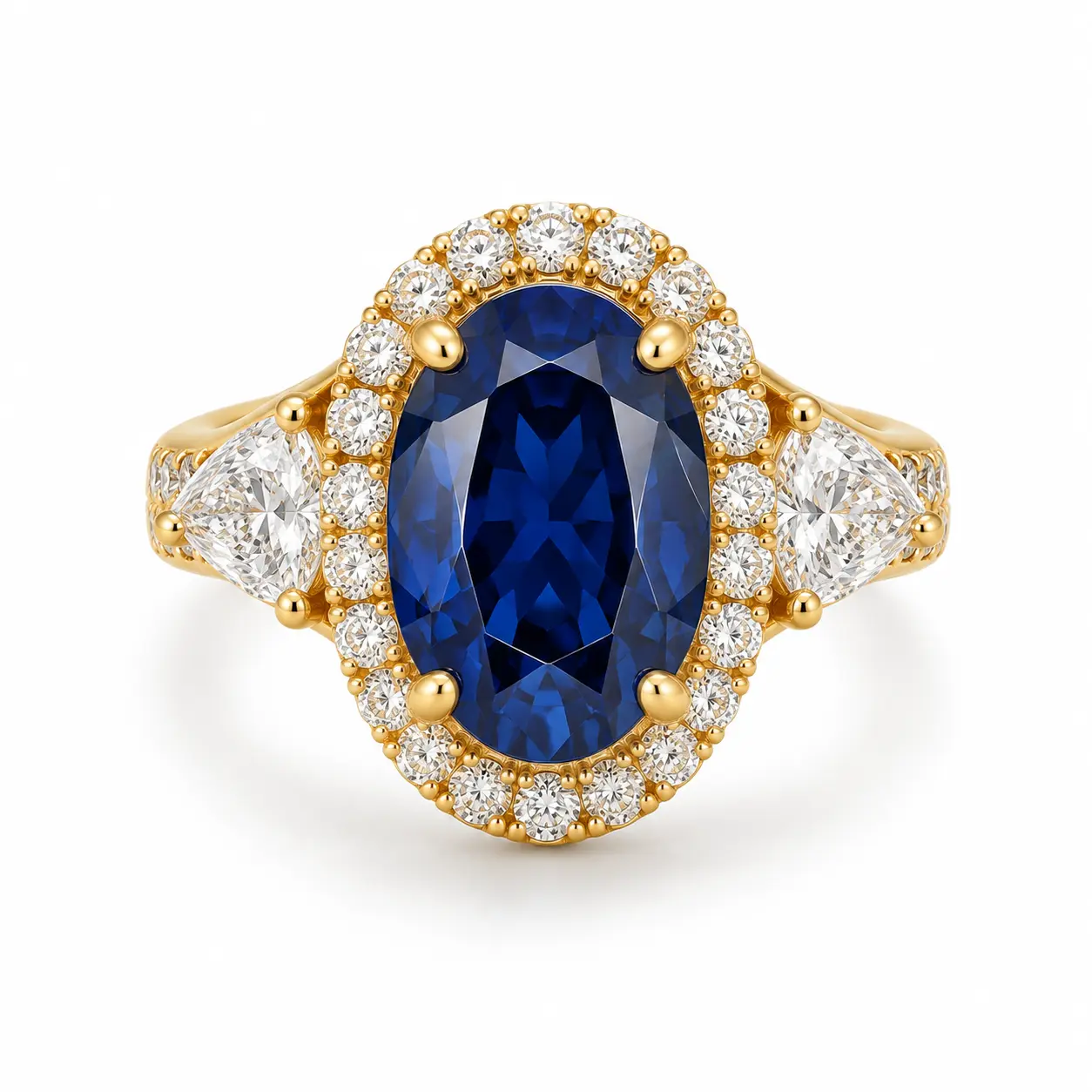
AI jewelry product shot on a clean white background for a store listing, generated with Nano Banana Pro on Templix
Keep the uploaded jewelry piece exactly as it is in the source photo
including the exact gold tone, stone colors, and surface detail.
Place it on a pure white seamless background with a soft natural
shadow underneath. Bright even studio lighting from both sides at
equal intensity to reveal full sparkle without harsh reflections.
Centered composition, straight-on angle at jewelry eye level.
Square 1:1 aspect ratio.
Recommended model: Nano Banana Pro for premium listing output.
2. Marble and Morning Light
Keep the uploaded jewelry piece exactly as it is in the source photo.
Place it on a slab of white Carrara marble with subtle grey veining
beside a large window. Soft natural morning window light from camera
left creating gentle highlights on the metal and stones. Shallow
depth of field with a hint of out-of-focus marble texture behind.
Three-quarter angle at jewelry level. Portrait 4:5 aspect ratio.
Recommended model: Flux 3 for native high-resolution output, or Nano Banana Pro for premium photoreal rendering.
3. Fix a Messy Jewelry Photo
Clean up the uploaded jewelry photo by evening out the lighting
across the piece, replacing the current background with a soft
seamless neutral grey backdrop, removing visible dust specks,
fingerprint smudges, and distracting reflections from the metal
surface. Correct the metal colour so gold reads warm yellow-gold
and silver reads cool silver accurately. Keep the exact shape,
proportion, and design of the piece unchanged. Square 1:1 aspect
ratio.
Recommended model: Nano Banana Pro, with the Templix BG Remover as a dedicated finishing step for clean backgrounds across batch jewelry listings.
Jewelry Background Prompts
Two background-focused prompts for atmospheric product shots.
4. White Silk Background
Keep the uploaded jewelry piece exactly as it is in the source photo.
Place it on softly draped white silk fabric with subtle folds
catching soft light. Photorealistic silk texture visible around the
piece. Even diffused lighting from above creating subtle highlights
on the metal and stones. Overhead flat-lay angle. Square 1:1 aspect
ratio suitable for Instagram product posts.
Recommended model: Nano Banana Pro for premium silk texture rendering.
5. Festive Diwali Background
Keep the uploaded gold jewelry set exactly as it is in the source
photo. Place it on a traditional brass thali plate surrounded by
fresh marigold flowers in deep orange and yellow, small lit diyas
with warm flickering flame light illuminating the composition.
Dark warm atmospheric background suggesting an Indian festive
setting. Warm golden lighting with slight orange cast from the
diya flames. Three-quarter overhead angle. Portrait 4:5 aspect
ratio.
Recommended model: Nano Banana Pro for warm atmospheric lighting fidelity.
Jewelry Ad and Shop Prompts
Three ad and poster-focused prompts for marketing creative.
6. Sale Ad with Text Space
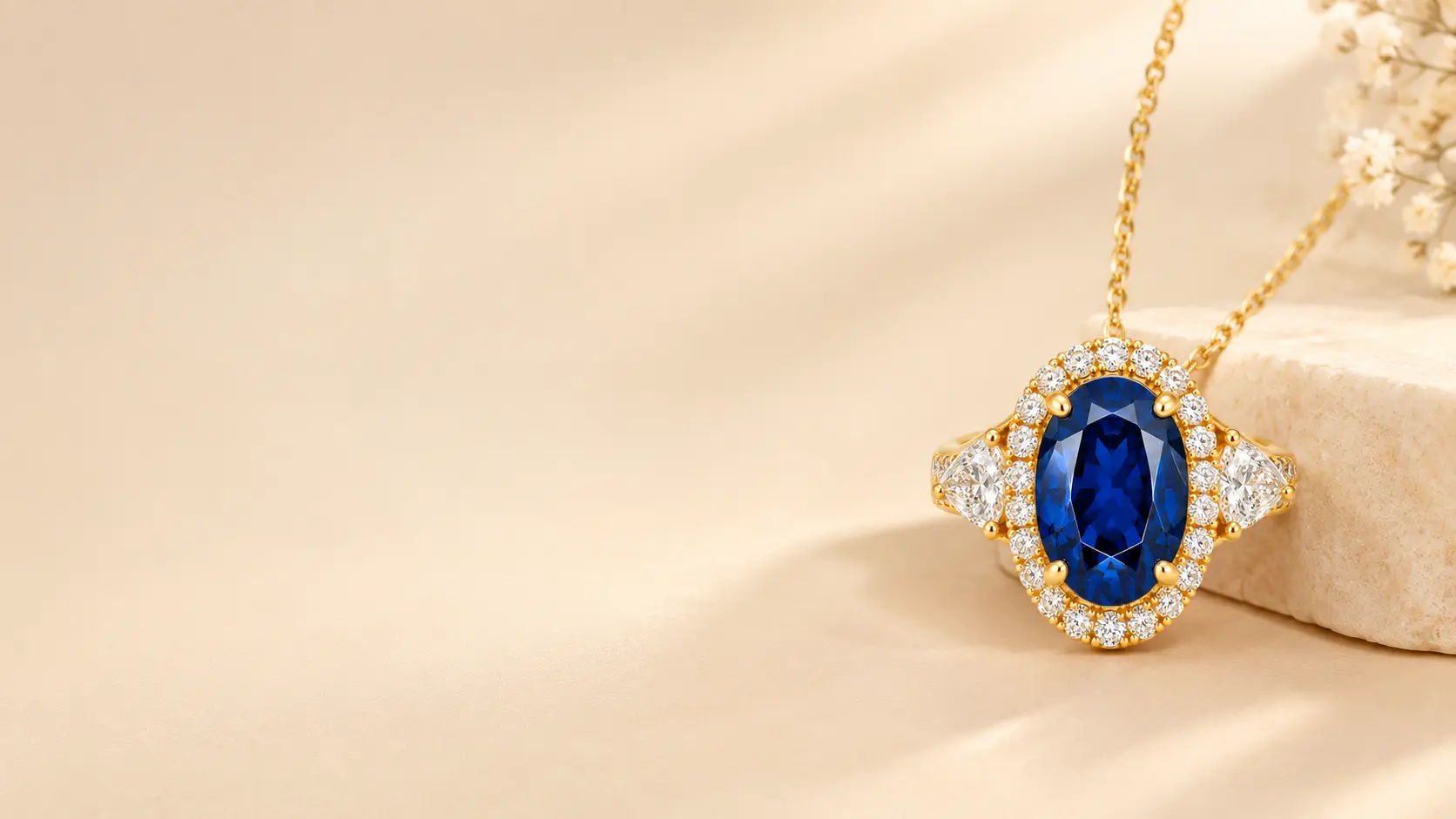
AI jewelry sale ad layout with clean text space for a headline and discount offer, generated on Templix
Keep the uploaded necklace piece exactly as it is in the source
photo. Place it on the right third of the composition against a
soft cream and warm beige gradient background, leaving the left
two-thirds of the frame as clean negative space suitable for sale
copy and promotional text overlay. Soft directional lighting from
upper right. Warm cream colour palette throughout. Landscape 16:9
aspect ratio.
Recommended model: Flux 3 for standard ad output, or GPT Image 2.5 if the final composition will include in-image text rendered during generation.
7. Shop Poster with Branded Background
Keep the uploaded jewelry piece exactly as it is in the source
photo. Place it centered on a rich maroon background with subtle
decorative gold filigree patterns in the corners. Reserve clear
negative space at the top of the composition for a shop name
headline and clear space at the bottom for a sale offer line.
Warm atmospheric lighting with gold accent highlights. Portrait
4:5 aspect ratio.
Recommended model: GPT Image 2.5 or Flux 3 if the poster will include generated text, Nano Banana Pro if text overlay happens in separate design software afterward.
8. Jewelry Brand Logo Concept
Create a jewelry brand logo concept with a thin elegant gold line
drawing of a stylised diamond above a serif brand name reading
"ETERNAL" in refined gold typography on a pure white background.
Minimalist luxury jewelry brand aesthetic. Square 1:1 aspect ratio
suitable for brand identity use.
Recommended model: Ideogram v4 for strongest typography rendering, GPT Image 2.5 as alternative.
For jewelry brands building visual consistency across the full product catalog and ad creative library, our branded marketing images guide covers the five-element brand framework and reference-based generation approach that holds visual direction stable across every piece of jewelry content.
Jewelry on a Model Prompts
Two prompts for placing jewelry on model subjects.
9. Gold Chain Close-Up on Model
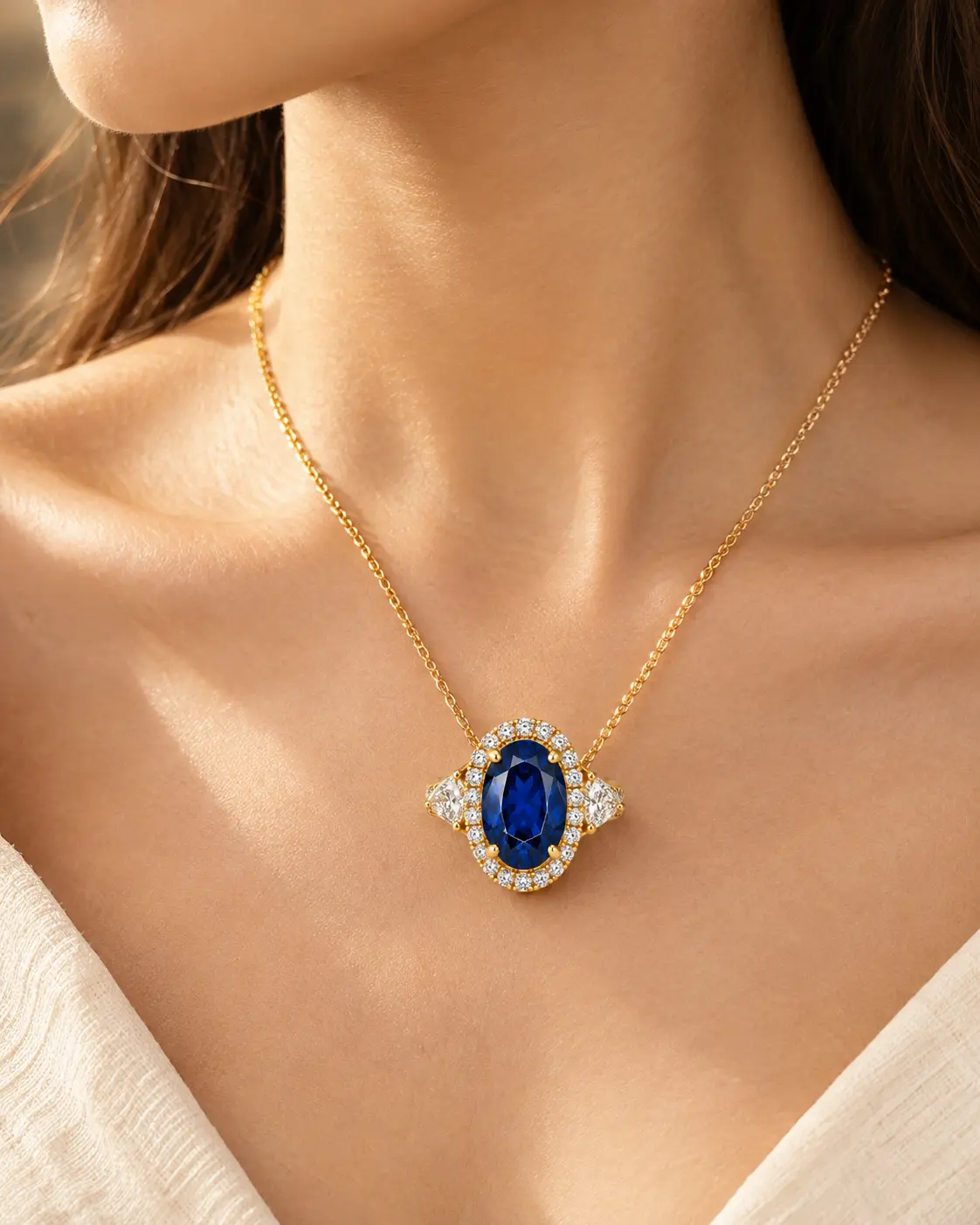
Close-up AI jewelry photo of a gold chain on a model's collarbone, generated with Nano Banana Pro on Templix
Keep the uploaded gold chain piece exactly as it is in the source
photo. Place it on the collarbone and lower neck of a model with
soft natural skin texture visible. Close-up composition showing
the neck, collarbone, and upper chest area with sharp focus on the
gold chain. Soft natural daylight from camera left. Warm neutral
colour palette with slight golden undertones. Portrait 4:5 aspect
ratio.
Recommended model: Nano Banana Pro for strong skin texture rendering alongside jewelry preservation.
10. Bridal Jewelry on Model
Keep the uploaded kundan necklace, matching earrings, and maang
tikka pieces exactly as they are in the source photo. Place them
on a model wearing a traditional deep red lehenga with gold
embroidery, hair pulled back to show the earrings and tikka
clearly. Compose from the shoulders up showing the complete
bridal jewelry set in position. Warm atmospheric bridal lighting
with soft golden hour quality. Portrait 4:5 aspect ratio.
Recommended model: Nano Banana Pro for premium bridal portrait fidelity.
Ring, Earring, and Bracelet Prompts
Four prompts for specific jewelry type close-ups.
11. Hyper-Realistic Diamond Ring Macro
Keep the uploaded diamond ring exactly as it is in the source
photo including the exact diamond cut, setting style, and band
design. Hyper-realistic macro photograph showing individual facet
sparkle and refraction detail on the center stone. Shallow depth
of field with the diamond in sharp focus and the band softly
blurred. Soft diffused ring light setup creating controlled
sparkle without blown highlights. Square 1:1 aspect ratio.
Recommended model: Nano Banana Pro for maximum macro detail fidelity.
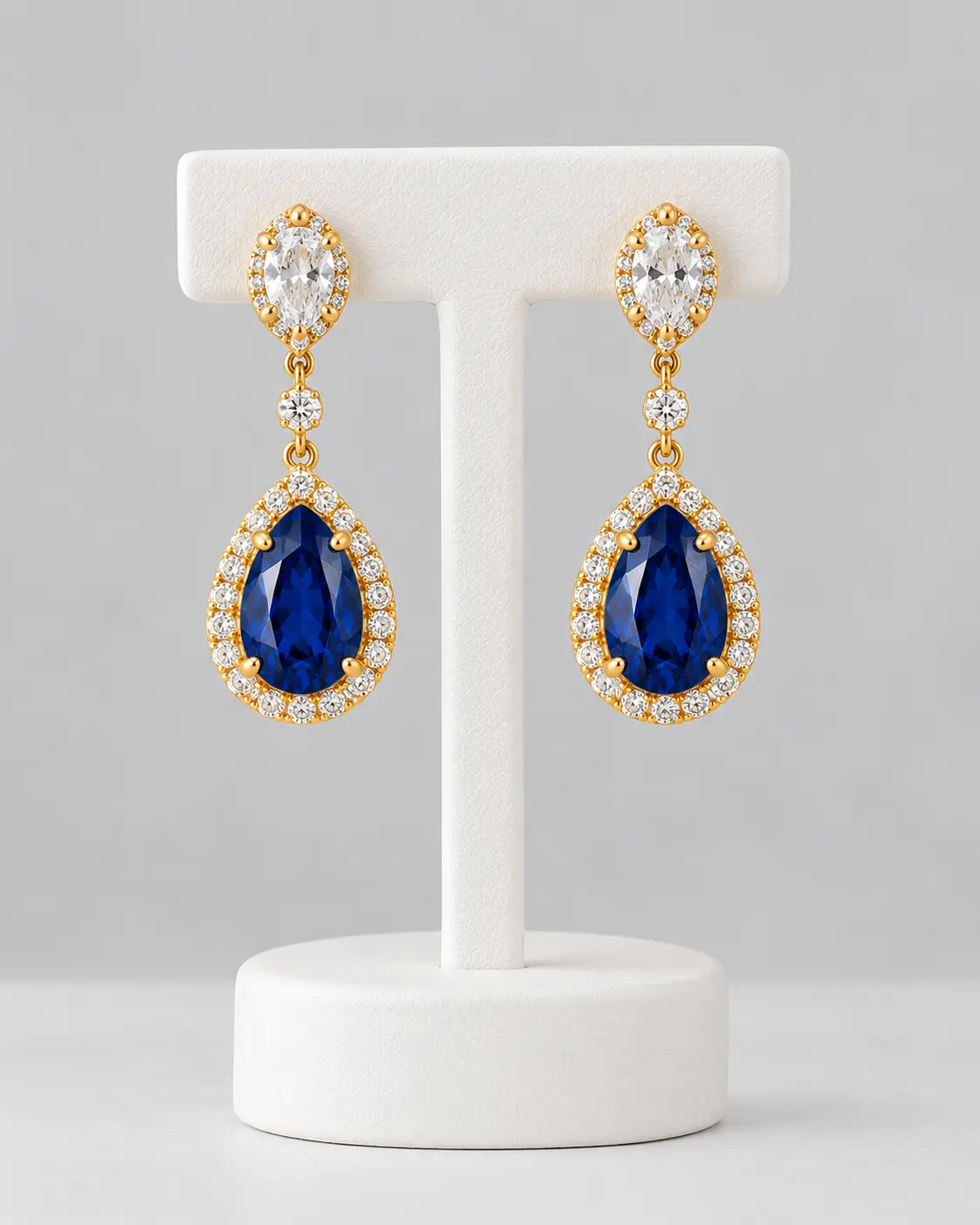
12. Drop Earrings on Display Stand
Keep the uploaded drop earrings exactly as they are in the source
photo. Place them on a clean white earring display stand against
a soft light grey seamless backdrop. Both earrings fully visible
with the full drop length showing. Even diffused studio lighting
from above and both sides. Centered composition at earring eye
level. Portrait 4:5 aspect ratio suitable for product listing.
Recommended model: Seedream 5.0 Lite for fast iteration, or Nano Banana Pro for premium finish.
13. Chunky Gold Hoops Side View on Model
Side-view AI jewelry photo of a model wearing chunky gold hoop earrings, generated on Templix
Keep the uploaded chunky gold dome hoop earrings exactly as they
are in the source photo. Place them on a model with hair pulled
into a sleek low bun, shot from a clean side profile angle
showing one hoop clearly against the model's ear and neck. Warm
beige neutral background. Soft directional natural lighting from
behind the model creating subtle rim light on the hoops. Portrait
4:5 aspect ratio.
Recommended model: Nano Banana Pro.
14. Patterned Gold Bangle on Velvet
Keep the uploaded patterned gold bangle exactly as it is in the
source photo including the exact engraved pattern detail. Place
it on a deep red velvet cushion with soft fabric texture visible
underneath. Soft directional spotlight from upper left creating
warm gold reflections on the bangle surface. Dark warm atmospheric
background behind. Three-quarter angle. Square 1:1 aspect ratio.
Recommended model: Nano Banana Pro for premium velvet texture plus bangle detail preservation.
Jewelry Design Concept Prompt
One prompt for pre-production design sketching before actual jewelry fabrication.
15. Ring Design Sketch
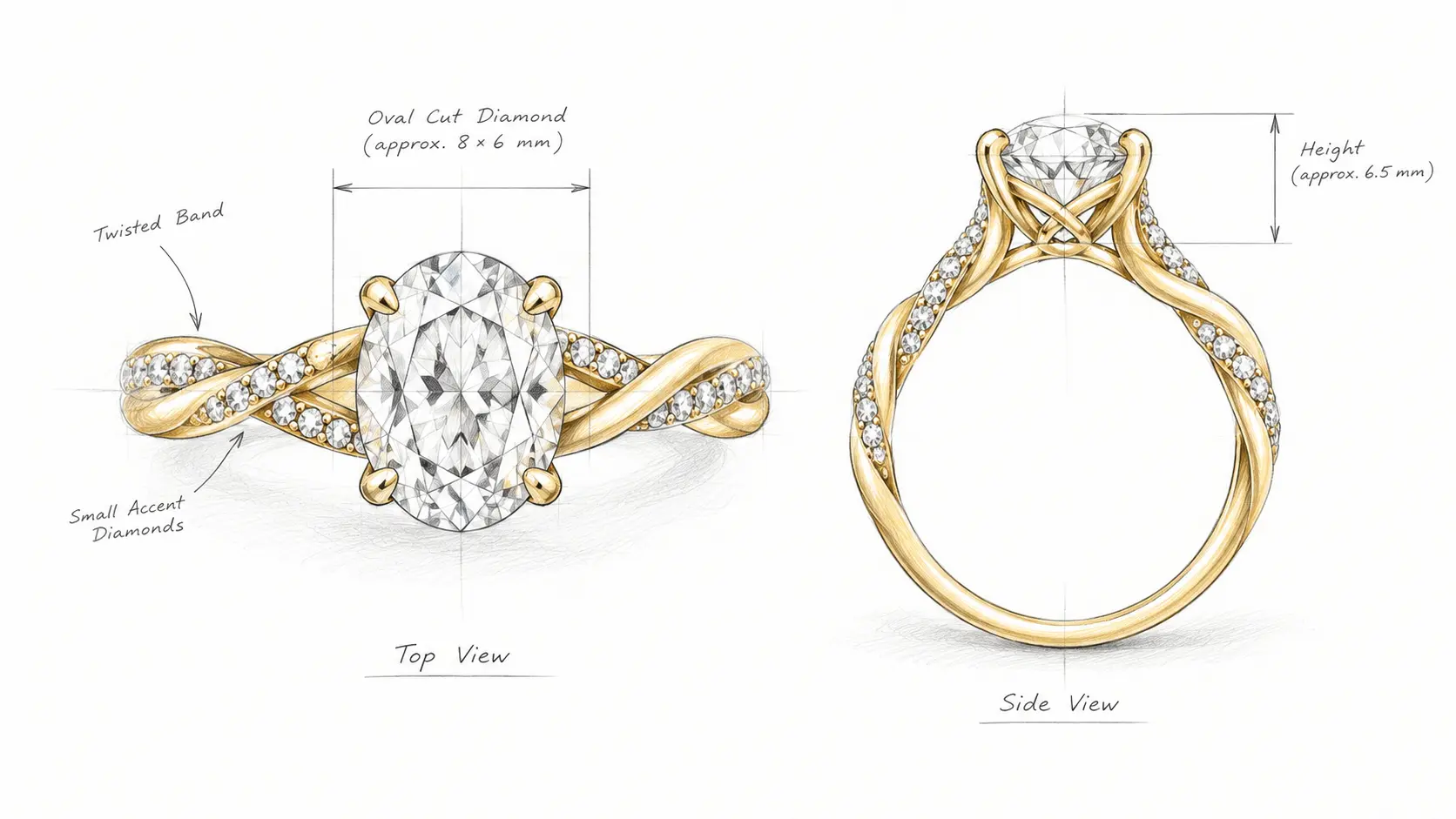
AI ring design sketch concept showing a jewelry piece illustration draft, generated on Templix
Create a detailed pencil sketch design concept for an oval cut
diamond engagement ring with a twisted gold band featuring small
accent diamonds along the twist. Show both a top-down view and a
side profile view of the same ring in the same composition. White
background with light pencil shading suggesting the metal texture
and stone facets. Technical jewelry design sketch aesthetic.
Landscape 16:9 aspect ratio.
Recommended model: Nano Banana Pro or Flux 3. Change "pencil sketch" to "photorealistic 3D render" in the prompt text to produce a finished design visualization instead of a sketch.
For creators building stronger prompt techniques specifically for Templix Nano Banana workflows, our Nano Banana 2 prompt guide covers the specific prompting patterns that produce consistently clean output across jewelry and other image generation use cases.
Jewelry Prompt Light Guide
Different jewelry types benefit from different lighting directions. Match the light recommendation to the piece type for stronger output.
Light Type | Best For |
Soft window light | Gold pieces, pearls, everyday product listings |
Single directional spotlight | Diamond close-ups, luxury ad creative |
Bright even studio light | Clean white store listing backgrounds |
Warm candle or diya glow | Bridal pieces, festive and cultural sets |
Rim light from behind | Floating product shots, glossy metal surfaces |
Mentioning the specific light type in the prompt produces measurably better output than describing light through generic terms. "Single directional spotlight from upper right creating controlled sparkle" produces predictable diamond rendering, while "nice lighting" leaves the model guessing which direction to apply.
Common Jewelry Prompt Mistakes
Four specific mistakes account for most weak jewelry prompt output.
Omitting the metal or stone specifically. Prompts that say "a ring" without naming "gold ring with diamond center stone" or "silver ring with sapphire accent" leave the model guessing colours and material, which produces inconsistent output across prompt attempts. Always name the specific metal (yellow gold, white gold, rose gold, silver, platinum) and specific stones (diamond, emerald, ruby, pearl) with as much detail as the piece actually has.
Including multiple pieces in one shot that blur small details. Jewelry details are small, and asking the model to render a necklace, matching earrings, and a bracelet in the same shot typically produces output where none of the pieces reads clearly. For hero product shots, generate one piece per prompt and combine pieces into set imagery through separate compositional work.
Leaving out the "keep the jewelry the same" preservation instruction when editing a real product photo. Without the explicit preservation line, the model may drift the exact design, change the setting style, or render the stones differently than the actual piece looks. For any prompt based on an uploaded source photo of real jewelry, always open the prompt with explicit preservation vocabulary.
Using busy backgrounds for small pieces. Small jewelry pieces compete visually with detailed backgrounds, which reduces the perceived detail of the piece itself. For ring, earring stud, and small bracelet detail shots, favour clean neutral backgrounds (white, soft grey, cream, light velvet) over busy patterned or scenic backdrops.
How to Use These Jewelry Prompts on Templix
The core workflow for running the prompt library on Templix covers three steps.
Step 1: Upload a clear source photo of your jewelry piece. Open the Templix Nano Banana Pro workflow and upload the sharpest existing product photo you have of each piece. Source photo quality directly affects final output quality because the model preserves source details into the generated version.
Step 2: Paste the prompt from the library above and set the aspect ratio. Match the aspect ratio to the delivery context: 1:1 square for Instagram product posts and standard listings, 4:5 vertical for Instagram Feed vertical and lifestyle posts, 9:16 vertical for TikTok and Reels, 16:9 landscape for YouTube thumbnails and web banners.
Step 3: Generate and iterate if needed. Review the first output at full size, adjust the prompt if any element misses the intended direction, and regenerate. For prompts targeted at specific stone types or metals that need very accurate rendering, Nano Banana Pro produces measurably stronger output than lower-cost image models at slightly higher per-generation cost.
For creators without an existing jewelry photo who want to generate conceptual jewelry imagery from scratch rather than editing a real product, the same prompts work in pure generation mode with the preservation vocabulary removed. In that case, add explicit material and design detail to the prompt text so the model has specific direction for the piece being generated.
Frequently Asked Questions
What is the best AI prompt structure for jewelry photography?
The core jewelry prompt framework covers five specific elements in this order: the piece (ring, necklace, earrings, bracelet), the metal or stone (yellow gold with diamond, white gold with emerald), the surface (marble, velvet, silk, white seamless), the light (soft window, single spotlight, bright studio, warm candle), and the camera angle (overhead flat-lay, three-quarter at jewelry level, side profile, macro close-up). Prompts covering all five elements produce measurably more consistent output than prompts missing any one of them.
How do I use Templix jewelry prompts for my product listings?
Upload a clear existing photo of your jewelry piece to the Templix Nano Banana Pro workflow, paste one of the 15 prompts from the library above, set the aspect ratio for your target listing platform (1:1 square for most marketplace listings), and generate. The prompt structure includes an explicit "keep the uploaded piece exactly as it is" preservation instruction, which maintains the real product details while the scene around it changes.
Which Templix image model works best for jewelry photography?
Nano Banana Pro produces measurably stronger output on jewelry photography than most other image models, particularly for macro detail work on diamonds, texture rendering on velvet and silk surfaces, and accurate metal colour preservation. Flux 3 handles standard jewelry listing prompts efficiently at balanced cost. For jewelry prompts requiring meaningful in-image text (shop posters, sale ads with headlines), GPT Image 2.5 or Ideogram v4 produce cleaner text layer output than Nano Banana handles natively.
How do I keep my jewelry looking the same across edits?
Open every editing prompt with an explicit preservation instruction: "Keep the uploaded jewelry piece exactly as it is in the source photo including the exact [metal tone], [stone colors], and [surface detail]." The specific wording naming the elements that must stay constant produces measurably more reliable preservation than general "keep it the same" instructions. The library prompts above all include this preservation structure in the opening line.
What is the best background for jewelry prompts?
Depends on the piece and the use case. White or soft grey backgrounds work best for standard product listings and marketplace shots. Black velvet produces strong dramatic contrast for diamonds and gemstones in luxury and creative. Warm tones (cream, beige, light gold) complement gold jewelry and bridal pieces. Cool tones (soft silver grey, pale blue) complement silver and platinum pieces. Marble and silk backgrounds work for premium lifestyle product imagery.
How do I write prompts for earrings specifically?
Earring prompts need to show the full earring shape visibly, which usually means either a side profile view (for drop earrings and hoops) or a top-down view on velvet or neutral background (for studs and small post earrings). Mention both the specific earring type (drops, studs, hoops, chandeliers) and the display approach (on a stand, flat-lay on velvet, worn on a model). Prompts 12 and 13 in the library above cover the main earring presentation styles.
How do I show jewelry on a model with AI?
Upload your product photo first, then write the prompt to name the specific body part the piece sits on (collarbone for necklaces, earlobe and side profile for earrings, ring finger for rings, wrist for bracelets) and the crop (shoulders up, hands-only close-up, side profile head and neck). Open the prompt with the preservation instruction so the actual jewelry piece carries through to the model shot rather than drifting into a different design. Prompts 9 and 10 cover the main model placement styles.
How do I create jewelry ads and posters with text space?
Specify the composition explicitly in the prompt: place the jewelry piece on one side of the frame (right third, left third) and reserve clear negative space on the opposite side for text overlay. Add the text in a separate design app after generation for maximum typography control, or run the prompt on GPT Image 2.5 or Flux 3 if you want the final text rendered during generation. Prompts 6 and 7 in the library cover ad and poster composition patterns.
Can I use Templix jewelry prompts commercially?
Yes at paid subscription tiers. Content generated on Templix at paid tiers is available for commercial use across jewelry marketplace listings, paid advertising for jewelry brands, client work for jewelry retailers, and other commercial applications. For jewelry sellers producing listings at scale across Etsy, Amazon Handmade, Shopify, and other marketplace platforms, the commercial-use rights cover product imagery for every piece in the catalog without per-generation licensing fees.
How much does jewelry prompt production cost on Templix?
Templix subscriptions start at Basic (14.99monthly,5,000coins),Standard(29.99 monthly, 15,000 coins), and Ultimate ($74.99 monthly, 30,000 coins). Annual billing cuts pricing by 20 to 27 percent depending on tier. Free credits on signup cover the full jewelry prompt library at no upfront cost for testing on real pieces before committing to a paid subscription. The exact coin cost of each generation displays on the button before every run, keeping per-image budgeting predictable across jewelry catalog batch sessions.
Can I turn generated jewelry images into video for ads?
Yes. The jewelry images generated through the prompt library above can serve as reference inputs for Templix's broader video model catalog, which includes 40+ video models for turning still images into motion content. Rotating ring shots on marble, dynamic earring reveals, and lifestyle jewelry campaigns all work directly as video content from the base generated images produced through the Nano Banana jewelry prompts.

Usman Khalid
Usman Khalid writes Templix's design and product content, covering API workflows and team collaboration to help developers and creators build smarter, faster experiences.