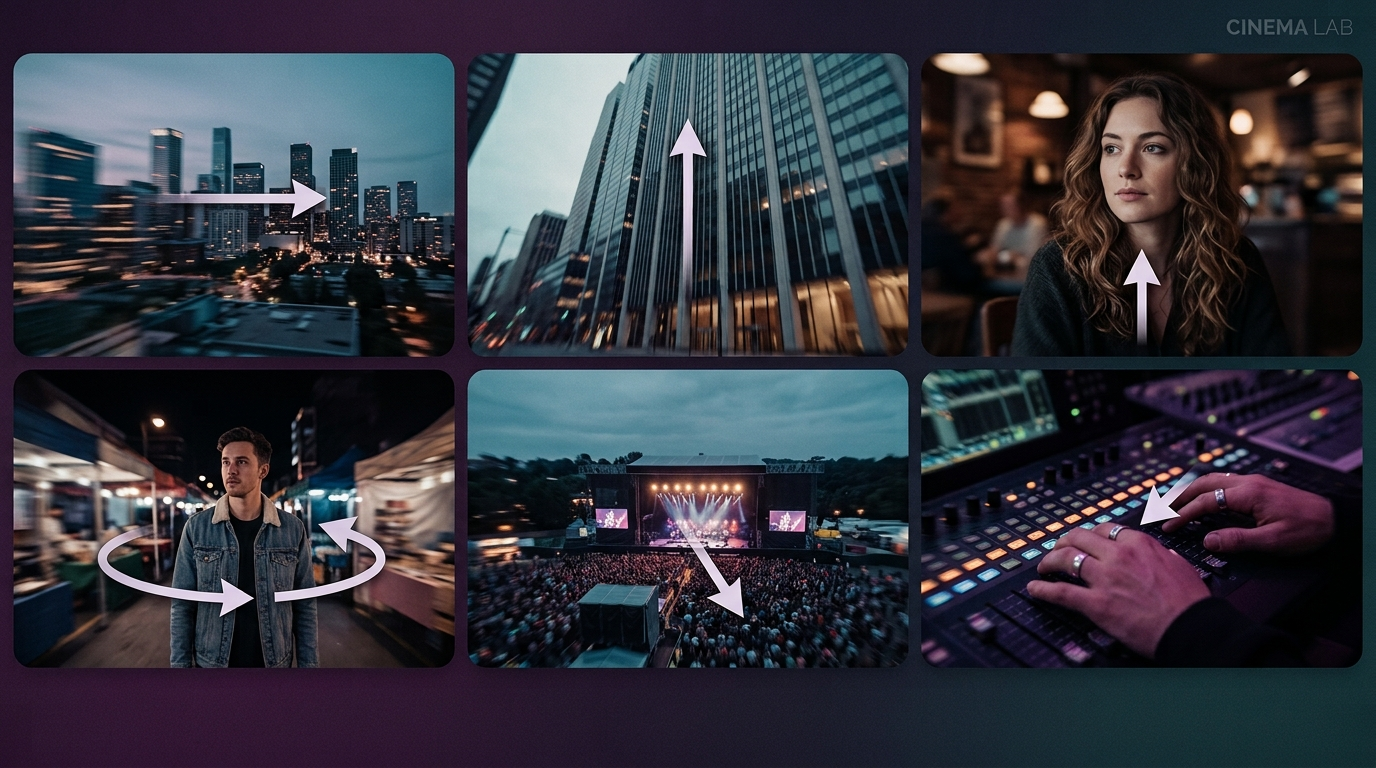
A static shot can hold attention for a moment. A well-chosen camera movement can hold it for an entire scene. The difference between footage that feels flat and footage that feels alive usually is not lighting or colour grading, it is whether the camera moved with intention. Every director you would name as visually distinctive has a signature relationship with movement: Spielberg's dolly work, Fincher's precise tracking shots, the vertigo effect Hitchcock introduced and that has been reused in thrillers ever since.
This guide breaks down camera movement into something you can actually apply: eighteen named techniques, grouped by family, with a clear explanation of what each one does and why a filmmaker or an AI video prompt would choose it. Whether you are directing a physical shoot or writing a prompt for Templix MiniMax H3, the same eighteen techniques apply. The only thing that changes is the tool executing them.
What Is Camera Movement in Film?
Camera movement refers to any change in the camera's physical position or orientation while a shot is being recorded, as distinct from a cut, which is a change between two separate shots. A pan, a dolly push, a crane rise: all of these happen within a single continuous take, and each one changes the audience's relationship to what is on screen while it is happening, not just what they see once the movement is finished.
This matters because movement itself carries emotional and narrative information. A slow push toward a character's face reads as growing intimacy or dread depending on context. A sudden whip pan reads as urgency or disorientation. The audience does not consciously register "the camera moved," but they absolutely register the feeling that movement created. That is the entire reason camera movement exists as a discipline rather than an afterthought.
For AI video specifically, this makes camera movement one of the most controllable creative levers available. A well-specified movement in a prompt does more to change the character of a generated clip than almost any other single instruction. Learning the vocabulary that follows is worth the small investment because it directly translates to better output from every video model on the platform.
Types of Camera Movements
The eighteen movements below fall into six natural families: pans, tilts, dolly moves, tracking and trucking, aerial and rotational moves, and zooms. Grouping them this way makes the relationships between similar techniques clearer. A dolly push and a dolly zoom share a rig but produce completely different effects, for example, and that is easier to understand side by side than scattered through a flat list.
Pan Camera Movements
A pan is a horizontal rotation of the camera around a fixed axis. The camera does not change position, it swivels in place, similar to turning your head left or right. Pans are among the simplest and most widely used camera movements because they require no special rig, just a tripod head, and they are the default choice for smoothly revealing information across a wide space.
Pan Right: The camera rotates from left to right. Commonly used to reveal new information as a scene progresses: an establishing shot moving from a skyline to a character, or a product reveal that ends on the item itself.
Pan Left: The reverse: right to left. Often used to return focus to something previously shown, reveal what is happening behind a character, or signal a flashback within an edited sequence.
Whip Pan:A very fast, deliberately blurred pan, used as a hard transition between two scenes or to convey sudden urgency and disorientation. The speed is what defines it. Everything else about the mechanics is identical to a standard pan. This is a technique worth testing directly on Templix, where the whip pan reads as a genuine cut-style transition rather than a soft camera drift when the prompt specifies the speed clearly.
Tilt Camera Movements
A tilt is the vertical equivalent of a pan: the camera rotates up or down around a fixed axis without changing its physical position. Tilts are used to reveal scale and vertical relationships the way pans reveal horizontal ones.
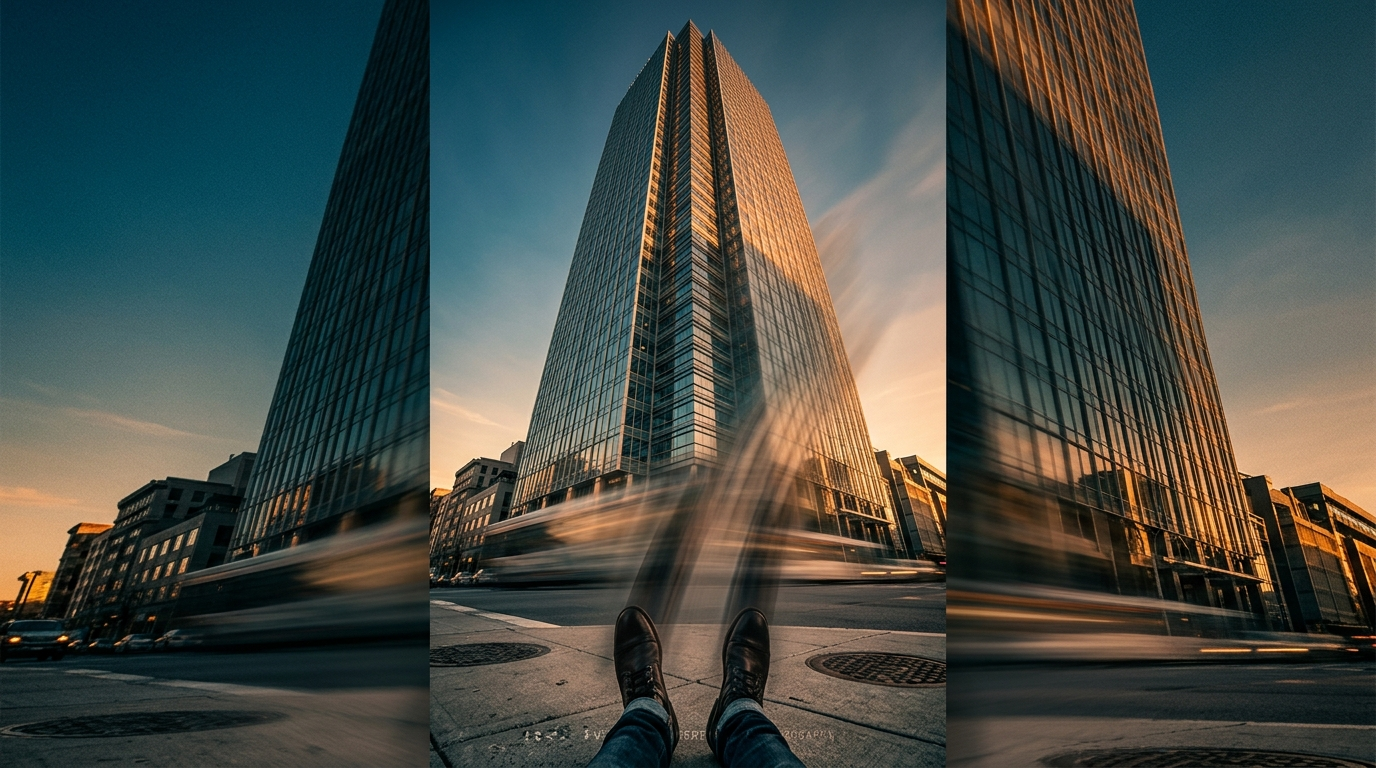
Tilt Up:The camera rotates from a lower point to a higher one, revealing scale, building anticipation, or conveying grandeur: a skyscraper rising into frame, a character looking up at something significant.
Tilt Down: The reverse: from a higher point to a lower one. Often used to ground a scene, reveal a detail, or transition from something grand to something intimate.
Pedestal: Frequently confused with a tilt, but genuinely distinct: a pedestal movement raises or lowers the entire camera vertically, on a tripod column or dedicated pedestal rig, without rotating it. A tilt changes the angle you are looking at while the camera stays in place. A pedestal changes the camera's actual height while the framing angle stays the same. It is subtle on screen but useful for smoothly matching a subject's changing height, someone standing up from a chair, for instance, without the perspective shift a tilt would introduce.
Dolly Camera Movements
A dolly movement involves physically moving the camera closer to or farther from the subject, typically on a wheeled rig or track. This is fundamentally different from a zoom, which only changes magnification without moving the camera itself. Dollying changes perspective, zooming does not.
Dolly Push In: The camera moves physically closer to the subject. Used to heighten emotional intensity or signal a realisation. The audience feels like they are stepping into the moment rather than just seeing it magnified.
Dolly Pull Out: The reverse: the camera moves backward, away from the subject, creating distance. Often used to close a scene or reveal the wider context around a moment that was previously shown in isolation.
Dolly Zoom In: Also known as the "Vertigo effect," after the Hitchcock film that popularised it: the camera moves closer to the subject while the lens simultaneously zooms out, keeping the subject the same size in frame while the background compresses and distorts dramatically around them. Templix can replicate this effect digitally, no dolly track, special rig, or on-set rehearsal required.
Dolly Zoom Out: The reverse combination: the camera moves backward while the lens zooms in, expanding the background around a subject who stays framed at the same size. Conveys realisation, fear, or a sudden loss of control, a visual language thriller and horror films rely on heavily.
Try These Camera Moves on MiniMax H3
Tracking and Trucking Camera Movements
These two terms get used almost interchangeably in casual conversation, but they describe related, not identical, motions.
Truck Shot: The camera moves laterally, strictly side to side, typically to follow a subject moving parallel to it while maintaining consistent framing. Common in fashion walks, dance sequences, and any scene where the subject's motion is primarily left-to-right or right-to-left relative to the camera.
Tracking Shot: The broader category: the camera moves alongside or follows a subject's motion in any direction, not strictly lateral, to keep them in frame as they move through a space. This is one of the most heavily searched camera movement terms, and for good reason. Tracking shots are foundational to nearly every genre. A Steadicam following a character down a hallway in one continuous take, a vehicle-mounted rig following a car chase, a handheld camera weaving through a crowd behind a protagonist.
Aerial and Rotational Camera Movements
These movements share a common trait: they free the camera from a single fixed plane, moving it vertically, in an arc, or in a full circle around the subject.
Crane Shot: The camera is mounted on a jib or crane and moves vertically and horizontally through the air, often sweeping from a high vantage point down toward the subject or the reverse. Crane shots let the camera depart from any conventional fixed vantage point entirely, and they are a go-to choice for dramatic reveals, conveying scale, and scene-opening establishing shots that need to feel bigger than a locked-off frame ever could.
Arc Shot: The camera moves in a curved path partway around a subject, rather than a full circle. This adds dimensionality to what would otherwise be a static shot, revealing more of a subject or the surrounding environment as the camera arcs past.
360-Degree Rotation: A complete loop around the subject, effectively an intensified arc shot taken all the way around. Common in dance sequences, hero reveals, and moments of emotional climax, where the goal is a fully immersive, almost disorienting sense of movement surrounding the subject.
Zoom Camera Movements
Strictly speaking, zooms are a lens effect rather than a camera movement. The camera itself does not move, the lens's focal length changes. They are grouped here because they are functionally treated as movements in nearly every shot list and AI video prompt, and because they are frequently combined with true camera movements (as in the dolly zoom above).
Zoom In. The lens magnifies the subject without the camera moving, directing viewer attention and emphasising a detail, expression, or object. In AI-generated video, zoom-ins are one of the simplest, most reliable ways to create focal clarity in a scene.
Zoom Out. The reverse: the lens widens to reveal more of the surrounding environment, often used to show scale, close a scene, or create a sense of isolation as the subject shrinks within a growing frame.
Micro Zoom. A very subtle, almost imperceptible zoom in either direction, used to add quiet intensity without calling attention to the technique itself. Common in documentaries and interview-style content, where a heavier zoom would feel intrusive or overly stylised.
How to Choose the Right Camera Movement for Your Scene
Knowing eighteen techniques is only useful once you can match one to the moment you are actually shooting or generating. A few practical starting points:
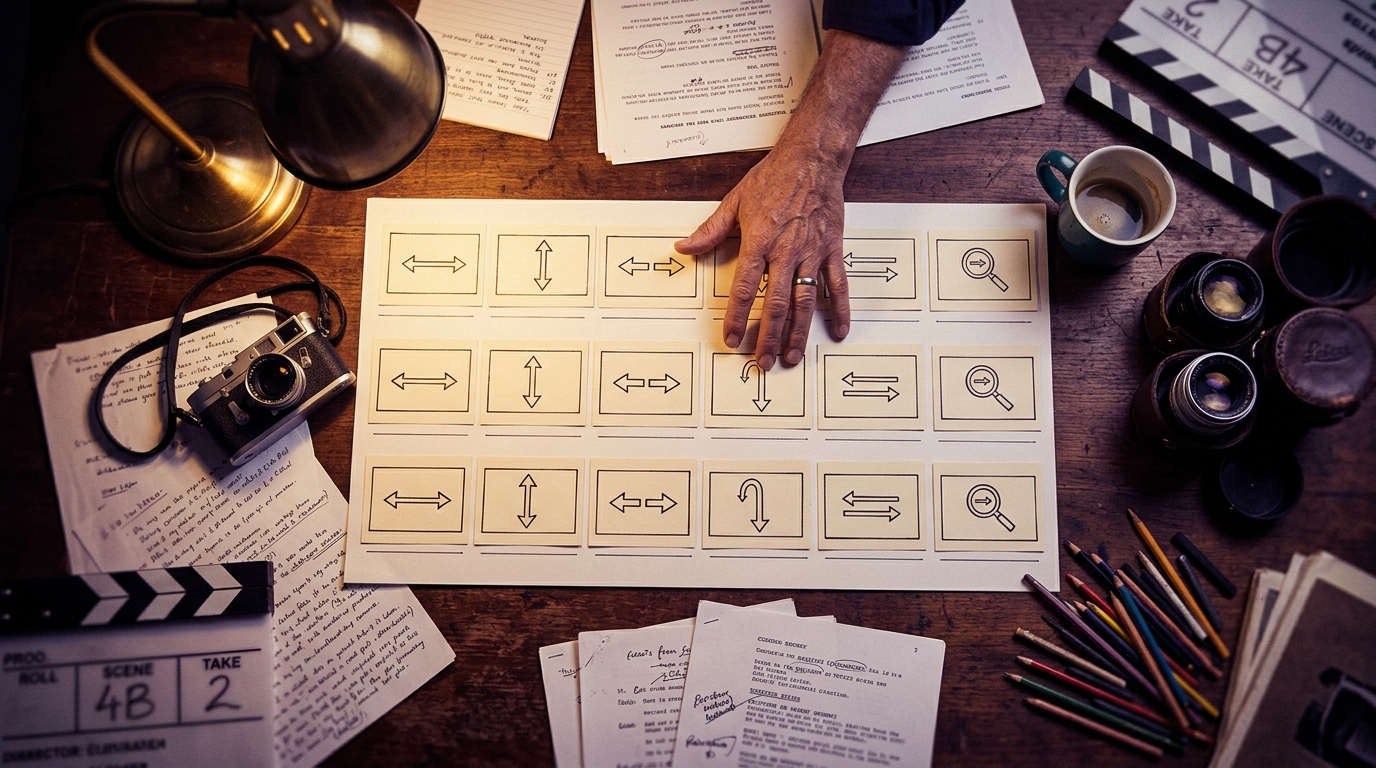
For revealing information gradually: pan or tilt. Both are the lowest-friction way to guide an audience's eye across a space without cutting.
For emotional intensity: dolly push in, or a slow zoom if a physical dolly is not practical. The push in changes perspective and feels more immersive. The zoom is faster to execute but reads as slightly flatter.
For unease or shock: dolly zoom, in either direction. This is a deliberately disorienting effect and should be used sparingly. Its impact depends on scarcity.
For following action: tracking shot, truck shot if the motion is strictly lateral. Tracking is more flexible for handheld or vehicle-mounted follow work.
For scale and grandeur: crane shot or tilt up. A crane shot works best when you need the camera itself to travel a real distance. A tilt up is the lighter-weight option when you just need to reveal height.
For a dramatic reveal or climax: arc shot or full 360-degree rotation, depending on how much of the surrounding scene you want the audience to see.
The other decision that matters at least as much as picking the movement itself is picking the number of movements per scene. Films with strong visual identity tend to be disciplined about camera movement, using it deliberately at specific narrative moments rather than throughout every shot. AI video output benefits from the same discipline. Static shots between moving ones create rhythm. Movement everywhere flattens into visual noise the same way constant music does.
A useful test for whether a particular movement earns its place: ask what the movement itself communicates that a static shot at the same framing would not. If the answer is nothing specific, the movement is probably decoration rather than intent, and the shot will read stronger without it. If the answer is a specific emotional or narrative beat (rising intimacy, revealing scale, following action), the movement is doing genuine work and deserves the runway.
Applying Camera Movement in AI Video Generation on Templix
Understanding these movements matters just as much for AI filmmaking as it does on a physical set, arguably more, since a text or image prompt has to specify motion explicitly rather than relying on a camera operator's instinct in the moment. Here is how that actually breaks down across the Templix video toolkit.
Directing Full Scenes With MiniMax H3
MiniMax H3 is one of the strongest picks for scenes where camera movement is central to the shot. H3 handles named movement techniques well when the prompt uses standard filmmaking vocabulary rather than vague description. A prompt like "slow dolly push in, shallow depth of field" produces the actual technique. A prompt like "camera gets closer" produces something less predictable.
H3's multi-shot capability within a single 15-second generation also lets you chain movements together in ways that would previously have required stitching multiple generations. An establishing crane shot into a medium tracking shot into a close-up push in can all happen inside one clip without cut points. For narrative content specifically, this is a genuine shift from earlier AI video workflows.
Animating Existing Footage With Motion Control
If you already have an image or a reference clip and just need to add movement to it, rather than generating a scene from a blank prompt, the Motion Control app is the better tool. It transfers real movement patterns from a reference video onto a static image or character with frame-accurate precision, which is genuinely useful when the composition is already right and the only thing missing is the motion itself. Animating a still photo with a push in or a pan rather than regenerating the whole scene often produces cleaner results than starting from a prompt.
Choosing a Model for the Movement You Need
Current AI video models handle camera movement differently, and picking the right one for a specific shot matters as much as the prompt itself.
MiniMax H3 handles named cinematographic movements well and generates synchronised audio in the same pass, which matters for dialogue-driven scenes where a push in or pan needs to land in sync with a line being delivered.
Seedance 2.5 supports longer single-pass generation (up to 30 seconds) with strong scene-change and tempo-shift handling within one clip, which matters for narrative sequences where camera movement needs to sustain across a longer runway.
Kling 3.0 Pro excels at motion transfer from reference videos, a strong choice for tracking and truck shots where matching an existing movement pattern matters more than describing it from scratch.
Test the same movement prompt on two or three models on the same brief and pick the model that produces the strongest output. Different models handle different movements better, and there is no substitute for direct comparison on your actual content.
Refining and Combining Clips After Generation
Once a clip exists, the work is not necessarily done. Movement often needs adjusting or combining with other shots to build a full sequence. Templix's wider video toolkit supports pacing adjustment and combining multiple camera-movement clips into one longer sequence, so a pan into a push in can live in one final asset without regenerating the whole scene from scratch. For creators packaging generated clips as short-form content, the AI Reel Generator handles the platform-native formatting step so you can move directly from a strong hero clip to a publishable Reel or Short.
Try Camera Movement Prompts Free
Camera Movement Prompts for AI Video
Writing an effective camera movement prompt comes down to specificity. "Camera moves" tells a model almost nothing. "Slow dolly push in, shallow depth of field" gives it something concrete to execute. A few habits that consistently improve results:
Name the movement explicitly, using the terms from this guide rather than a vague description ("camera gets closer" versus "dolly push in"). AI models trained on filmmaking data recognise the standard vocabulary and respond to it more predictably than to descriptive paraphrases.
Specify speed and intensity where it matters. A whip pan and a standard pan use the same underlying motion but need very different pacing described in the prompt. Words like "slow," "steady," "rapid," and "gradual" all carry weight.
Combine movement with lens language when precision matters. Pairing a dolly zoom with an explicit focal length note helps a model understand the compression effect you are after rather than just "zoom weirdly." Terms like "wide angle," "telephoto," and specific focal lengths in millimetres all read cleanly to modern models.
Separate movement from angle in the prompt, per the distinction covered earlier. Describe the angle and the movement as two different pieces of information rather than blending them into one vague phrase. A low-angle tracking shot is not the same as an eye-level tracking shot, and the model needs both pieces to render either one correctly.
For a deeper structural approach to writing the prompt itself, our JSON Prompting for AI Image Generation breaks down how to format a prompt so the camera movement field is unambiguous rather than left to a model's interpretation. The same discipline that produces cleaner image output produces more predictable video output on movement-heavy scenes.
For the specific comparison of how different AI video models handle camera movement and multi-shot sequences, our Seedance 2.5 vs Seedance 2.0 comparison covers where each generation of ByteDance's video model handles movement differently, which pairs directly with the model-choice decision covered above.
Master Every Movement, Then Let AI Handle the Execution
Camera movement is a rich creative language, and like any language, fluency comes from knowing enough vocabulary to say exactly what you mean rather than approximating it. Whether you are planning a physical shoot or writing a prompt for an AI video generator, the same eighteen techniques apply. The only thing that changes is the tool executing them.
The creators who get the strongest AI video output almost always share one habit: they treat prompt writing like actual cinematography direction rather than like search-engine queries. They name the shot type, they name the camera movement, they name the lens character. That vocabulary is the entire subject of this guide, and it is worth internalising because the payoff shows up in every single generation from that point forward, across every model and every project. Free credits on signup mean you can start testing every movement in this guide on your own briefs at no cost before committing to a paid plan.
Start Directing AI Videos Free on Templix
What is the most common camera movement in film?
Pans, tilts, and tracking shots are the three most frequently used, largely because they are achievable with basic equipment (a tripod for pans and tilts, a simple gimbal or dolly for tracking) and cover the majority of everyday storytelling needs: revealing information, following action, and building scale.
Can Templix MiniMax H3 replicate real camera movements?
Yes. MiniMax H3 can replicate pans, tilts, dolly zooms, crane-style moves, and tracking shots from a text description or a reference clip, without physical equipment. Precision varies by how specifically the movement is described in the prompt, which is why naming the technique explicitly with standard filmmaking vocabulary matters more than descriptive paraphrasing.
Do I need expensive equipment to use these movements in real filmmaking?
No, for most of them. Pans and tilts only require a tripod. Basic dolly and tracking movements can be approximated with a slider, a wheelchair, or a gimbal. Crane shots are the main exception. They typically require dedicated rental equipment, which is exactly where testing a shot in AI pre-visualisation first can save real money before committing to that rental.
Should I combine multiple camera movements in one shot?
Often, yes. A crane shot might start high and move to eye level while also pushing in, for instance. But each combination should be intentional rather than accidental. Start by identifying the single movement that best serves the moment, then layer in a second only if it adds something the first movement alone does not.
Is Templix MiniMax H3 free to use for camera movement generation?
Yes. Templix offers free credits on signup so you can test MiniMax H3 and every other video model on the platform at no cost. Paid plans unlock higher credit volumes and priority processing for creators producing at consistent cadence.
Which AI video model handles camera movement best on Templix?
MiniMax H3 handles named cinematographic movements well and generates synchronised audio in the same pass. Seedance 2.5 handles longer single-pass sequences with strong scene-change and tempo-shift within one clip. Kling 3.0 Pro excels at motion transfer from reference videos. The right pick depends on your specific brief, and testing the same prompt across two or three models is the fastest way to decide.
What is the difference between a dolly zoom and a zoom?
A zoom changes the lens's focal length without moving the camera, producing magnification without a perspective shift. A dolly zoom combines a physical dolly move with a simultaneous opposite zoom, which keeps the subject the same size in frame while dramatically compressing or expanding the background around them. The dolly zoom produces the famous "Vertigo effect" that a pure zoom cannot replicate.
What is the difference between a tracking shot and a truck shot?
A truck shot moves the camera strictly laterally (side to side), typically to follow a subject moving parallel to the camera while maintaining consistent framing. A tracking shot is the broader category, following a subject's motion in any direction (not strictly lateral) to keep them in frame as they move through a space.
Can I use camera movements from Templix output commercially?
Yes. Videos generated on Templix are available for commercial use across social content, paid ads, brand campaigns, product pages, and any other commercial application. This applies to output from MiniMax H3 and every other model available on the platform including Seedance 2.5 and Kling 3.0 Pro.
What is the biggest reason to learn camera movement vocabulary for AI video?
Prompt precision. AI video models trained on filmmaking data respond much more predictably to standard cinematography vocabulary than to descriptive paraphrasing. Naming a "dolly push in" rather than describing "the camera gets slowly closer" produces measurably more predictable output, which compounds meaningfully across every generation once the vocabulary is internalised. The same word count in the prompt does considerably more work when it uses the terms models were trained on.

Mahnoor Asad
Mahnoor Asad blends design sensibility with AI video expertise at Templix, crafting content on visual creativity, motion generation, and high-converting ad concepts.