
MiniMax H3, also known as Hailuo 3, is the newest generation in the Hailuo AI video model family from Shanghai-based MiniMax. It arrived as a genuine step-change over the previous Hailuo 02 and Hailuo 2.3 Fast generations, and it is now available on Templix alongside the wider video model lineup.
The headline shift is that H3 does not just generate video: it generates a full audiovisual scene in a single pass. Native 2K resolution. Synchronized stereo audio. Multi-shot scenes with dialogue in multiple languages. Omni-reference input that lets you combine images, video clips, and audio references in one generation. This is not an incremental update to a video model. It is a new category of tool for creators building short-form cinematic content.
This guide covers what MiniMax H3 actually is, what it does well, how it compares to previous Hailuo versions and to other Templix video models like Seedance 2.5 and Kling 3.0 Pro, the use cases where it fits best, and how to get the strongest results from it on Templix. Free credits on signup mean you can test H3 end to end at no cost before committing to a paid plan.
What Is MiniMax H3?
MiniMax H3 is an omni-modal video generation model built by MiniMax, the Chinese AI company behind the Hailuo video platform. It generates video clips from 5 to 15 seconds at native 2K resolution (2560×1440) and 24 frames per second, with stereo audio produced in the same generation pass as the video itself.
The name is worth clarifying because it appears in several forms across the industry. Officially, MiniMax calls it MiniMax H3 in its research posts, model card, and API documentation. The Hailuo consumer platform refers to it as Hailuo 3, and some coverage calls it Hailuo 3.0. All three names refer to the same model. Templix lists it as MiniMax H3.
What makes H3 distinct from previous video models (including the earlier Hailuo generations) is the omni-modal architecture. Instead of separate specialised models for text-to-video, image-to-video, video editing, and reference-based generation, H3 handles all of these tasks through a single model that understands text, images, video, and audio as one unified context. You describe what you want in natural language, feed any combination of reference material, and the model produces a complete audiovisual result.
The model was released as open weights on Hugging Face shortly after its initial launch, which makes it the most capable open-weight video model available today. Templix runs the full hosted version, so users get access to 2K output and the complete reference system without the deployment overhead or regional restrictions of running the open-weight version locally.
Key Features and Capabilities of MiniMax H3
Six specific capabilities define what MiniMax H3 does differently from earlier video models. Each one changes what is practically possible for creators producing short-form cinematic content.
Native 2K resolution at 24fps: Output is generated directly at 2560×1440 rather than being upscaled from a lower native resolution. This is a meaningful upgrade from Hailuo 02 and 2.3, which topped out at 1080p. For paid ad placements, premium social content, and any delivery surface where output quality matters more than social-first speed, native 2K without an upscaling step is a real advantage.
Synchronized stereo audio: H3 generates 32kHz stereo audio in the same pass as the video, not as a separate track added afterwards. This includes dialogue, footsteps, ambient sound, and score-style background music, all matched to the visual scene. Where earlier Hailuo generations produced silent clips that required a separate audio pass, H3 handles both together with genuine audio-visual coherence.
Multi-shot scenes in a single generation: H3 can produce multiple shots within one 15-second generation. That means a scene can include a wide establishing shot, a medium follow, and a close-up detail without needing to stitch three separate generations together. For narrative and campaign work, this removes one of the most difficult parts of AI video production: maintaining continuity across cut points.
Omni-reference input (up to 12 files): H3 accepts up to 9 images, 3 video clips, and 3 audio clips as reference input for a single generation. You reference a character's appearance, a camera movement pattern, a specific location aesthetic, and a voice sample all in one brief. The model transfers those cues into a new scene while keeping the result coherent.
Multilingual dialogue: H3 generates native lip-synced dialogue in 11 languages. For creators producing content for multiple markets, this means the localised version of a clip is not a dubbed English original but a native-language generation with correct mouth movement for the specific language.
Instruction-based editing: H3 supports replace, add, and remove operations for people, objects, backgrounds, and dialogue within an existing generation. Change one element of a shot without regenerating the whole thing. This is the capability that ranked H3 first on the Artificial Analysis Video Arena for video editing at launch.
Try 2K AI Video Generation Free
MiniMax H3 vs Previous Hailuo Generations
For users already on Hailuo 0.2 or Hailuo 2.3 Fast, the upgrade path is clear. H3 is a substantial jump rather than an incremental update. Here is what actually changes.
Feature | Hailuo 0.2 / 2.3 Fast | MiniMax H3 (Hailuo 3) |
Maximum resolution | Up to 1080p | Native 2K (2560×1440) at 24fps |
Clip length | Up to around 10 seconds | 5 to 15 seconds |
Native audio | Silent output | Synchronized 32kHz stereo audio in the same pass |
Reference input | Standard reference support | Omni-reference: up to 9 images, 3 videos, and 3 audio clips |
Multi-shot generation | Single shots per generation | Multi-shot scenes within one 15-second clip |
Multilingual dialogue | Limited | Native lip-synced dialogue in 11 languages |
Editing capability | Basic | Instruction-based replace, add, remove for regions and elements |
Aspect ratios | Standard ratios | Six ratios including 21:9, 16:9, 4:3, 1:1, 3:4, 9:16 |
If you were using Hailuo 0.2 for cinematic shots or Hailuo 2.3 Fast for iteration speed, H3 slots in above both for anything that needs 2K delivery, native audio, or multi-shot scenes. Hailuo 0.2 and Hailuo 2.3 Fast remain useful in their own right for specific workflows (shorter clips, faster iteration, lower cost per generation), but H3 is the model to reach for when quality and completeness matter more than speed. Our MiniMax Hailuo 02 vs Hailuo 2.3 Fast covers the tradeoffs between those two earlier models in more depth.
Use Cases Where MiniMax H3 Fits Best
The specific capabilities of H3 map onto a distinct set of production workflows better than earlier video models could.
Short-form cinematic content: Fifteen seconds of native 2K with synchronized audio matches the format spec for TikTok, Reels, and Shorts hero content that needs to hold up on both mobile screens and larger displays. Creators producing paid-social hooks or premium organic short-form content are among the most obvious use cases.
Campaign hero visuals" Native 2K output with multi-shot capability makes H3 practical for producing campaign hero content without a traditional shoot. Instead of coordinating a location, cast, and crew for a 15-second campaign spot, brands can generate the same clip from a text description plus reference material.
Multilingual campaign versioning: H3's multilingual dialogue generation removes one of the most expensive parts of running a multi-market campaign. Instead of dubbing the English original into ten languages afterwards, brands can generate the native-language version of the clip directly with correct lip-sync for each market.
Multi-shot narrative content: For product story videos, editorial content, and any format where the shot changes within the clip, H3's multi-shot capability handles the transitions inside a single generation. This is significantly cleaner than stitching multiple separate generations together and hoping the cut points match.
Dialogue-driven content: Any format where a character speaks (product demo voiceovers, character-led ad content, educational content, and character-based storytelling) benefits from H3's synchronized audio pipeline. Where earlier video models required a separate voiceover pass added in post, H3 handles voice and video in one generation with correct lip-sync.
Editing existing content: H3's instruction-based editing lets you take an existing generation and modify one element without regenerating the whole thing. This is particularly useful for localisation work, where you change on-screen text, a product variant, or a background element for a different market without touching the rest of the shot.
For creators combining H3 output with the wider Templix video production workflow, our Best AI Video Extenders covers the extension workflow for producing longer content built on H3's 15-second base clips.
How to Use MiniMax H3 on Templix
Getting started with MiniMax H3 on Templix takes about a minute. The workflow is designed to be simple even for users who have never generated AI video before.
Step 1:
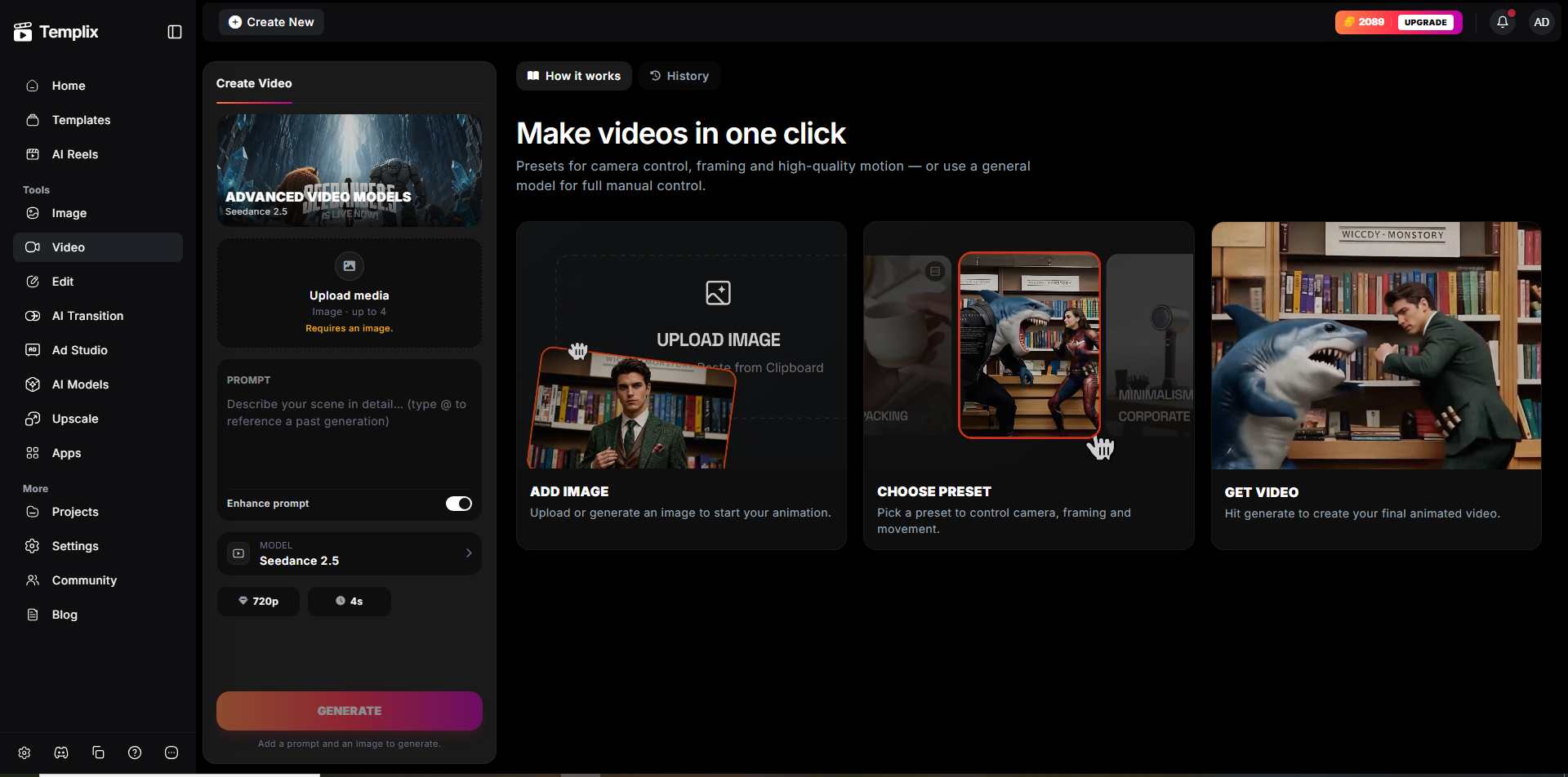
Open the MiniMax H3 model page: Head to Templix and select MiniMax H3 from the video model options. If you already have a Templix account, sign in. New users can sign up with free credits, no card required.
MiniMax H3
Step 2:
Write your prompt: Describe the video you want to generate. Include the subject, action, setting, camera behaviour, lighting, and any dialogue you want the characters to speak. Detailed prompts consistently produce better results than short vague ones on H3 specifically, because the model is designed to work from richer input.
Step 3.
Add reference material (optional): If you have specific characters, locations, camera movements, or voice samples you want the model to work from, upload them as reference. H3 accepts up to 9 images, 3 videos, and 3 audio clips per generation. Start with a small reference set and add more only if it measurably improves the result.
Step 4.
Choose aspect ratio and length: Select the aspect ratio for your target platform (9:16 for TikTok and Reels, 16:9 for YouTube, 21:9 for cinematic delivery) and the clip length (5 to 15 seconds). Set these at generation time rather than cropping afterwards.
Step 5.
Generate and iterate: Click generate and wait a few minutes. Preview the output, refine the prompt if needed, and regenerate until you have a clip you can publish or extend. Once you have a strong base clip, the AI Reel Generator can package it for TikTok, Reels, and Shorts formatting without a separate editing pass.
Prompting Tips for Better MiniMax H3 Output
A few habits produce noticeably stronger H3 results than the default approach.
Write for a scene, not a shot: H3's multi-shot capability rewards prompts that describe an actual scene arc rather than a single moment. A prompt like "wide shot of a coffee shop at sunrise, then close-up on the barista pulling an espresso shot, then medium shot of steam rising from the cup" produces better results than "coffee being made" alone.
Include audio in the prompt: Because H3 generates audio in the same pass as video, describe the sound you want. Ambient noise, dialogue, footsteps, music mood. The model uses that input to build a coherent audiovisual scene rather than treating audio as an afterthought.
Use reference material deliberately: More references does not always mean better output. Start with a small, well-labelled reference set covering the essentials (character, location, camera movement) and add more only if the specific addition measurably improves the result.
Describe lighting explicitly: H3 handles lighting well when directed clearly. Golden hour, high-key studio, moody neon, natural window light: these read as distinct visual grades in H3 output when described specifically rather than left as "bright" or "dark."
For a deeper look at structured prompting that consistently produces cleaner AI video output across every generation, our JSON Prompting for AI Image Generation covers the approach. The same discipline that works for structured image prompts applies directly to structured video prompts on H3.
Final Thoughts: Is MiniMax H3 Worth Using?
For anyone building serious short-form video content, MiniMax H3 is one of the strongest video models currently available and worth testing on your specific briefs before committing production budget elsewhere. Native 2K resolution, synchronized audio, multi-shot scenes, and omni-reference input all address real limitations that earlier video models never fully solved.
H3 is not the right tool for every generation. For rapid iteration on early concepts where speed matters more than final polish, faster models like Hailuo 2.3 Fast or Templix Seedance 2.0 remain competitive choices. For anything longer than 15 seconds, extending the clip or using a model specifically built for a longer generation like Seedance 2.5 makes sense. But for the specific use cases H3 was built to solve (cinematic short-form content, multi-shot scenes, dialogue-driven video, multilingual campaign content), it is genuinely one of the leading options in the category.
Templix runs the full hosted version of MiniMax H3 alongside the wider video model lineup, so you can test H3 against Seedance 2.5, Kling 3.0 Pro, and the earlier Hailuo generations on the same brief and choose the model that produces the strongest output for your specific use case. Free credits on signup mean you can run those comparisons at no cost before committing to a paid plan.
Start Using MiniMax H3 Free on Templix
Frequently Asked Questions
What is MiniMax H3?
MiniMax H3, also known as Hailuo 3 or Hailuo 3.0, is an omni-modal AI video generation model from Shanghai-based MiniMax. It generates video clips of 5 to 15 seconds at native 2K resolution and 24fps with synchronized stereo audio in the same generation pass. It supports omni-reference input combining up to 9 images, 3 videos, and 3 audio clips.
Is MiniMax H3 free to use on Templix?
Yes. Templix offers free credits on signup so you can test MiniMax H3 and every other model on the platform at no cost. Paid plans unlock higher credit volumes and priority processing for teams producing at scale.
What is the difference between MiniMax H3 and Hailuo 3?
They are the same model. MiniMax calls it MiniMax H3 in its research and API documentation. The Hailuo consumer platform refers to it as Hailuo 3 or Hailuo 3.0. Templix lists it as MiniMax H3. All three names refer to the same underlying model.
How does MiniMax H3 compare to Seedance 2.5?
Both are top-tier video models with different strengths. MiniMax H3 leads on native 2K output, synchronized audio, and multi-shot generation within a single clip. Seedance 2.5 leads on longer single-pass generation (30 seconds versus H3's 15 seconds) and native 4K output. For dialogue-driven or audio-first content, H3 is often the stronger pick. For longer atmospheric shots, Seedance 2.5 has the advantage. Testing both on your specific brief is the fastest way to decide.
How does MiniMax H3 compare to Kling 3.0 Pro?
Kling 3.0 Pro is a strong all-round model with excellent motion quality and expressive character animation. H3 differentiates on native 2K output, synchronized audio, and multi-shot scenes. For character-driven content with expressive movement, Kling 3.0 Pro remains a competitive choice. For content requiring native audio or multi-shot generation, H3 is generally the better fit.
What aspect ratios does MiniMax H3 support?
Six aspect ratios: 16:9 for YouTube and horizontal placements, 9:16 for TikTok, Reels, and Shorts, 1:1 for Meta feed square, 4:3 and 3:4 for editorial and portrait, and 21:9 for ultra-wide cinematic delivery. Set the aspect ratio at generation time rather than cropping afterwards.
Can MiniMax H3 generate dialogue in multiple languages?
Yes. MiniMax H3 supports native lip-synced dialogue in 11 languages. For multilingual campaign work, this means the localised version of a clip is a native-language generation with correct lip-sync rather than a dubbed English original.
Can I use MiniMax H3 output commercially?
Yes. Video generated on Templix using MiniMax H3 is available for commercial use across social media, ads, ecommerce content, brand campaigns, and editorial work. This applies to output from every model available on the Templix platform.
What image and video formats does MiniMax H3 accept as reference?
Templix accepts common formats for reference input including JPG, PNG, and WebP for images, MP4 and MOV for video, and standard audio formats. Higher-quality reference material consistently produces noticeably better output than low-resolution or heavily compressed input.
What is the biggest reason to use MiniMax H3 over earlier Hailuo generations?
Three things: native 2K resolution instead of 1080p, synchronized audio generated in the same pass as video instead of silent output, and multi-shot scenes within a single clip instead of one shot per generation. For creators who were already using Hailuo 02 or 2.3 Fast, H3 removes the ceiling on quality, adds the audio pipeline earlier generations lacked, and simplifies multi-shot production significantly.

Eman Raza
Eman Raza is Templix's prompt engineering expert, writing practical guides on image and video generation that help users turn ideas into striking visuals