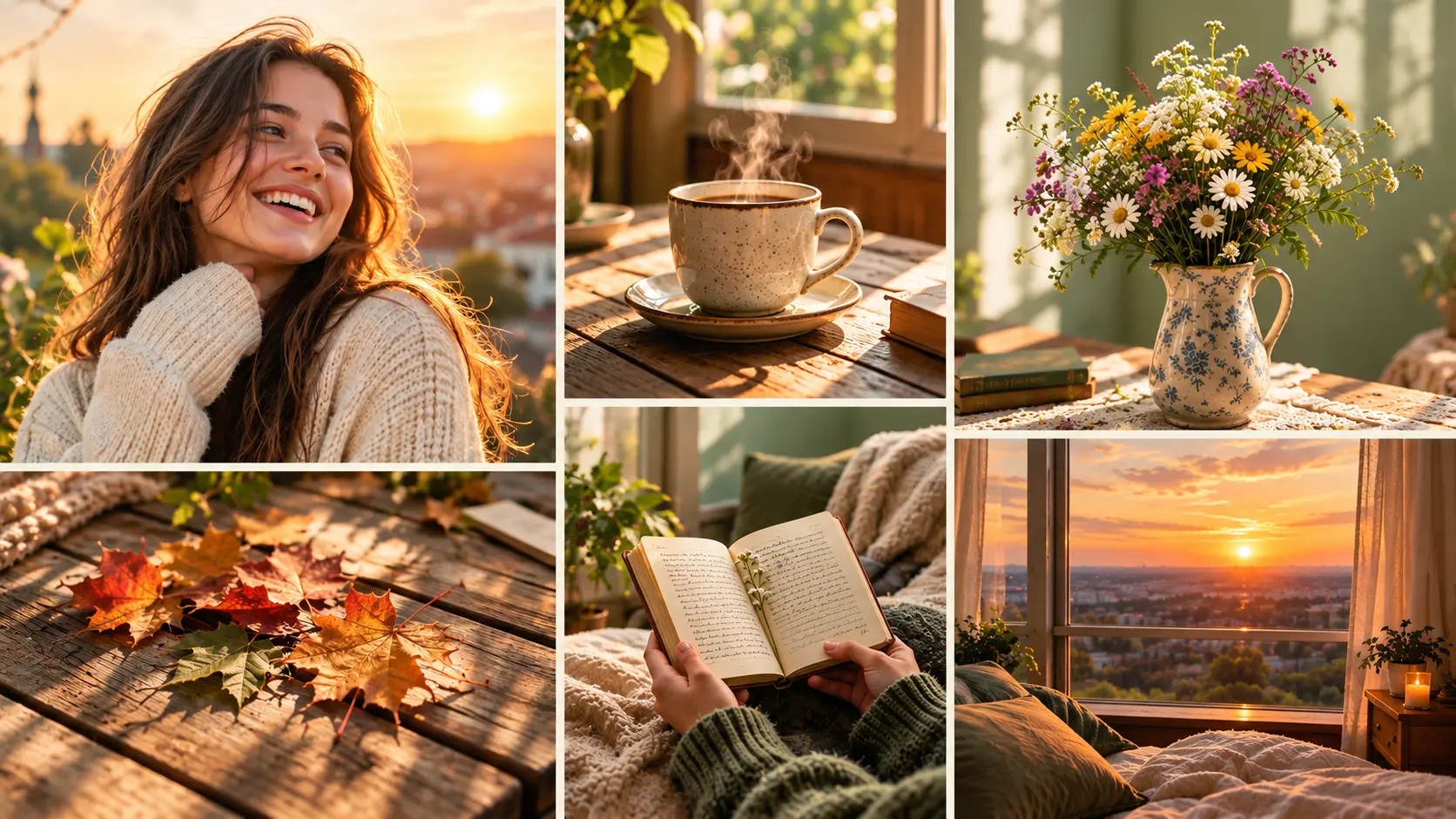
Photo collages have become one of the most persistent visual formats across social media, personal keepsakes, and brand marketing. The reason is simple: a single image can carry one moment, but a well-composed collage carries a story. A recap of a weekend trip, a mood board for a design project, a product line-up for an ecommerce launch, or an aesthetic feed post that stops the scroll: collages let creators combine multiple images into one composition that says more than any single frame could on its own.
Traditional collage-making has always required either manual work in design software (choosing layouts, cropping every image to fit, aligning spacing, matching colours across mismatched photos) or template-based tools that limit creative control. The AI college generation removes most of that friction. Upload your photos, pick a layout style, and the AI handles composition, spacing, and visual consistency automatically. This guide covers the complete workflow on Templix, from preparing source photos through publishing the finished collage to your chosen platform.
Where AI Collages Work Best
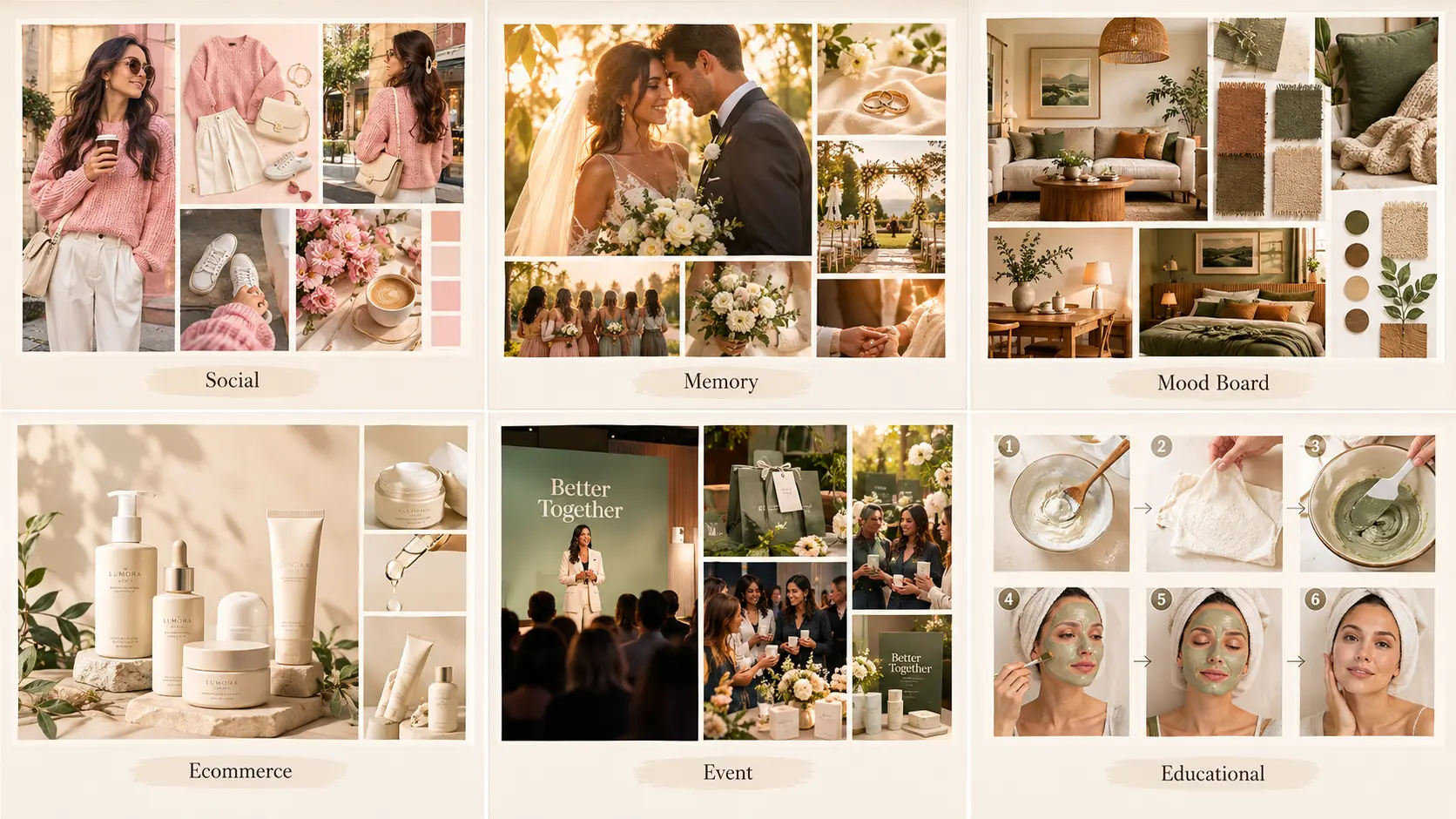
AI collages fit a specific set of use cases particularly well. Understanding which format matches your creative goal is the first step in getting output that actually performs.
Social feed content where a single aesthetic post needs to combine multiple related photos: outfit-of-the-day grids, weekly recap posts, seasonal mood collections, or thematic photo dumps that carry a story across a single image slot.
Memory-keeping and personal keepsakes for birthdays, weddings, graduations, travel recaps, or year-in-review posts where multiple moments deserve to sit together in one memorable composition.
Mood boards for creative projects covering interior design ideas, wedding planning inspiration, brand identity direction, product design references, or content series aesthetic development.
Ecommerce product collages showing a product line-up, colour variations, or lifestyle-plus-detail combinations for landing pages, marketplace listings, and paid social ads.
Event recaps and community content where a single post can carry the full visual story of an event, launch, campaign, or milestone that unfolded across many individual moments.
Educational and tutorial content where step-by-step visual sequences fit better as a grid layout than as separate slides or a video.
Why Templix AI Collage Maker Works Well for These Use Cases
Templix approaches AI collage-making as one component of a broader creative suite rather than as a standalone tool. This matters practically: your collages can pull enhanced images from Templix's 6+ image models, use pre-cleaned photos processed through Templix's specialised apps, and export in formats that match Templix's broader video and image tools for cross-format campaigns.
The Templix AI Collage Maker is included as part of the standard Templix subscription, which starts at $14.99 monthly on Basic and unlocks the full app library across every tier. Free credits on signup cover the collage maker alongside every other Templix tool, so the complete workflow below can be tested at no upfront cost across the entire production stack from start to finish.
Practical advantages that matter for real collage projects:
One platform for the full workflow. Photos can be cleaned, enhanced, and generated in Templix before being combined into a collage, without switching between separate tools for each stage.
Consistent output for cross-platform publishing. Colleges export in aspect ratios that match Instagram feed, Stories, Reels, TikTok, Pinterest, and standard web formats without additional cropping or reformatting.
Web and mobile access. The collage maker runs in browser and through Templix's native iOS and Android apps, so production can happen on phone as easily as on desktop.
Coin cost is visible before every generation. Templix displays the exact cost of each collage on the button before running, which keeps budgeting predictable across a full production session.
Step-by-Step: Making Your First AI Collage on Templix
Five steps cover the workflow from photo selection through published collage.
Step 1.
Gather your source photos: Start with 3 to 12 photos that share either a common theme, moment, subject, or aesthetic direction. Photos with similar lighting conditions and colour palettes tend to produce more visually cohesive collages than random image selections. For memory-keeping or event recap collages, gather photos from the same day or event. For product or mood board collages, pick photos that share the intended creative direction.
Step 2.
Clean and prepare the photos. For collages where individual photos need to feel polished, run each source image through cleanup steps first. The Templix Background Remover removes distracting or mismatched backgrounds from any photo that would benefit from a cleaner cutout in the final collage. For photos with lighting or colour issues, run them through Templix's HDR Enhancement to balance exposure before combining them into the collage layout.
Step 3.
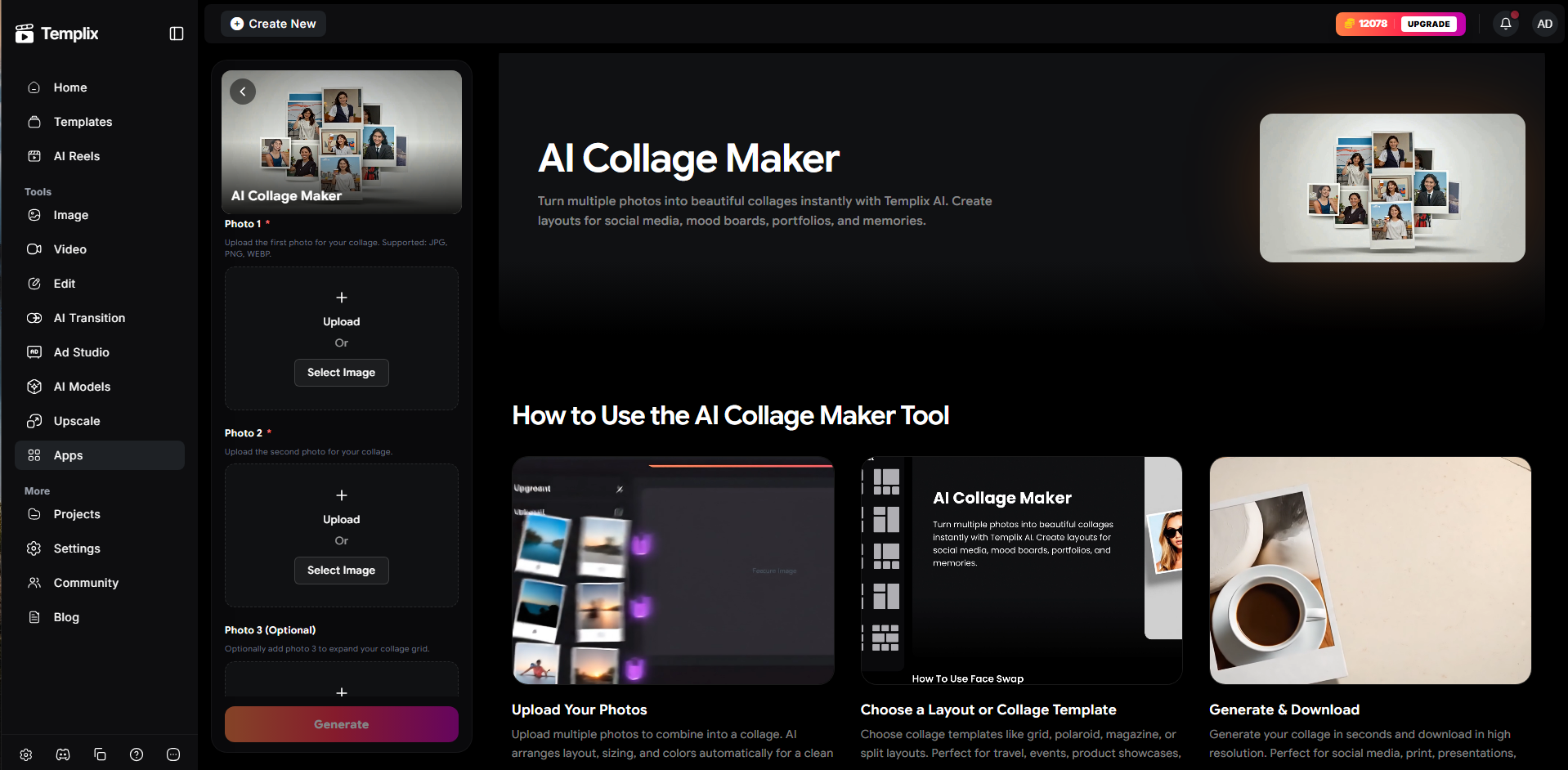
Open the AI Collage Maker and upload your photos: Head to the Templix AI Collage Maker and upload your prepared source photos. The AI Collage Maker reads the photos and suggests layout compositions that match the photo count, orientation mix, and creative direction of your set. If you know the layout style you want in advance, you can pick it manually rather than accepting the suggested composition.
Step 4.
Choose your layout and format: Select the layout style that fits your creative goal (grid, mosaic, freeform, magazine-style) and the output format that matches your publishing destination (1:1 square for Instagram feed, 9:16 vertical for Stories and Reels, 4:5 portrait for feed variety, 16:9 landscape for horizontal display, or custom dimensions for print and web use). Different layouts suit different photo counts and content types, so pick the one that lets your source photos breathe rather than trying to cram everything into one dense grid.
Step 5.
Refine, review, and export: Once the initial collage generates, review the composition against your intended message. Adjust spacing, swap individual photos, or regenerate the layout if the first pass does not carry the story you wanted. Before exporting to your final channel, run the finished collage through the Templix Image Upscaler if the output will display on high-DPI screens or print in physical format. Export in the platform-appropriate format and publish.
Design Tips for High-Impact AI Collages
Five specific design habits separate collages that stop the scroll from collages that feel forgettable.
Match colour palette across the whole collage: Photos that share a common colour direction read as one composition; photos with clashing palettes read as a random assortment. If your source photos naturally share a palette, use them as-is. If they clash meaningfully, apply a consistent filter or colour treatment across all photos before combining, so the final collage feels cohesive rather than fragmented. Even small adjustments to white balance and saturation across the source set can transform how the finished collage reads at scroll speed.
Vary photo scale intentionally: A collage where every photo is the same size reads as a boring grid. Varying photo sizes creates visual hierarchy that guides the eye through the composition. Use one larger hero image as the visual anchor, then arrange smaller supporting images around it in a way that supports rather than competes with the anchor. The hero image should carry the strongest visual weight and the most emotional or narrative importance in the set.
Leave breathing room between photos: White space (or coloured gutter space) between photos gives the composition room to breathe. Densely packed collages with no gaps feel cluttered and visually exhausting. A thin consistent border or gap between images improves readability and premium feel meaningfully across every use case from social feed to print delivery.
Consider the platform format from the start: A collage designed for Instagram feed needs to work in a 1:1 crop. A Stories collage needs to work at 9:16. A Pinterest collage typically performs best at 2:3 portrait. Design for the specific platform where the collage will publish rather than trying to make one collage work everywhere across every format.
Choose the strongest possible source photos: College quality is limited by the weakest photo in the set. A single blurry or badly exposed photo drags down the entire composition regardless of how strong the other photos are. Curate ruthlessly at the source selection stage before starting the college generation.
For creators using individual AI-generated images inside collages, our Nano Banana 2 prompt guide covers the specific prompting patterns that produce consistently clean image output on Templix's strongest general-purpose image model. Higher-quality source images make higher-quality collages.
From Collage to Full Campaign
The Templix AI Collage Maker fits naturally into broader creative campaigns rather than sitting as a standalone tool. Collages made in the app can serve as hero images for landing pages, key visuals in email marketing, static assets in paid social campaigns, cover images for video content, or organic social posts that support a broader campaign narrative.
For creators using collages specifically for paid social advertising, the visual quality is only half the performance equation. The hook, caption, and call-to-action that surround the collage carry equal weight in whether the ad converts. Our best ad hooks guide covers the specific opening patterns that consistently outperform generic openings across product, service, and lifestyle ad campaigns.
Frequently Asked Questions
What is an AI collage maker?
An AI collage maker is a tool that automatically combines multiple photos into a single composed layout using AI-driven composition, spacing, and visual arrangement. Instead of manually cropping and aligning each photo in design software, the AI reads the source photos and suggests layouts that match the photo count, orientation mix, and creative direction. The Templix AI Collage Maker takes uploaded photos and produces publishing-ready collages in seconds.
How is an AI collage maker different from a regular photo collage tool?
Traditional photo collage tools require manual layout selection, individual photo cropping, and manual spacing adjustments. An AI collage maker automates the composition decisions: the AI reads your source photos and suggests layouts that fit the photo count, orientation mix, and creative direction, then handles spacing and alignment automatically. The result is publishing-ready output in seconds rather than the 15 to 30 minutes a manual collage typically takes in design software. The Templix AI Collage Maker also runs as part of a broader creative suite, so photos can be enhanced with AI image models or cleaned through specialised apps before being combined into the collage.
How many photos can I add to a Templix AI collage?
Templix supports multi-photo collages across a range of layout styles. For strongest visual results, 3 to 12 photos per collage produces the best balance between visual density and readability. Larger collages become harder to compose cleanly and often perform worse on social feeds where individual photos become too small to appreciate at scroll speed.
What photo formats does the AI Collage Maker support?
The Templix AI Collage Maker supports standard image formats including JPEG, PNG, and WebP for source photo upload. Exports come in the same standard formats plus platform-optimised aspect ratios for Instagram feed, Stories, Reels, TikTok, Pinterest, and standard web use.
Can I use AI collages commercially on Templix?
Yes. Content generated on Templix at paid subscription tiers is available for commercial use across brand campaigns, ecommerce product imagery, paid social advertising, print marketing, and any other commercial application. Verify current commercial-use terms in the Templix subscription documentation before committing collage output to specific client work.
Which layout style should I choose for my collage?
Depends on your source photos and creative goal. Grid layouts work well for uniform photo sets like product line-ups or matching aesthetic photos. Mosaic layouts suit varied photo sizes and orientations, creating visual variety. Freeform layouts fit organic storytelling and moodboard-style collections. Magazine-style layouts add editorial polish for premium brand content. Match the layout to the content rather than forcing content into a preferred layout.
Does the Templix AI Collage Maker work on mobile?
Yes. Templix provides native iOS and Android apps in addition to browser access, so the AI Collage Maker runs fully on mobile devices. Production can happen directly on the phone without needing to move photos to the desktop, which fits the reality of most social content creation workflows where photos originate on the phone and get published from the phone.
How can I make my AI college look more professional?
Five habits produce measurably better collages: match colour palette across all source photos before combining, vary photo scale to create visual hierarchy rather than a flat grid, leave consistent breathing room between photos, design for the specific platform format the collage will publish to, and use higher-quality source photos since collage quality is limited by the weakest photo in the set.
Can I turn my AI collage into a video or animation?
Templix runs 40+ video models across 10+ families in the broader ecosystem, so collages made in the AI Collage Maker can serve as starting points for video content, animated versions of the same composition, or key visuals in video campaigns. The workflow from static collage to video runs through Templix's video generation tools using the collage output as a reference image.
What makes a good AI collage on Instagram?
Instagram-optimised collages typically share four characteristics: consistent colour treatment across all photos, one clear visual anchor (a larger hero photo or focal composition), platform-native aspect ratio (1:1 for feed, 9:16 for Stories and Reels, 4:5 for portrait feed variety), and enough breathing room that individual photos remain readable at scroll speed. Densely packed collages with mismatched palettes typically underperform even when individual photos are strong.

Ayesha Malik
Ayesha Malik covers marketing and product at Templix, translating new features and releases into clear, engaging stories that keep users informed and inspired.