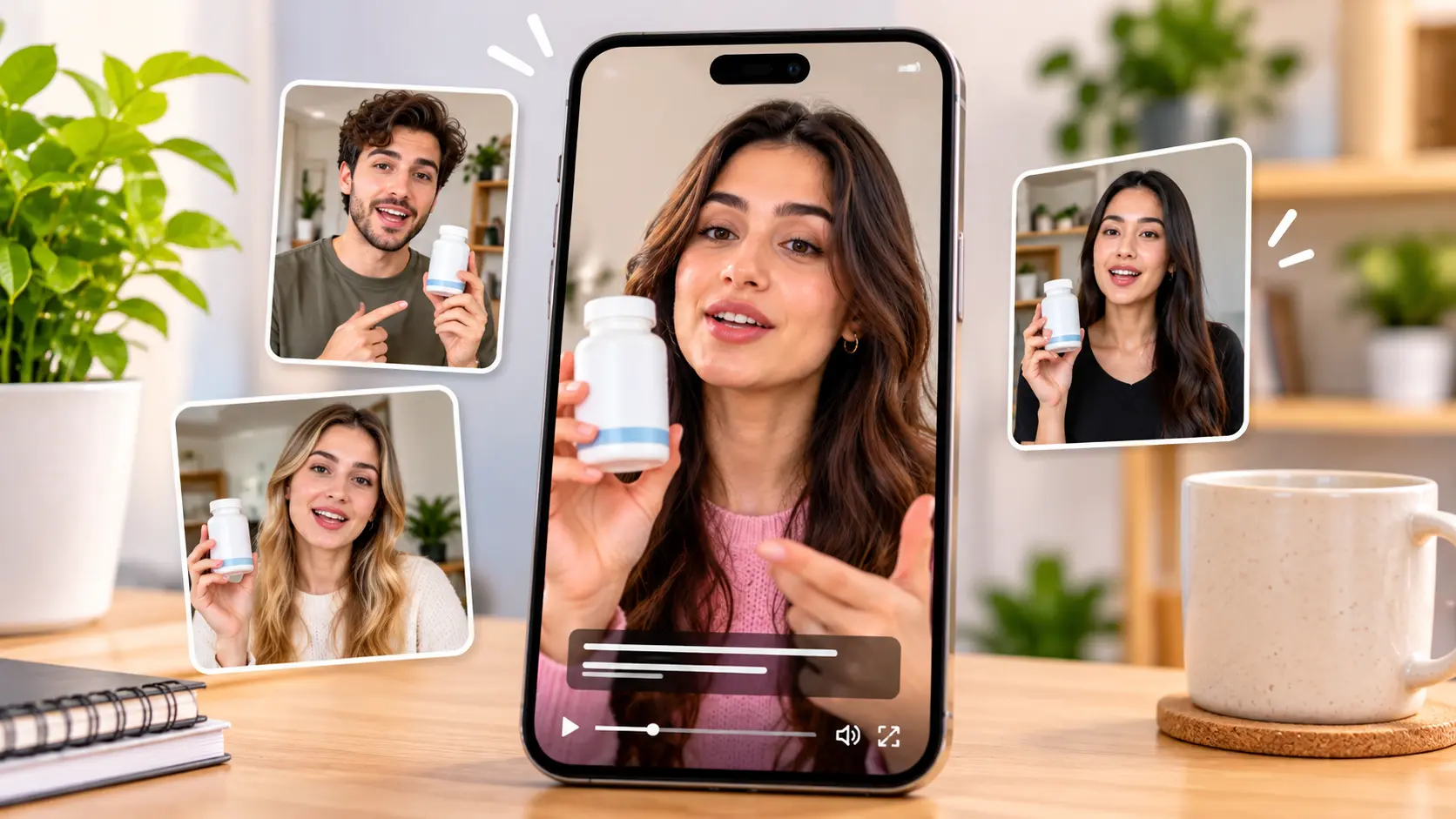
AI UGC tools have changed how brands produce short-form video ads. Instead of finding creators, shipping products, and waiting days for footage, marketers can now generate creator-style videos with AI actors in minutes.
MakeUGC is one of the better-known names in this space. It promises realistic AI actors, product-in-hand scenes, and fast ad variations for TikTok, Reels, and Meta ads. But is it the right fit for your workflow and budget?
In this review, we break down MakeUGC's features, pricing, strengths, and limitations, then compare it with Templix AI UGC Studio so you can decide which tool makes more sense for your ads. Since this is the Templix blog, we'll be upfront: we think Templix is the better all-round choice for most teams, and we'll explain exactly why, including where MakeUGC still has an edge.
What Is MakeUGC?
MakeUGC is an AI video ad generator built around AI actors. You write or generate a script, pick an actor, and the platform produces a talking, creator-style video that looks like user-generated content.
It's aimed mainly at ecommerce brands, DTC marketers, and agencies that need many short ad variations for paid social. Its biggest selling points are a large AI actor library, product-in-hand scenes for physical products, and batch tools for testing multiple versions at once.
MakeUGC Pricing in 2026
MakeUGC uses a credit-based subscription. Here's how its plans looked on its pricing page at the time of writing, with prices shown as monthly rates billed yearly:
Plan | Price (billed yearly) | Credits per month | AI actors | Export quality | Custom avatars | Team seats |
Starter | $29/mo | 500 | 300+ | 480p, 720p | 0 | 0 |
Growth | $39/mo | 1,000 | 500+ | HD, 2K, 4K | 1 | 3 |
Pro | $79/mo | 2,000–5,000 | 1,000+ | HD, 2K, 4K | 3 | 5 |
Enterprise | Custom | Custom | Custom | Custom | Custom | Custom |
A few pricing details are worth knowing before you sign up:
The $1 trial renews at full price. Any plan can be tried for $1, but it renews at the regular price unless you cancel. Check the trial length and renewal amount at checkout, and set a reminder.
Monthly billing costs more. The headline prices assume yearly billing. Monthly and quarterly options are available at higher rates.
Credits don't roll over. Unused credits reset each month.
Credit cost per video varies. The number of videos you get depends on the model, duration, and resolution, so it's hard to predict exact output per plan.
Starter export is limited. The entry plan exports at 480p or 720p, which may not be enough for polished paid ads.
Always confirm current pricing on MakeUGC's website, since plans and offers change often.
MakeUGC Key Features
AI Actor Library
MakeUGC offers 300+ actors on Starter and 1,000+ on Pro. You can browse by look and style and swap actors quickly for A/B tests.
Product in Hand
This is one of MakeUGC's strongest features. Actors can hold or interact with your product, which makes videos feel more natural for physical goods like skincare, supplements, and gadgets.
Scripts and Hooks
The platform can help write scripts from a product page and suggest hooks, which speeds up first drafts.
Batch Mode
Batch tools let you generate several variations at once, which is useful for testing different hooks or actors.
Languages and Voice
MakeUGC supports 50+ languages, so you can localize ads for different markets.
API and MCP Access
Plans include API and MCP access using your plan credits, which helps teams that want to automate production.
Editing and Templates
You get an editor for captions, music, and trims, plus ad templates and an ad remake feature for recreating proven formats.
MakeUGC Pros
Strong product-in-hand scenes for physical product brands.
Large actor library on higher tiers.
Fast variation testing with batch tools and quick actor swaps.
Multilingual support for international campaigns.
API and automation options on every listed plan.
MakeUGC Cons and Limitations
Trial renewal can surprise users. The $1 trial converts to a full-price plan unless you cancel in time.
Unpredictable output per credit. Credit costs depend on settings, which makes budgeting harder.
No rollover. Unused credits are lost each month.
Low-resolution entry plan. Starter is limited to 480p or 720p exports.
Focused mainly on actor videos. If you also need AI images, product photos, reels, or cinematic video, you'll likely need additional tools.
Retries add up. Like most AI video tools, lip-sync and movement aren't perfect every time, and each regeneration uses credits.
Who Should Use MakeUGC?
MakeUGC is a reasonable fit if you:
Sell physical products and want actors holding them on camera.
Mainly produce short talking-actor ads for paid social.
Need multilingual versions and API automation.
It's a weaker fit if you need a broader creative workflow, such as images, reels, product photos, and cinematic video, in one place, or if you want a free way to start without trial renewal risk.
What to Check Before Paying for Any AI UGC Tool
Before choosing MakeUGC, Templix, or any other AI UGC platform, run a short test and check these points:
Realism: Do skin, hands, and lip-sync hold up when you watch on a phone at full screen?
Product accuracy: Does the tool keep your label, colors, and packaging correct?
Speed of variations: How long does it take to swap one hook and regenerate?
Cost per approved ad: Count how many attempts it takes to get one usable video, not just the price per generation.
Export quality: Is the resolution on your plan good enough for paid ads?
Billing terms: Is there a free start, or a trial that renews automatically? Do credits roll over?
Creative range: Will you need separate tools for product images, reels, or polished ads?
How to Estimate Your Real Monthly Cost
Plan prices only tell part of the story. A more useful way to compare tools is:
Real cost per ad = credits per generation × average attempts per approved ad
If a video takes a certain number of credits and your team usually needs three attempts to get one approved version, that ad really costs three times the listed amount. Track this for two weeks while testing. It gives you a much clearer picture of which tool fits your budget than comparing headline plan prices alone.
Templix shows the coin cost of each generation before you run it, which makes this tracking easy.
MakeUGC vs Templix: Quick Comparison
Feature | MakeUGC | Templix |
Free way to start | $1 trial, renews at full price | Free daily coins, no credit card |
Entry paid plan | $29/mo (billed yearly) | $14.99/mo |
AI actors | 300+ to 1,000+ by plan | 1,000+ AI actors |
Custom avatars | 0–3 by plan | Custom AI creators available |
Product or URL input | Product pages, product in hand | Product image or product URL to video |
Realism controls | Actor selection | Skin texture, skin tone, natural imperfections |
Hook and variation testing | Batch mode | Swap hooks with the same actor and script |
Beyond UGC | Image and ad formats | Ad Studio, Reel Generator, 40+ video models, image tools |
Output | Up to 4K on higher plans | MP4 ready for TikTok and Meta Ads |
Why Templix Is the Best MakeUGC Alternative
1. A Free, Low-Risk Way to Start
Templix is free to start with daily free coins and no credit card required. You can test real UGC workflows before paying, with no trial that renews automatically. When you're ready, paid plans start at $14.99 per month. See Templix pricing for current tiers.
2. 1,000+ AI Actors and Custom Creators
Templix gives you access to 1,000+ AI actors, and you can create custom AI creators and influencers, from bust shots to full-body, so each brand or client gets a consistent face across campaigns.
[IMAGE 6: Templix AI actor library (real screenshot) | Place after the paragraph in "2. 1,000+ AI Actors and Custom Creators"] Screenshot: Take a real screenshot of https://templix.app/ugc/community?tab=character showing the grid of AI actors. Crop out any personal account details. Alt text: Templix AI actor library with 1,000+ AI creators Caption: Choose from 1,000+ AI actors on Templix.
3. Realism Controls That Avoid the "Plastic AI" Look
One of the biggest problems with AI UGC is that videos look too perfect. Templix includes controls for skin texture, skin tone, and natural imperfections, plus natural gestures and lip-sync, so your ads feel more like real phone-shot content.
4. Product Image or URL to UGC Video
The UGC Video Generator turns a product or character image into a talking, unboxing, or review-style video from a simple description. You can also start from a product URL. For complete ads, the UGC Ad Generator builds UGC-style ad creative from your product details.
5. Clone Proven Ad Structures
Templix lets you clone the structure of top-performing TikTok and Instagram UGC ads, so you start from a format that already works instead of a blank page.
6. A Full Creative Suite, Not Just Actors
This is the biggest difference. With Templix, the same account includes:
Ad Studio for polished product and brand ads.
AI Reel Generator for organic short-form content.
AI Video Generator with 40+ models, including Kling 3.0 and Runway 4.5.
AI Image Generator for product visuals and thumbnails.
Background Remover, Face Swap, and AI Clothes Changer for quick creative refreshes.
Instead of paying for separate tools for UGC, images, reels, and cinematic video, your team works in one place. Our guide to AI tools for social media content creation shows how one asset can become a full set of campaign content.
Where MakeUGC Still Has an Edge
To be fair, MakeUGC's product-in-hand feature is a strong, purpose-built option for physical goods, and its API and multilingual tools are well suited to teams automating high-volume localized ads. If those are your top priorities, it's worth testing both.
How to Create a UGC Ad on Templix
Here's a simple workflow to create your first AI UGC ad:
Step 1: Open the UGC Studio. Go to Templix UGC and choose UGC Video, UGC Ad Video, UGC Image, or UGC Character.
Step 2: Add your product. Upload a clear product photo or paste your product URL.
Step 3: Choose your creator. Pick an AI actor that matches your audience, or create a custom character you can reuse.
Step 4: Describe the scene. Explain who is on camera, what they do with the product, and how it should feel. For example: "Creator unboxing the product in a sunlit kitchen, talking to camera with a big smile, then holding it close for the last beat."
Step 5: Write a strong hook. The first line decides whether people keep watching. Start with a pain point, result, or audience callout.
Step 6: Generate and review. Check product accuracy, lip-sync, hands, and captions.
Step 7: Create variations. Keep the same actor, body, and CTA, and change only the hook to create 3 to 5 versions.
Step 8: Export and test. Download MP4s for TikTok, Reels, Shorts, and Meta Ads, then scale the version with the best results.
Tips for AI UGC Ads That Don't Look AI-Generated
Use everyday settings. Kitchens, bathrooms, cars, and bedrooms feel more real than studios.
Add natural imperfections. Slight skin texture and casual clothing beat flawless faces.
Keep movement subtle. Small gestures and head tilts look more believable than dramatic action.
Write like people talk. Short sentences, casual words, and real customer phrases.
Check the product carefully. Labels, colors, and size must match the real product.
Use captions. Many viewers watch without sound.
Be transparent. Use AI actors for demos and creator-style ads, never fake customer testimonials, and follow each platform's AI-content labeling rules.
For more on pairing tools for short-form ads, read our comparison of the best AI tools for short video creation.
Other MakeUGC Alternatives to Consider
Arcads: A talking-actor platform focused on script-led ad testing.
Creatify: Known for turning product links into fast video ad drafts.
HeyGen: Strong for multilingual avatar videos and translation, though its style can feel more corporate than native UGC.
Each of these covers part of the workflow. Templix stands out because it combines AI UGC with ads, reels, images, and dozens of video models in one subscription.
Final Verdict: Is MakeUGC Worth It?
MakeUGC is a capable AI UGC tool, especially for physical product brands that want actors holding products and teams that need API automation. Just watch the $1 trial renewal, the Starter export limits, and the fact that credits don't roll over.
If you want a free way to start, a lower entry price, realism controls, and a complete creative suite beyond actor videos, Templix is the stronger MakeUGC alternative for most brands, creators, and agencies.
Frequently Asked Questions
What is MakeUGC?
MakeUGC is an AI video ad generator that creates creator-style UGC videos using AI actors. It's mainly used for TikTok, Reels, and Meta ads.
How much does MakeUGC cost?
At the time of writing, MakeUGC plans start at $29 per month billed yearly for Starter, $39 for Growth, and $79 for Pro, with custom Enterprise pricing. Monthly billing costs more. Check MakeUGC's pricing page for current rates.
Does MakeUGC have a free plan?
MakeUGC offers a $1 trial instead of a free plan. The trial renews at the plan's regular price unless you cancel before it ends.
Do MakeUGC credits roll over?
No. MakeUGC credits refresh monthly and unused credits don't carry over.
What is the best MakeUGC alternative?
Templix is a strong MakeUGC alternative because it's free to start, has a lower entry price, offers 1,000+ AI actors with realism controls, and includes Ad Studio, a reel generator, and 40+ video models in one subscription.
Is Templix cheaper than MakeUGC?
Templix paid plans start at $14.99 per month, and you can start free with daily coins and no credit card. See the Templix pricing page for current plans.
Can I make product-in-hand UGC videos on Templix?
Yes. You can upload a product or character image to the UGC Video Generator and describe scenes such as unboxing, holding, or reviewing the product.
Can I use AI UGC videos for commercial ads?
Most platforms allow commercial use on paid plans, but terms differ. On Templix, review the commercial licence terms before running paid campaigns.
Are AI UGC videos the same as real UGC?
No. Real UGC comes from actual customers or creators. AI UGC videos recreate the creator style and are best for demos, testing, and scaling ads, not for presenting fake testimonials.
Which tool is better for agencies, MakeUGC or Templix?
MakeUGC suits agencies focused on actor videos and API automation. Templix suits agencies that want UGC, polished ads, reels, images, and many video models in one platform, which reduces the number of tools and subscriptions to manage.

Mahnoor Asad
Mahnoor Asad blends design sensibility with AI video expertise at Templix, crafting content on visual creativity, motion generation, and high-converting ad concepts.