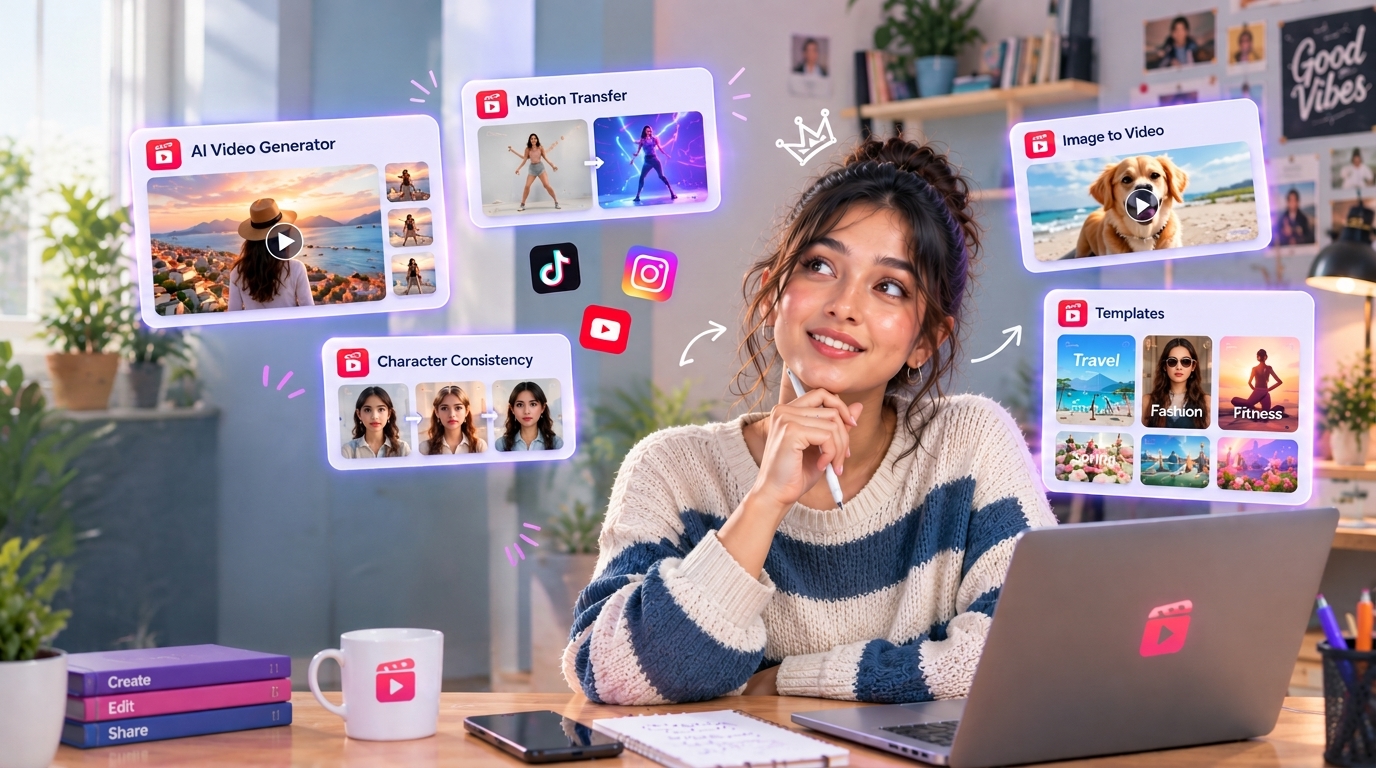
The gap between a Reel that gets watched once and a Reel that hits a scroll-stopping moment for the first three seconds is almost never about creative talent. It is about the production system behind it. Creators consistently shipping strong Reels are the ones with a repeatable workflow that removes friction between every step, from the initial concept to the finished cut ready to publish. Creators fighting to post consistently are usually the ones bouncing between four or five separate tools per Reel and losing time to file exports, tool switching, and format inconsistencies at each handoff. Multiply that friction across a full production week of daily posting and the total time lost to platform switching starts to exceed the time actually spent creating content.
Templix consolidates that entire workflow into one subscription. Below are twelve specific AI tools inside Templix that cover the complete Reel production path: generation, editing, enhancement, packaging, and publishing. Before you start, one production note: Reels perform best at 9:16 aspect ratio and 1080×1920 resolution, so build every asset to those specs from the start rather than cropping wide footage into vertical after the fact.
1. AI Reel Generator
Templix's AI Reel Generator turns text prompts and reference images into fully generated Reel clips at 9:16 aspect ratio, ready to publish or edit further. No filming, no props, no location. The tool covers everything from cinematic openers to product reveals to atmospheric loops.
Generate ready-to-publish 9:16 clips from a short text prompt
Turn product images into cinematic reveal Reels without a shoot
Produce motion backgrounds, transitions, and B-roll style content in seconds
Build complete Reel-ready sequences without touching a camera
For creators shipping Reels weekly or daily, this is the tool that eliminates the biggest bottleneck (having enough source footage to keep publishing consistently).
2. Reels Templates Library
Not every Reel needs to be generated from scratch. The Templix Reels Templates Library includes over 1,000 ready-made templates organised by category, format, and trend. Drop your own footage or generated clips into a template that already has the pacing, transitions, and text overlays built in.
Choose from 1,000+ Reel templates across 40+ categories
Templates already sized for 9:16 with correct pacing built in
Swap your own footage into template slots in seconds
Templates updated regularly with current trending formats
Templates are the single biggest production shortcut most creators overlook. A polished template gives amateur footage a professional feel; a badly formatted premium clip in a bad template reads as amateur. The library is one of Templix's core differentiators against browser-first competitors.
3. AI Image Generator with Image-to-Video
Templix's AI Image Generator covers six image models (Nano Banana 2, Nano Banana Pro, Seedream 5.0, Flux 2 Pro, GPT Image, Ideogram v3) plus image-to-video conversion. Generate a still frame with the model best suited to the subject, then animate it into a Reel clip in the same environment.
Six image models covering photoreal, editorial, illustrated, and text-focused output
Direct image-to-video conversion without moving files between platforms
Text-in-image support strong enough for on-Reel captions and product labels
Consistent output across Reel series through reference-image locking
For creators whose Reels combine strong stills with animated moments, having both generation types in one environment removes the export step that usually breaks visual consistency between static frames and animated clips.
4. Motion Control
Static images become dynamic Reel content through Motion Control, Templix's motion transfer tool powered by Kling. Apply realistic movement to any still image (hair moving in wind, water rippling, fabric flowing, particles drifting across the frame) and turn it into a scroll-stopping Reel asset.
Add realistic motion to still portraits and product photography
Apply movement to illustrations, artwork, and brand graphics
Turn existing photography into Reel-ready animated assets
Motion transfer from reference video for character-specific action
For creators with existing image libraries who want to compete in a video-first feed, Motion Control is the bridge from photography to video without needing to reshoot content.
5. AI Ad Studio
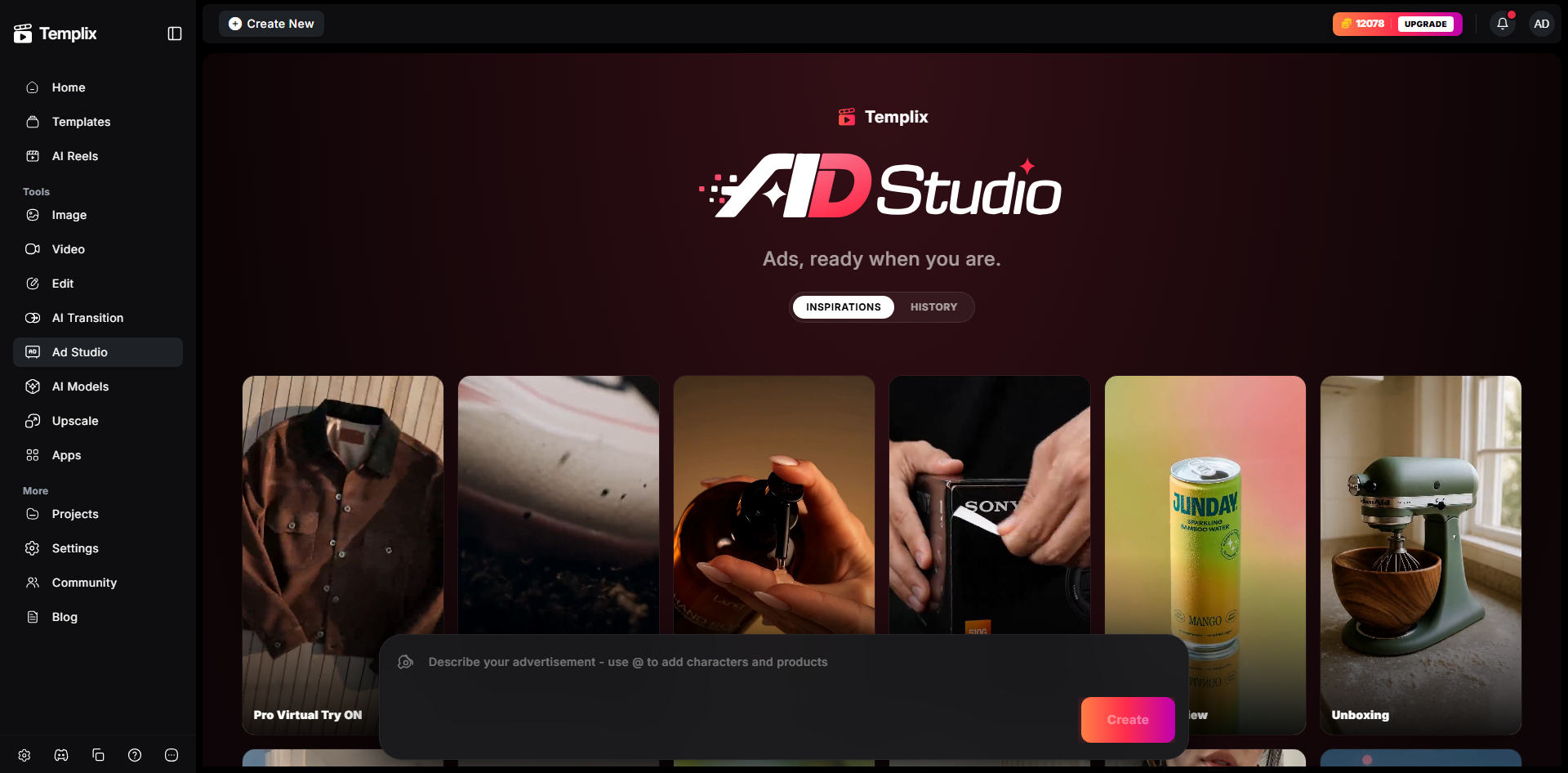
The Templix Ad Studio covers the specific Reel production case of ad creative and UGC-style content. Purpose-built templates for hook-driven Reels, product demonstrations, testimonial-style formats, and offer-focused conversion Reels.
Purpose-built hook structures for scroll-stopping Reel openers
Templates covering product Reels, UGC formats, and brand campaign content
Direct integration with the wider Templix model library
Aspect-ratio-locked to 9:16 by default for Reel-ready output
For creators producing Reels that need to convert (product marketing, service ads, brand campaigns), Ad Studio removes the guesswork on hook structure and pacing that determines whether the Reel actually performs.
6. AI Cartoon Generator
The Templix Cartoon Generator produces stylised illustrated content covering anime, cel-shaded animation, cartoon portraits, and illustrated Reel formats. For creators who want their Reels to carry a visual identity distinct from the standard photorealistic feed, the stylised angle stops scroll better than another polished lifestyle Reel does.
Anime, cartoon, and illustrated Reel content from photo or prompt input
Consistent stylistic direction across a Reel series
Character animation and stylised scene content
Multiple illustration styles to match different content niches
For anime creators, gaming producers, storytellers, and any creator building a distinctly stylised feed, this closes the gap between wanting illustrated Reels and being able to produce illustrated Reels consistently. Stylised content also carries a genuine algorithmic advantage on Instagram right now because it stands out in a feed dominated by photorealistic lifestyle content, which is why cartoon and anime-style Reels frequently outperform photoreal equivalents on Reels reach metrics.
7. HDR and Image Enhancement
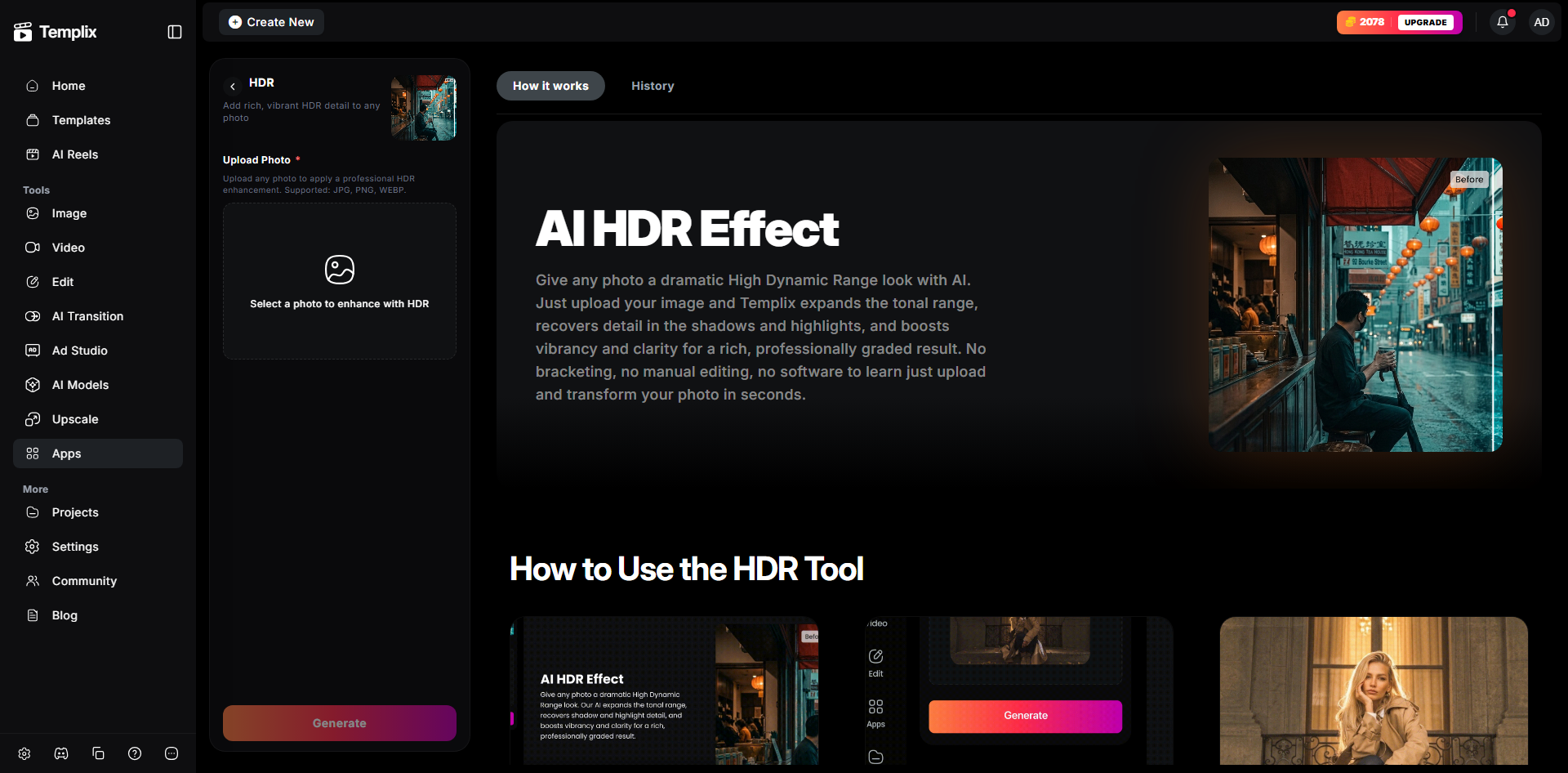
Every Reel has a still frame layer: the cover image, the opening frame, the still moments between motion beats. The Templix HDR tool and wider image enhancement suite make sure those stills hold up at the same quality bar as the video itself.
Recover shadow and highlight detail on any still frame
Balance exposure on cover images pulled from Reel clips
Enhance colour and dynamic range on product photography before Reel use
Consistent enhancement across a Reel series for a cohesive feed grid
Nothing undercuts a strong Reel faster than a weak cover image. The enhancement tools keep every still element in your Reels earning its place.
8. Background Remover
The Background Remover isolates subjects from any image or video frame in seconds, without manual masking or brush selection. For product creators shooting anywhere, personal brand creators wanting to control their content aesthetic regardless of location, or anyone needing clean transparent-layer exports for Reels.
Isolate products for studio-quality Reel content without a studio
Remove location dependency from personal brand Reels
Place subjects inside generated scenes matching the Reel's aesthetic
Clean transparent-layer exports for Reel formats
For product creators, this delivers studio-quality isolation without studio overhead. For personal brand creators, it removes location as a constraint on content aesthetic.
9. Watermark and Object Removal
The Templix Watermark Removal tool handles more than just watermarks. It removes distracting objects, bystanders, logos, and unwanted background elements from any Reel frame using text-prompt-based instructions rather than manual masking work.
Remove photobombers and bystanders from lifestyle Reels
Erase brand logos and labels from props for neutral product content
Clear cables, cords, and technical elements from behind-the-scenes shots
Clean up interior and real estate Reels in seconds
For creators posting daily, the compounded time saved by not opening a separate photo editor for every cleanup edit adds up meaningfully across a full production week.
10. Face Swap
The Templix Face Swap tool swaps faces in images or videos, useful for personalising branded content, creating character-driven Reel content, or producing consistent presenter appearances across a Reel series without needing the same person on camera every time.
Swap faces in any generated or filmed Reel frame
Personalise branded Reel content with founder or presenter faces
Create consistent presenter appearances across a Reel series
Character continuity for narrative Reel content
For creators building Reels around a consistent on-camera identity without wanting to film every single Reel themselves, Face Swap closes a workflow gap that no other tool in the standard Reel production stack addresses. Use responsibly: always with the consent of the person whose face is being applied, and never for content that could mislead viewers about who is actually featured.
11. AI Image Upscaler
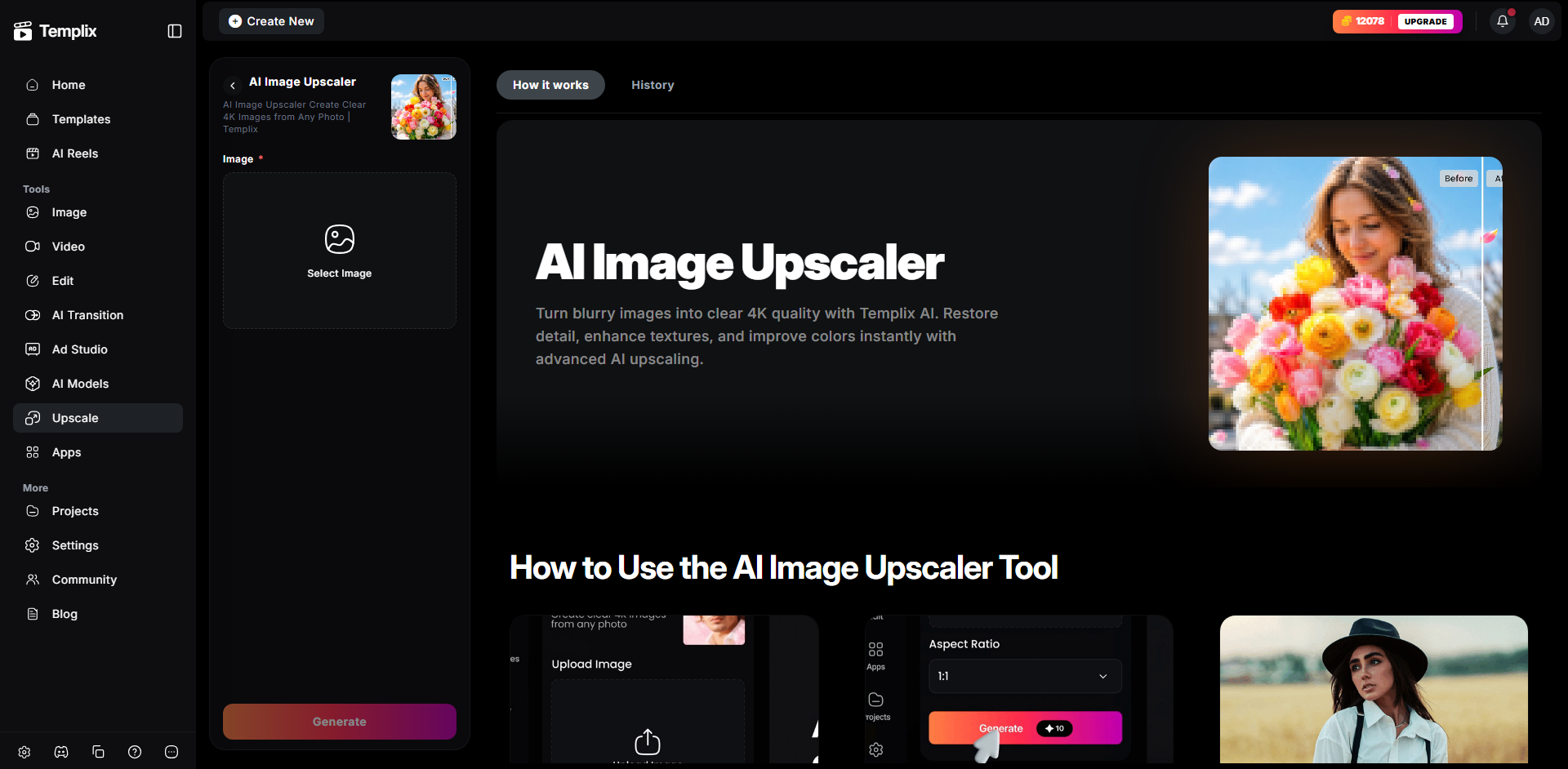
Reel-quality output starts with high-resolution source assets. The Templix Image Upscaler takes lower-resolution images and upscales them to 4K, ready to sit inside a Reel without visible compression artifacts or softness.
Upscale source photography to 4K for cinematic Reel quality
Recover detail on older phone photos before Reel use
Prepare product shots for high-resolution Reel formats
Consistent quality across a Reel series regardless of source resolution
For creators reusing older content or working with mixed-source visual material, the Upscaler prevents the quality inconsistency that immediately marks a Reel as amateur.
12. 40+ Video and Image Models Under One Subscription
The final tool is not a single app but the wider Templix model library. One subscription covers 40+ video models across 10+ families (Seedance, Kling, MiniMax, Wan, Google Veo 3.1, LUMA RAY2, Grok Imagine, Gemini Omni Flash, Happy Horse Pro, more) plus 6+ image models. Every model draws from the same credit balance rather than requiring separate subscriptions per model.
Test any Reel concept across multiple models before committing to a hero generation
Match model to specific Reel type (Seedance for longer narrative, MiniMax H3 for audio-sync, Kling for motion-heavy content, Veo 3.1 for cinematic hero shots)
Free credits on signup covering every model on the platform
Native iOS and Android apps for on-the-go Reel production and publishing
For creators producing across multiple Reel types (product, lifestyle, narrative, tutorial, comedy), no single-model subscription covers the range well. Multi-model access is not a nice-to-have. It is the difference between a workflow that scales and one that hits its ceiling within the first month of daily posting.
For creators building consistent characters across multiple Reels in a series, our character consistency guide covers the reference-locking techniques that keep the same face across every clip. For the specific cinematographic language that makes generated Reel content read as intentional rather than random, our camera movements guide covers 18 named techniques. For 30 tested viral prompt structures that consistently produce strong Reel output on Seedance 2.5, our Seedance viral prompts guide covers the format library.
Your Next Reel Workflow Starts Inside Templix
Twelve AI tools under one subscription. Not twelve subscriptions. Not twelve app installs. Not twelve separate learning curves. One environment for the full path from concept through generation through editing through publishing, plus mobile apps for creators who shoot and produce on their phone rather than at a desktop.
The compounding advantage is not any single tool on the list. It is the removal of workflow friction between the tools. A background removed on one tool feeds directly into a Reel generated on another without a file export step. A generated Reel drops into a template packaged for 9:16 publishing without needing to open a separate design app. That friction removal is what turns Reels production from a daily grind into a repeatable system that scales across the number of posts you actually want to publish.
Solo creators, brand accounts, small business marketers, agency teams managing multiple clients: Templix scales across all four production profiles without changing the underlying workflow. Free credits on signup let you test the full toolkit at no cost before committing to a paid plan, which is the honest way to validate whether the workflow fits your specific production style before making a subscription decision.
Start Making Reels on Templix Free
Frequently Asked Questions
What is the best AI tool for making Instagram Reels?
Depends on the specific Reel type. For text-to-video generation, Templix's AI Reel Generator on Seedance 2.5 or Google Veo 3.1. For adding motion to still photography, Motion Control. For product-focused conversion Reels, Ad Studio. For pre-built format packaging, the Reels Templates Library. The strongest workflows use multiple tools inside one platform rather than searching for a single "best" tool, which is why multi-tool platforms like Templix tend to outperform single-purpose alternatives for consistent Reel production.
Can I create Instagram Reels without filming anything?
Yes. AI Reel generation tools like Templix's Reel Generator produce fully generated 9:16 clips from text prompts alone, no camera or footage required. For creators without production setups or those wanting to test Reel concepts before investing in filming, fully generated Reels are a genuinely practical starting point that many creators now use as their primary content type rather than an occasional supplement.
What is the best aspect ratio and resolution for Instagram Reels?
Instagram Reels display at 9:16 aspect ratio and 1080×1920 resolution. Generating or editing content at this format from the start produces meaningfully better output than cropping wider footage into vertical afterward. Most AI Reel tools including Templix default to 9:16 for Reel-tagged generations. Filming in vertical from the start or generating in vertical from the start beats reformatting horizontal content into vertical after the fact every time.
Is Templix a good platform for Instagram Reels specifically?
Yes. Templix pairs Reel-specific tools (Reel Generator, Reels Templates Library, Ad Studio, Motion Control) with 40+ video models and 6+ image models under one subscription plus native iOS and Android mobile apps. For creators producing Reels as their primary content type, the mobile-first workflow removes the constant desktop-to-phone file transfers that break momentum on most other AI video platforms.
Can I use AI-generated Reels commercially?
Yes. Content generated on Templix at paid subscription tiers is available for commercial use across brand accounts, sponsored posts, paid partnerships, and any other commercial application. This applies to all Templix models including MiniMax H3, Seedance 2.5, Kling 3.0, Google Veo 3.1, and every other model in the platform library.
How much does it cost to make AI Reels on Templix?
Templix subscriptions start at $14.99 monthly on Basic (5,000 coins), $29.99 on Standard (15,000 coins), and $74.99 on Ultimate (30,000 coins). Different models consume different coin amounts per generation, and the exact coin cost displays before each generation runs, so cost per finished Reel varies by which model you use and clip length. Free credits on signup let you test cost math on your specific Reel style before committing to a paid tier.
What is the ideal length for Instagram Reels?
Instagram Reels support up to 90 seconds, but performance data consistently shows shorter Reels (7 to 15 seconds for scroll-stopping hooks, 15 to 30 seconds for the primary sweet spot) tend to outperform longer content on completion rate and shareability. Match Reel length to actual content requirement rather than filling available time, and use shorter models like MiniMax H3 (15-second cap with audio) for punchy content, longer models like Seedance 2.5 (30-second single-pass) for narrative sequences.
Can I remove backgrounds from Reel footage automatically?
Yes. Templix's Background Remover isolates subjects from any image or video frame in seconds without manual masking work. For product creators wanting studio-quality isolation without a studio, or personal brand creators wanting location-independent content, this is one of the most practical time-savers in the full Reel workflow.
What is the best AI tool for creating viral Reels?
No AI tool creates virality on its own. The tools handle production. Virality comes from concept, hook, timing, and cultural relevance layered on top of production quality. That said, tools with strong hook-focused templates (Templix Ad Studio, Reels Templates Library), audio-sync generation (MiniMax H3), and motion-heavy models (Kling 3.0) tend to produce content that has a fighting chance at going viral because they handle the production fundamentals that weak execution kills.
Can I schedule AI-generated Reels for automated posting to Instagram?
Templix does not currently include native Instagram scheduling in the same tool. Most creators use third-party schedulers (Later, Buffer, Meta Business Suite) to post generated content on schedule. The Templix native mobile app makes direct-to-Instagram publishing straightforward for on-the-fly posting, but automated scheduling of a full content calendar typically requires pairing Templix generation with a dedicated scheduling tool.

Hamza Tariq
Digital advertising specialist focused on AI-powered marketing, paid campaigns, audience targeting, ad optimization, performance analytics, and data-driven growth strategies.