UGC creators get paid to make short product videos for brands. The catch was always the filming: a face you were happy to put on camera, a room that looked good, the product shipped to you, and the time to shoot and edit every clip.
A faceless UGC creator skips all of that. The creator in the videos is AI. You build her once, you write the scripts, you generate the videos, and you deliver them to brands. Your face never appears. Your camera never leaves the drawer.
This guide is for beginners. It covers what a faceless UGC creator actually does, how to build your AI creator, how to make videos brands will pay for, what to charge, and how to get your first client.
What Is a Faceless UGC Creator?
UGC stands for user-generated content: the casual, phone-style product videos brands run as ads because they look like a customer made them. A UGC creator is someone brands pay to make those videos. Unlike an influencer, a UGC creator does not need followers; the brand posts the video itself.
A faceless UGC creator makes the same videos without appearing in them. There are two ways to do that:
Hands and product only. The old way. Unboxings, product-on-desk shots, voiceover. Limited, because most brands want a person on screen.
An AI UGC creator. The new way. You build a consistent AI character who appears in the videos instead of you. She holds the product, talks to camera and reacts. Brands get a face; you stay off camera.
This guide is about the second way, because it pays like real UGC work. A virtual UGC influencer can do everything a filmed creator can, for any product, in an afternoon.
Why Go Faceless?
Most people who want to become a UGC creator stop at the same wall: they do not want to be on camera, or have no setup, or cannot film around a job. An AI creator removes the wall.
No camera, no lighting, no room. The video is generated. Your bedroom can look like whatever it needs to.
No product shipping. Brands send a product photo instead of a parcel. You can work with brands in any country.
No reshoots. A line change is a regeneration, not another afternoon.
More than one creator. You can run a skincare creator and a tech creator at the same time, with different faces, for different brands.
Privacy. Your name and face stay off the internet. The creator has her own name.
Volume. A filmed creator makes two or three videos a day. A faceless one can make ten.
The trade-off is honesty: brands need to know the creator is AI, and some will say no. The ones who say yes come back, because the turnaround is a day instead of a fortnight.
Step 1: Pick a Niche
Do not build a creator yet. Pick the kind of product she will sell first, because the niche decides what she looks like.
Good beginner niches: skincare and beauty, supplements, home and kitchen gadgets, pet products, phone accessories, small Shopify brands. These brands buy UGC constantly and the products are easy to show in a hand.
Pick one. A creator who sells everything sells nothing. Once the first niche is paying, add a second creator for a second niche.
Step 2: Build Your AI Creator
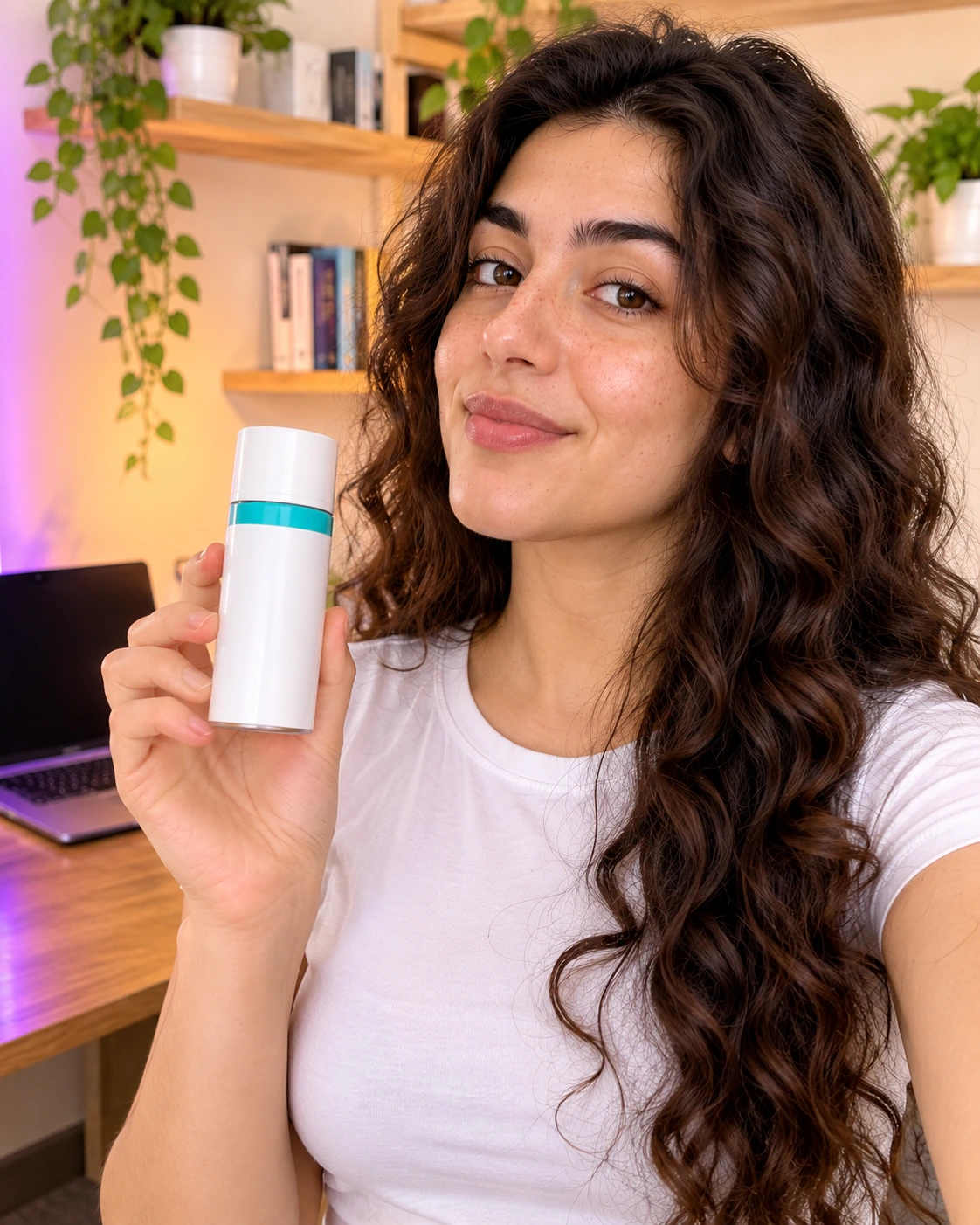
AI UGC creator built for a faceless UGC business, holding a product in a home office
This is the face brands will be paying for, so build her properly.
Write her brief first. One paragraph: who she is for, her age, hair, skin, two distinctive features (a mole, freckles, a brow shape), two outfits, two rooms, and three words for her energy. Example: "Maya, 26. Dark hair in a low bun, warm skin with freckles across the nose, brown eyes, small silver hoops. Beige knit or a white tee. Films in her kitchen and her bathroom mirror. Warm, direct, a little dry."
Generate her. Open the UGC character generator and turn the brief into a prompt. Ask for natural skin texture and one light source, and end with a "no" list: no retouching, no plastic skin, no perfect symmetry. Generate several, pick the one that matches the brief most exactly, and save that image.
Lock her. From now on, every image and video starts from that saved image. Never regenerate her from text; the face will drift and brands will notice. The full method is in how to create consistent AI UGC characters.
Make her real, not pretty. Brands reject AI creators that look like AI. Pores, a natural flush, uneven hair, window light.
If you want to skip the build, the Community gallery has creators already built for realism. Pick one, save her, and treat her as your own.
Step 3: Learn the UGC Video Formats
Brands do not buy "a video". They buy formats. Learn these five and you can quote for almost any brief.
The unboxing. She opens a box, lifts out the product, reacts.
The problem and fix. "If you [problem], this fixed it." Product, demo, result.
The feature point. She holds the product close and points at one detail.
The routine. The product used as part of a morning, night or gym routine.
The testimonial. Straight to camera, "I've been using this for two weeks", one result.
Every format has the same shape: hook in two seconds, product in hand, one claim, the product used, a reaction. Ten to twenty seconds. No brand name in the first line.
Step 4: Make Your First Videos
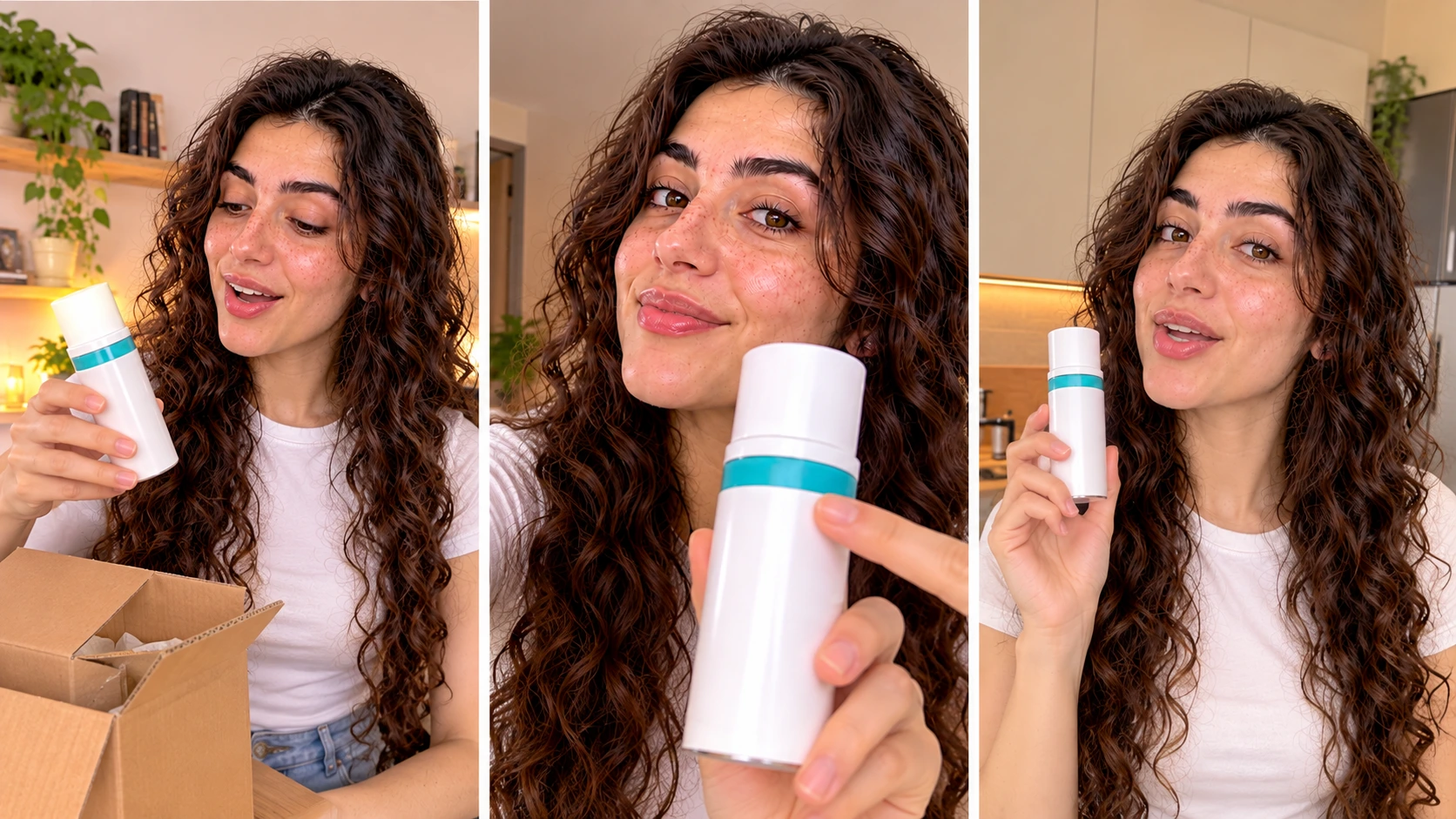
The same AI UGC creator in three UGC video formats: unboxing, feature point and testimonial
Before you have a client, make a portfolio. Three to five videos in your niche, with real-looking products, so brands can see what they get.
Get a product image. For a portfolio, use a generic product: a plain serum bottle, an unbranded tumbler, a phone case. For a client, they send the packshot from their product page.
Write the script from the format. Fifteen seconds, short sentences, one claim. For a serum, problem and fix:
"If your skin feels tight by lunchtime, this is the one.
Two drops, morning, under moisturiser.
Day ten and my makeup stopped cracking."
Generate the video. Open the UGC ad generator. Upload your creator as @image1 and the product as @image2. Describe the scene, what she does with the product, and the script in one box:
"@image1 at her bathroom mirror, phone propped on the sink, morning
light from a window on the left. She holds @image2 up beside her face
with the label to camera and says "if your skin feels tight by
lunchtime, this is the one". She unscrews the dropper, puts two drops
on her fingertips and presses them into her cheek. Looks back at the
camera, small nod: "day ten and my makeup stopped cracking." Natural
skin texture, handheld feel, slightly off centre. No studio lighting,
no beauty smoothing, no fast cuts."
Settings: 9:16, 720P, 15 seconds. Run two or three attempts and keep the one where the skin still looks like skin in the closest shot.
Make the stills. Use the UGC image generator with the same creator for a hold shot and an in-use shot. Brands often want these alongside the video for product pages and carousels, and you can charge for them.
Keep her feed alive. Use the UGC video generator for non-ad clips: a routine, a shelf tour, a "what I ordered this month". These go on your creator's own TikTok or Instagram if she has one, and an account with a few thousand followers raises your rates.
Cost per finished video is about $2 across three attempts. That number matters when you set prices.
Step 5: Price Your Work
Filmed UGC creators charge $150 to $500 per video, more with usage rights. Faceless creators can price under that and keep most of it, because each video costs a few dollars to make.
A simple starting structure:
Single video, 15 seconds, organic use: $60 to $120
Three hook variations of the same video: $150 to $250
Video plus two stills for the product page: add $40 to $80
Paid ad usage rights, 90 days: add 30 to 50 percent
Monthly retainer, 8 videos: $400 to $800
Raise prices after three paying clients. Brands buy faceless UGC for speed and volume, so the retainer is where the money is.
Step 6: Get Your First Client
Nobody hires a creator with no portfolio, so Steps 4 and 6 run together.
Small Shopify brands. Find stores in your niche, look at their ads, and send a short message with your best video attached. "I make AI UGC videos for [niche] brands, here is one made for a product like yours, I can turn one around in a day for $X." Twenty messages, two replies, one client is a normal first week.
UGC marketplaces. List your creator as an AI creator. Some platforms allow it, some do not; read the rules.
Your creator's own account. Post her organic clips to TikTok. Brands in the niche find creators there, and an inbound message is worth ten cold ones.
Agencies. Performance marketing agencies buy UGC in bulk for client ads and care about turnaround more than anything. One agency relationship can fill a month.
Deliver fast, deliver three hooks instead of one, and ask for the next brief with the invoice.
Be Honest About AI
This is the rule that protects the business.
Tell every brand the creator is AI before they buy. Most do not mind; some prefer it, because there are no usage rights to negotiate. A few will say no. What ends a faceless UGC business is a brand finding out later.
The same goes for the audience. If your creator has her own account, "virtual creator" in the bio is enough. Platforms are adding synthetic media labels; use them where they exist. Never present the creator as a real customer in an ad, and never make a product claim you would not make with your own face on it.
Mistakes Beginners Make
Building the creator before picking the niche. The niche decides the face. Niche first.
A pretty creator instead of a real one. Brands reject glass skin. Ask for texture every time.
A different face every video. Lock the saved image. Drift loses clients.
Selling "AI videos" instead of UGC formats. Brands buy an unboxing or a testimonial, not technology. Quote in formats.
One hook per brief. Always deliver three. It costs you $4 more and doubles the chance of a repeat order.
Hiding the AI. It works until it does not. Say it upfront.
Pricing per video forever. Move clients to retainers as soon as the second order lands.
Frequently Asked Questions
Can you be a UGC creator without showing your face?
Yes. A faceless UGC creator uses an AI character in place of themselves. You build the creator once, write the scripts, generate the videos and deliver them to brands. Your face never appears.
How do I become a UGC creator with no experience?
Pick one niche, build an AI creator for it, make three to five portfolio videos using the standard UGC formats, then message small brands in that niche with your best video attached. The portfolio replaces experience.
Do brands accept AI UGC videos?
Many do, especially small ecommerce brands and performance agencies, because the turnaround is a day and there are no usage rights to negotiate. Some do not. Tell every brand upfront that the creator is AI and work with the ones who say yes.
How much do faceless UGC creators earn?
Starting rates are $60 to $120 per video, $150 to $250 for three hook variations, and $400 to $800 for a monthly retainer of eight videos. The cost to make each video is a few dollars, so most of that is margin.
Do I need followers to be a UGC creator?
No. UGC is made for the brand's channels, not yours. A creator account with followers helps you get found and raises your rates, but it is not required to start.
What equipment do I need for faceless UGC?
A laptop and an account on an AI UGC platform. No camera, no lighting, no microphone. Product images come from the brand.
Is faceless UGC the same as being a virtual influencer?
Related, not the same. A faceless UGC creator makes videos for brands to post. A virtual influencer runs her own account and audience. Many faceless creators do both, using the same AI character for each.

Usman Khalid
Usman Khalid writes Templix's design and product content, covering API workflows and team collaboration to help developers and creators build smarter, faster experiences.