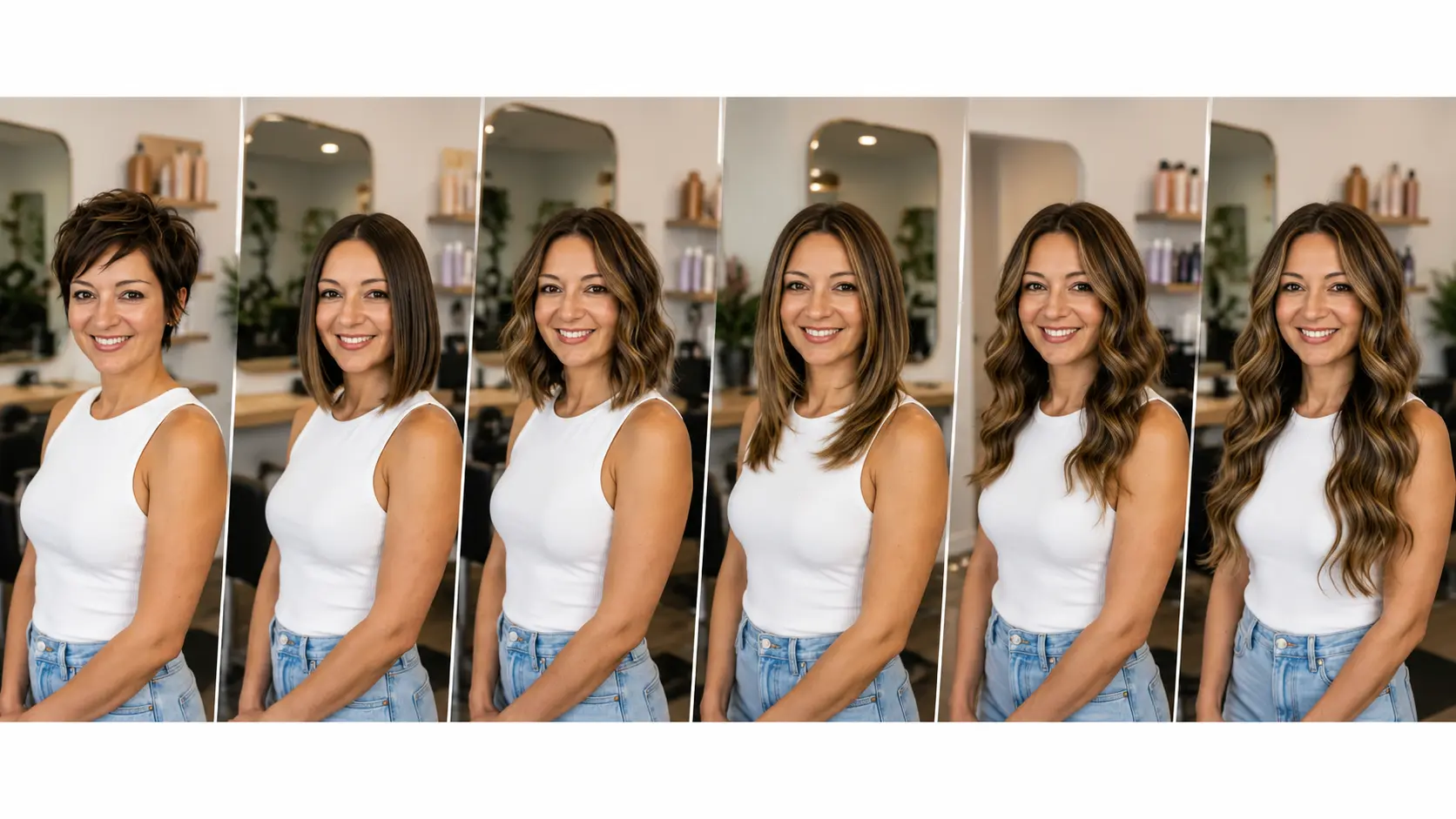
Cutting your hair is genuinely a risk. Once the length is gone, you often have to wait months for it to grow back to where it was, and even then, the shape may not fully return. That is why more and more people now rely on AI hairstyle changer apps to preview a look before taking the leap. A good hairstyle simulator removes that risk. Instead of guessing how a cut, style, or colour might land on your specific face, these apps let you see the result on yourself first, in seconds, using nothing more than a photo already on your phone.
The category has genuinely matured over the last two years. Where early hairstyle apps produced obvious digital wigs that never looked convincing, modern AI tools generate previews realistic enough that stylists accept them as reference photos for salon consultations. That shift is important. It changes the tools from novelty filters into legitimate consultation aids, which saves both the client and the stylist time by aligning expectations before a single service starts.
The other major shift is who uses these tools. Beyond individual clients previewing their next appointment, professional stylists, content creators, and personal-brand professionals now use hairstyle try-on apps to test how a look reads on camera before committing. A hairstyle that looks great in the mirror at home does not always translate to strong on-camera presence, and virtual try-on lets you pressure-test that decision without any real-world commitment.
This guide covers the 11 best AI hairstyle changer apps worth trying, what makes each one different, and how to choose the right tool depending on whether you want a quick fun preview, a stylist-ready reference, or a full look transformation.
What Makes a Good AI Hairstyle Changer App
Not every hairstyle try-on tool delivers real results. Some just overlay a static wig-style image on your photo, which looks obviously fake and does not translate to any real salon reference. The strongest AI hairstyle apps do considerably more than that.
Here is what actually separates a strong tool from a weak one:
Realism: The hairstyle should adapt to your face shape, natural hair texture, and photo lighting rather than looking pasted on. Edges should blend naturally with the rest of your face and background.
Face-shape awareness: A good tool recognises whether your face is oval, round, square, heart-shaped, or long, and adjusts how the hair falls around your features accordingly.
Style range: Look for tools that cover short cuts, long hair, bangs, layers, updos, textured styles, and men's styles rather than just a handful of preset filters.
Colour flexibility: The best apps let you test colour alongside cut, from natural browns and blondes through to bold fashion shades like copper, silver, or teal.
Photo flexibility: A good app works on any front-facing photo, not just live-camera selfies. That matters when you want to test looks on your favourite existing photo rather than a fresh one.
Speed and simplicity: You should be able to test five different looks in a couple of minutes without hunting through complicated settings.
With those criteria in mind, here are the 11 hairstyle try-on apps worth knowing.
1. Templix AI Hairstyle Changer
The AI Hairstyle Changer leads this list because it combines photoreal AI hairstyle generation with genuine prompt flexibility that preset-based apps cannot match.
The workflow is straightforward. You upload a clear photo, describe the hairstyle you want in plain language, and the AI generates a realistic preview in seconds. Instead of pasting a hairstyle overlay on top of your head, Templix regenerates the hair area entirely, with proper strand direction, natural volume, and shine that match your real face and photo lighting. The result reads as an actual photograph of you with different hair rather than a wig placed over your image.
What actually sets Templix apart is prompt-based flexibility. You are not limited to preset hairstyles from a fixed library. If you want a "shoulder-length shag with curtain bangs and soft layers around the face," you type that and the AI produces it. Want a "textured pixie cut with wispy pieces and a longer top"? Same process. Any style, any length, any texture combination, all described in normal language rather than picked from a dropdown menu.
For a full head-to-toe preview, pair the Hairstyle Changer with the AI Hair Colour Changer to test colour options alongside your new cut, and add the AI Clothes Changer to preview outfits with the whole new look before any real-world commitment. This complete-transformation preview matters most before events, photoshoots, or a full seasonal style refresh where every element needs to work together.
The realism is what makes Templix genuinely useful as a stylist reference. Basic filter apps produce output that reads as obviously edited the moment your stylist looks at it, which means the reference does not actually communicate what you want. Templix output is realistic enough that stylists accept it as a legitimate visual brief the same way they would accept a celebrity photo. Free credits on signup mean you can test everything at no cost before committing to a paid plan.
Best for: Anyone who wants stylist-reference-grade realism, plus the flexibility to describe custom looks rather than pick from preset libraries. Also strong for social content creators who need consistent hair looks across a series of posts.
Try Hairstyles Free on Templix
2. YouCam Makeup
YouCam Makeup is one of the most established mobile-first hairstyle try-on apps, with over 150 hair filters and colour options covering short cuts, long hair, bangs, and men's styles. It works from both a saved photo and live camera mode, which is genuinely handy when you are sitting in the salon chair and want to preview a decision in real time before the scissors come out.
The app applies photorealistic hair textures rather than static overlays, which produces significantly better output than pure filter-based apps. It also includes a solid hair colour changer alongside the main hairstyle library, so you can test cut and colour together within the same session.
YouCam sits inside a larger beauty ecosystem covering makeup, skincare, and full makeover tools. Users who want to preview a complete beauty look (hair plus makeup plus skin retouching) can do it all in one app rather than jumping between tools. The freemium model gives casual users free access to core hairstyle features while unlocking advanced options through a paid tier. Best for mobile-first users who want a beauty-and-hair combination in one place.
3. PhotoDirector by CyberLink
PhotoDirector's AI Hairstyle feature is one of the more customisable options in the category. It focuses on producing highly realistic hairstyle previews with full customisation over cut length, style type, and colour. The AI Replace feature lets you change either a partial hairstyle (like adding bangs) or your entire hair in one go, which offers more granular control than most competing apps.
Beyond hair, PhotoDirector covers full outfit changes, makeup transformations, and business-attire preview, which makes it useful for a complete visual makeover rather than just a hair change alone. This positions it well for anyone testing multiple look changes ahead of a major event, professional photo shoot, or full personal-brand refresh.
The app is available on both mobile and desktop, and includes advanced photo editing capabilities beyond the hairstyle feature. This appeals to users who want more control over the final image and are comfortable with a slightly deeper interface than the simplest try-on apps. Best for users who want extensive customisation and are willing to work with a slightly more complex tool.
4. BeautyPlus AI Hairstyle Changer
BeautyPlus is a mobile-first app popular for its combination of easy-to-use editing and social-ready output. The AI Hairstyle Changer produces realistic hairstyle previews and hair colour changes in seconds, and pairs well with the app's broader selfie retouching tools.
The interface is simple enough that first-time users can produce results without any tutorial, which makes it a strong pick for casual experimentation rather than professional-reference work. The free version covers a limited number of hairstyle generations, while the paid tier unlocks the full library.
BeautyPlus works particularly well for social media content because the output tends to look polished and consistent with the aesthetic that already performs well on Instagram and TikTok. If your primary use case is trying hairstyles for shareable content rather than salon-reference photos, BeautyPlus fits that workflow well. Best for casual users and social creators who prioritise simplicity and polished output over deep customisation.
5. Perfect Corp YouCam Online Hairstyle Changer
Perfect Corp's YouCam Online is a browser-based hairstyle try-on tool that requires no app download. Upload a photo, choose from the library of hairstyles and colours, and preview the result directly in your browser. This makes it a strong option for desktop users or anyone who does not want to install another app on their phone.
The tool draws on Perfect Corp's larger beauty tech infrastructure, which powers virtual try-on features for major beauty brands and salon partners globally. That translates to reliable output quality and a well-tested set of hairstyle categories that have been refined through use across the wider beauty industry.
The browser interface is straightforward and covers the main use cases: short cuts, long hair, bangs, and hair colours across natural and bolder shades. Best for anyone who prefers a browser-based tool over installing yet another mobile app on their phone.
6. FaceApp
FaceApp is one of the most well-known photo transformation apps, and its hairstyle section is part of a broader feature set covering age changes, gender swaps, and full face transformations. When you select the Hair category, the app applies AI mapping to preview short cuts, long layers, straight or curly textures, and a range of colours.
FaceApp is best known for producing dramatic transformation content that spreads well on social media, and its hairstyle previews follow the same pattern. The results can feel more stylised than pure salon-reference realistic, which suits fun content but is not always the best for taking to your colourist as a serious brief.
The app is available on both iOS and Android and follows a freemium model with a Pro subscription that unlocks the full feature set. Best for users who want dramatic before-and-after visuals for social media rather than subtle, realistic reference previews.
7. ModiFace (L'Oréal)
ModiFace is an AR beauty and hair app owned by L'Oréal, which gives it credibility as a legitimate beauty industry tool rather than a novelty filter app. The hair try-on features cover cut and colour changes, with a particular strength in accurate colour matching because the platform is built to preview actual L'Oréal hair colour products on the user's face.
For anyone considering L'Oréal-branded hair colour products specifically, this direct integration is genuinely useful. The tool lets you see how a particular product line's shade will actually look on your hair before purchasing at a store or salon. Beyond the L'Oréal-specific angle, ModiFace also handles general hairstyle previews with the AR polish that comes from being backed by one of the largest beauty companies in the world.
Best for users who are specifically considering L'Oréal hair colour products or want a beauty-industry-backed tool with high-quality AR rendering.
8. Hairstyle Try On (iOS App)
The Hairstyle Try On app on iOS focuses purely on hair, without the broader beauty features that clutter some competing tools. This narrower focus produces a genuinely easy-to-use experience for anyone who just wants to test hair looks without wading through makeup filters, virtual glasses, or outfit changes.
The app includes a large library of hairstyle templates and colour options, and lets you save your favourites to Notes or iCloud for easy reference later. This save-and-share workflow makes it particularly practical for building up a personalised collection of looks you might want to try over time. You can also share directly to your stylist or a friend for a quick second opinion before booking anything. Best for iOS users who want a focused hair-only tool without the extra features of full beauty apps.
9. Vivid Glam
Vivid Glam is an iOS beauty app that specialises in instant hairstyle changes combined with strong selfie retouching. The app is fast, mobile-optimised, and produces clean output that looks natural rather than obviously edited or heavily filtered.
The hairstyle library covers the main categories with an emphasis on quick style previews rather than deep customisation. Where Vivid Glam wins is speed: you can test five or six looks in the time it takes some other apps to load a single generation. This makes it useful for quick experimentation and casual content rather than serious salon-reference work where realism matters most.
The app follows a freemium model with paid tiers unlocking additional features. Best for iOS users who want fast, casual hairstyle previews without a complex interface.
10. MyEdit
MyEdit is a full AI photo editing platform that includes hairstyle transformation among its broader feature set. Alongside hair, the platform covers full-look AI avatar transformations based on your facial features, which makes it useful for anyone testing a complete visual change rather than just hair alone.
The AI transformation quality is strong, and the tool handles various photo types well, from casual selfies to more posed portraits. The broader avatar transformation angle appeals to users who want to preview a fuller identity shift rather than just experiment with a haircut. This makes it a good fit for anyone considering a full personal-brand refresh or a dramatic visual reset ahead of a life change.
MyEdit is available across web and mobile, so users can start on one device and continue on another. Best for users who want AI-powered hairstyle previews as part of a broader identity or avatar transformation workflow.
11. Style My Hair (L'Oréal)
Style My Hair is another L'Oréal-backed hair app focused specifically on colour previews and salon-quality output. Like ModiFace, it draws on L'Oréal's beauty tech infrastructure to produce realistic hair colour previews that translate well to actual salon results and L'Oréal product lines.
The app leans particularly into hair colour rather than cuts and styles, which makes it a stronger companion tool than a standalone hairstyle option. Pair it with a dedicated hairstyle-focused app or a broader tool like Templix that handles both cut and colour in one workflow.
The interface is beauty-industry-professional, which suits users who want a tool that feels like it was built with real hair colour products in mind rather than as a general consumer photo filter. Best for users specifically focused on colour preview and salon-quality output rather than cut experimentation.
How to Choose the Right AI Hairstyle Changer App
Choosing the right hairstyle try-on app comes down to what you actually want out of the tool.
If you want the most realistic, stylist-reference-quality output plus the flexibility to describe custom looks rather than pick from preset libraries, Templix is the strongest all-round pick. It covers cut, style, and colour with prompt-based flexibility that preset apps cannot match. If you want a beauty ecosystem where hair sits alongside makeup and skin tools in one place, YouCam Makeup or PhotoDirector both work well. If you specifically want to preview actual L'Oréal hair colour products, ModiFace or Style My Hair are the direct-integration options.
You should also consider whether you need mobile, web, or both. Some apps live only on iOS or Android. Others work in the browser without any download. For creators who specifically want to test hair colour deeply before a salon appointment, our How to Try On Hair Color covers the prompt-writing workflow that produces the cleanest colour results across every generation.
For creators combining hair experiments with full look changes (outfit, background, styling), our 13 Best AI Clothes Changer Apps covers the outfit-preview side of the workflow that pairs directly with hairstyle previews for complete transformation content.
How AI Hairstyle Try-Ons Actually Work
Modern AI hairstyle try-on apps use models trained on millions of images of faces and hair. When you upload your photo, the AI first identifies your face structure, skin tone, hair position, and lighting conditions. It then generates a new version of your hair matching the style or colour you selected, blending it into the original photo so the result reads as a single cohesive image rather than an obvious edit.
The part that separates strong tools from weak ones is the blending step. Basic apps overlay a hairstyle image on your photo and hope it looks right. Better tools regenerate the hair area entirely, matching your specific face shape, skin tone, lighting angle, and shadow direction so the result reads as a genuine photograph of you with different hair rather than a wig placed on your face.
The technical difference matters most in edge cases: hair that falls over the shoulders, styles with visible movement or texture, and looks that need to interact with accessories like glasses or earrings. Basic overlay tools fail at all of these because they cannot handle the interaction between the hair and the rest of the image. Better tools handle these interactions correctly because they generate the entire hair area with awareness of what surrounds it in the source photo.
For deeper prompt structure that produces the cleanest, most predictable hairstyle results across every generation, our JSON Prompting for AI Image Generation covers the structured approach that consistently outperforms free-text prompts. The same discipline that produces cleaner image output produces more predictable hairstyle preview output.
Final Thoughts
AI hairstyle changer apps have genuinely transformed the way people approach salon appointments. Instead of walking in with a vague Pinterest reference and hoping the stylist interprets it the way you meant, you can now preview the exact look on your own face before spending a single dollar or letting a stylist near your hair.
That said, if you want one tool that stands out for both realism and creative flexibility, Templix deserves special attention. The combination of the AI Hairstyle Changer plus the Hair Colour Changer inside a single subscription gives you full cut, style, and colour preview coverage without needing to switch between tools. The prompt-based flexibility means you are not limited to preset hairstyles or a fixed shade library. If you can describe it, you can preview it. That freedom is genuinely uncommon in this category and worth testing before committing to any other tool.
Whether you are planning a bold chop, a subtle balayage, or a complete style overhaul, testing your look virtually first is the smartest way to walk into your appointment with actual confidence. Free credits on signup mean you can start experimenting today at zero cost, and if you want more advanced generation volume, paid plans are available once you know Templix is the right fit for your workflow.
Start Trying Hairstyles Free on Templix
Frequently Asked Questions
What is the best AI hairstyle changer app?
Templix is the strongest all-round pick because it combines an AI Hairstyle Changer with the Hair Colour Changer in one workflow, letting you test cut, style, and colour together. YouCam Makeup and PhotoDirector are strong mobile-first alternatives with broader beauty ecosystem integration. For dedicated hair colour product previews, ModiFace and Style My Hair (both L'Oréal-backed) offer the direct-integration angle.
Is the Templix Hairstyle Changer free to use?
Yes. Templix offers free credits on signup so you can test the Hairstyle Changer and every other tool on the platform at no cost. Paid plans unlock higher credit volumes and priority processing for users experimenting with more looks at scale.
Can I use Templix on any device?
Yes. Templix works in the browser on desktop and mobile, so you can test hairstyles and colours from your phone, tablet, or laptop. Free credits apply the same way across every device you use to sign in.
How realistic are AI hairstyle previews?
Modern AI hairstyle changer apps produce previews realistic enough that stylists genuinely accept them as reference photos for salon consultations. The output quality depends on the source photo (natural light, hair clearly visible, front-facing angle) and the app itself. Templix and similar advanced tools regenerate the hair area properly rather than pasting a wig overlay, which is what makes results look real rather than obviously edited.
Can I try men's hairstyles with these apps?
Yes. Most modern hairstyle try-on apps including Templix, YouCam, PhotoDirector, and BeautyPlus support men's hairstyles across short cuts, fades, longer styles, beards, and combinations. The AI works on any hair regardless of length or style as long as it is clearly visible in the uploaded photo.
What photo works best for hairstyle try-on?
A front-facing or three-quarter angle photo taken in natural light produces the cleanest results. Make sure your hair is down and clearly visible (not tied up, under a hat, or covered), the lighting is even rather than heavy shadows, and the resolution is reasonable. Higher-quality source photos consistently produce noticeably better hairstyle output than compressed or low-resolution images.
Can I test hair colour with the same tool that changes hairstyles?
Yes, with Templix specifically. The Hair Colour Changer and Hairstyle Changer both live in the same subscription, so you can test cut and colour together in one workflow. Most competing apps split hair colour and hairstyle into separate tools or separate paid tiers, which is why the two-in-one workflow is one of Templix's genuine advantages.
What image formats do hairstyle try-on apps accept?
Most modern hairstyle try-on apps including Templix accept common formats like JPG, PNG, and WebP. Higher-resolution source images produce noticeably better output. Upload the highest quality photo you have for the strongest hairstyle preview results.
Can I use hairstyle try-on output commercially?
For Templix, yes. Images generated on the platform are available for commercial use across social content, salon marketing, product pages, editorial content, and any other commercial application. This applies to output from both the Hairstyle Changer and the Hair Colour Changer.
What is the biggest advantage of a virtual hairstyle try-on over just booking a consultation?
Zero risk, zero cost, and unlimited iterations. What used to require a paid salon consultation (or a leap of faith with a stylist you have not worked with before) can now happen entirely in your browser before you book anything. You can test ten looks in the time a consultation covers two or three, and you walk into your actual appointment with a specific reference photo saved on your phone instead of a vague description or a celebrity screenshot that does not quite match your face.

Komal Yousaf
Komal Yousaf covers design and marketing at Templix, bridging creative tooling with growth strategy to help brands turn AI-generated content into real results.