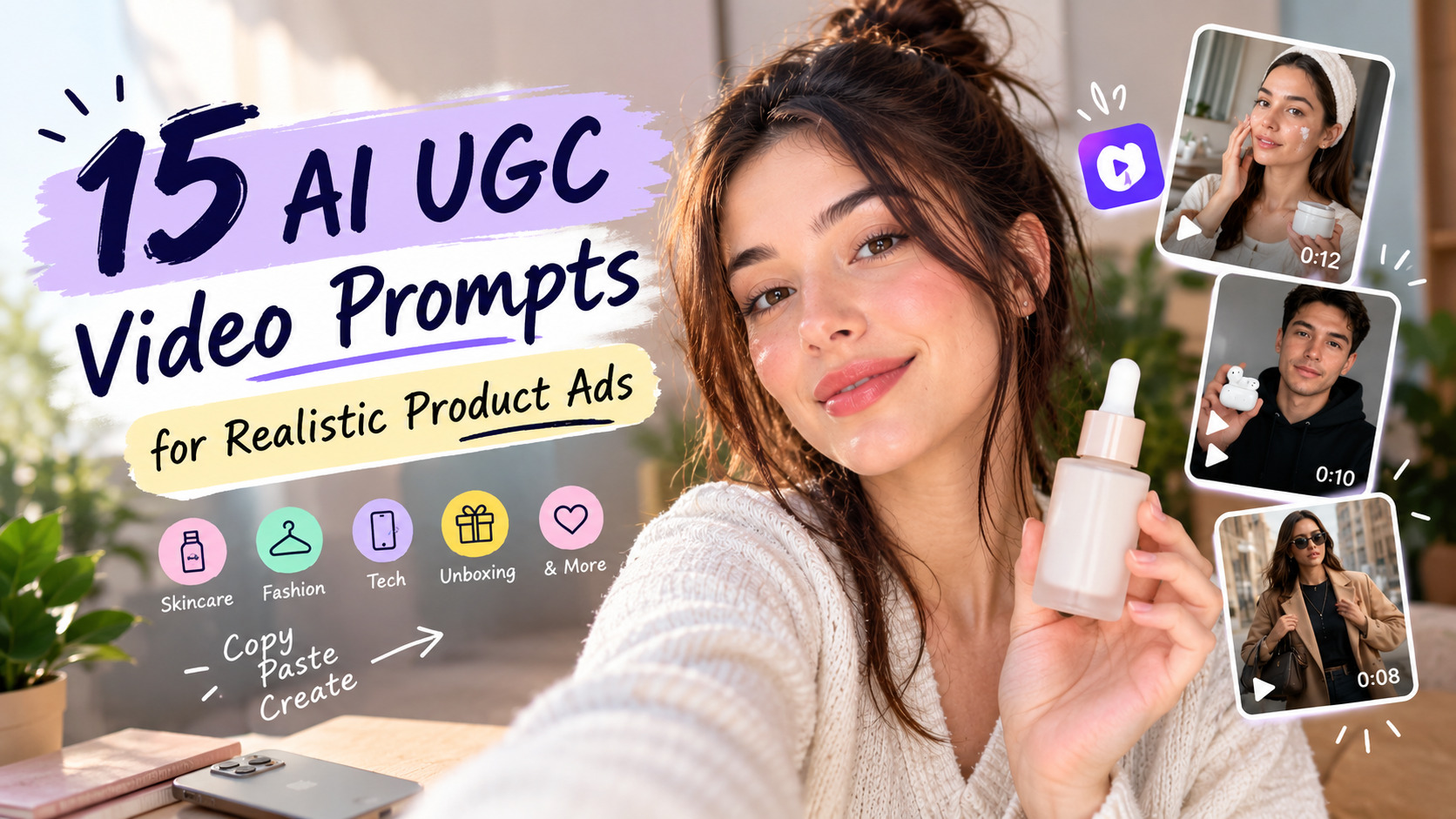
A good UGC ad looks like a real person picked up their phone and talked about a product they use. Getting that look from AI comes down to the prompt. AI UGC video prompts tell an AI video model who is on camera what they do with your product, where they are, and what they say. Write them well and you get a clip that feels native to TikTok, Reels, and Shorts. Write them loosely and you get stiff faces, wrong products, and dialogue nobody would ever say.
This guide covers 15 ready-to-paste prompts across five ad categories: testimonials and reviews, product demonstrations, fashion and lifestyle, unboxing and comparisons, and ad-ready hooks with calls to action. Each prompt notes which Templix UGC tool fits it best, plus a quick tip for adapting it to your product.
Key Takeaways
• A strong UGC prompt names seven elements: product, creator, setting, camera, lighting, dialogue, and format.
• Uploading a real product photo keeps your packaging and colors accurate while the scene around it changes.
• Handheld or selfie camera work with natural light reads as authentic. Studio polish reads as an ad.
• Short, casual dialogue in quotes beats long feature lists.
• AI characters are not customers. Use these prompts to show your product, not to fake reviews.
What Are AI UGC Video Prompts?
AI UGC prompts are short scene briefs for an AI video generator. Instead of hiring a creator and shipping them your product, you describe the shot in text, and the model generates a vertical clip in a user-generated style. The model only knows what you tell it, so every detail you leave out becomes a guess, and every guess is a chance for something to look off.
The Core UGC Video Prompt Framework
Every effective UGC prompt follows the same structure. Keep the order and swap in your own details.
Creator + Setting + Camera + Lighting + Product Action + Dialogue + Format.
“Woman in her late 20s at a bathroom mirror, handheld selfie, soft morning window light, puts moisturizer onto her cheeks, says ‘This is the one I reach for every morning,’ 9:16 vertical, 10 seconds” gives the model a clear plan. “Girl reviewing face cream” leaves every choice to chance.
On Templix, tag your uploads inside the prompt: @image1 for the creator and @image2 for the product. If you are not uploading images, replace the tags with a short written description. For the bigger picture on building full ads, see our guide on how to make UGC ads with AI.
Testimonial and Review Prompts
Three prompts for talking-to-camera reviews. These create fictional characters, so present them as product showcases, not as real customer opinions.
1. Skincare Product Testimonial
"@image1, a woman in her late 20s with her hair in a loose bun and
a white robe, stands at a bathroom mirror in soft morning window
light. Handheld selfie angle with slight natural sway. She holds
@image2 up to the camera, pumps a small amount onto her fingers,
and gently pats it onto her cheeks. She says: "Okay, this is the
moisturizer I keep reaching for every morning. It feels light and
doesn't sit heavy under makeup." End on a close-up of the bottle
next to her face. 9:16 vertical, casual UGC style."
Best tool: UGC Video Generator. Keep claims about texture and feel, not results like “cleared my skin.”
2. Tech Gadget Review
"@image1, a man in his late 20s with glasses and a hoodie, sits at
a desk with a laptop and a small plant behind him. Cool daylight
from a window plus a warm desk lamp. Handheld camera close to his
face. He holds @image2, wireless earbuds in a white case, opens
the case with one thumb, puts one earbud in, and nods. He says:
"Three things I like: the case fits in my coin pocket, pairing
took seconds, and calls sound clear." 9:16 vertical, honest
review tone."
Best tool: UGC Video Generator. Swap the three points for your product’s real specs.
3. Short Selfie-Style Product Review
"@image1, a man in his early 20s with messy hair and a hoodie,
films a close selfie in his bedroom with soft lamp light. Slight
handheld shake. He holds @image2, a lip balm, next to his face.
He says, fast and casual: "Quick review. Not sticky, no weird
smell, and it lasts through my morning. Would buy again." He
tosses it in the air and catches it. 9:16 vertical, raw selfie
energy, under 8 seconds."
Best tool: UGC Video Generator. Works well for low-cost products where a quick verdict is enough.
For category-specific angles in beauty, our guide to UGC ads for skincare brands covers what to show and what to avoid claiming.
Product Demonstration Prompts
Four prompts that show the product working, step by step.
4. Beauty Product Demonstration
"@image1, a woman in her early 20s with curly hair and a casual
t-shirt, sits at a vanity with soft ring light. Phone propped in
in front of her, a static shot. She opens @image2, a lipstick, swatches
it on the back of her hand, then applies it in one smooth pass
and presses her lips together. She says: "Watch the color in one
swipe. That's it, no second coat." Quick cut to a close-up of her
lips. 9:16 vertical, bright natural lighting."
Best tool: UGC Video Generator. Upload a clear photo of the exact shade so the color stays accurate.
5. Fitness Product Promotion
"@image1, a woman in her 30s in a gray tank top and leggings,
kneels on a yoga mat in a bright living room with plants. Phone
on a tripod at floor level, static. She picks up @image2, a
resistance band, loops it around her thighs, and does three slow
glute bridges. Between reps she says: "Ten-minute workout, no
gym. This band lives in my bag now." She sits up and smiles at
the camera. 9:16 vertical, clean daylight."
Best tool: UGC Video Generator. Keep the movement simple; one exercise reads better than a full routine.
6. Home Product Demonstration
"@image1, a man in his 30s in a casual flannel shirt, stands in a
sunny kitchen. Phone held at waist height, pointing at the
counter. He sprays @image2, a kitchen cleaner, on a small coffee
stain and wipe it in one pass with a cloth. He says: "Quick one.
Spray, wipe, done. Smells like lemon, not chemicals." He holds
the bottle up to the lens. 9:16 vertical, bright everyday
lighting."
Best tool: UGC Video Generator. Use a small, realistic mess; dramatic before-and-after shots look staged.
7. Ecommerce Product Demonstration
"@image1, a woman in her 30s with shoulder-length hair, stands in
a tidy home office. Phone on a tripod, medium shot, then she
walks closer for a detail shot. She unfolds @image2, a foldable
laptop stand, sets it to three height levels, and places her
laptop on it. She says: "Folds flat, three heights, and it fits
in a sleeve. Here's how it sets up." Final close-up of the hinge.
Clean daylight. 9:16 vertical, clear product-page style."
Best tool: UGC Ad Generator. Its longer default clip length leaves room to walk through several features.
Fashion and Lifestyle Prompts
Three prompts that place the product inside an everyday moment.
8. Clothing and Fashion Ad
"@image1, a man in his mid-20s with short hair, wearing @image2, a
relaxed-fit olive jacket, films himself in a full-length bedroom
mirror. Warm afternoon light from a side window. Handheld phone at
chest height. He turns to show the back, pulls at the fabric to
show the weight, then puts his hands in the pockets. He says: "Fit
check. This jacket is my go-to for fall. Pockets are deep, too."
9:16 vertical, natural mirror-selfie style."
Best tool: UGC Video Generator. Use a flat, front-facing product photo so the cut and color carry through.
9. Lifestyle Product Showcase
"@image1, a woman in her mid-20s in a linen dress, walks along a
sunny tree-lined street with @image2, a canvas tote bag, over her
shoulder. Handheld follow shot from a friend's point of view,
gentle walking motion. She stops at a cafe table, sets the bag
down, and pulls out a book, sunglasses, and a water bottle.
Voiceover in her voice: "Everything I need for a Saturday, one
bag." Golden-hour lighting. 9:16 vertical, relaxed lifestyle feel."
Best tool: UGC Video Generator. Lifestyle clips work best with one clear moment, not a montage.
10. Coffee or Beverage Promotion
"@image1, a woman in her mid-20s in a cozy knit sweater, stands at
a kitchen counter in the early morning light. Handheld selfie with
gentle movement. She pours @image2, a can of cold brew, over ice
in a clear glass, takes a sip, and pauses. She says: "My 7am
routine in one can. Smooth, not bitter, and I don't need to make
anything." Close-up of condensation on the glass. 9:16 vertical,
warm natural tones."
Best tool: UGC Video Generator. Sensory details like pouring and condensation sell drinks better than words.
For apparel brands, our guide on using AI for clothing ads covers more fit and styling angles, and UGC ads for food brands does the same for food and drink.
Unboxing and Comparison Prompts
Two prompts for first impressions and side-by-side proof.
11. Unboxing Video
"@image1, a woman in her early 30s with straight dark hair, sits
cross-legged on a bed with a neutral duvet. Overhead angle
shifting to a handheld close-up. She opens a plain shipping box,
lifts the tissue paper, and pulls out @image2, turning it in her
hands to show each side. She says: "It's finally here. The
packaging is so simple and it's smaller than I expected, in a
good way." Soft window light. 9:16 vertical, excited but natural
reaction."
Best tool: UGC Ad Generator. Unboxings need time for the reveal, so a longer clip helps.
12. Product Comparison Video
"@image1, a man in his 30s in a plain t-shirt, stands at a kitchen
counter with two water bottles: an old scratched plastic bottle
on the left and @image2, a steel insulated bottle, on the right.
Phone propped on the counter, static, eye-level. He taps each one
as he talks. He says: "Old bottle, new bottle. This one keeps my
water cold through my whole shift, and the lid doesn't leak in my
bag." He pushes the old bottle out of frame. 9:16 vertical, bright
natural light."
Best tool: UGC Video Generator. Compare against a generic “old” item, never a named competitor’s product.
Ad-Ready Prompts with Hooks and CTAs
Three prompts built for paid placements, with a hook up front and a clear next step.
13. Problem-and-Solution Ad
"@image1, a woman in her late 20s in work clothes, sits in a parked
car in daylight, phone held at arm's length. She holds up a
tangled mess of charging cables and sighs. She says: "Every bag I
It looks like this." Quick cut: she pulls out @image2, a small
zip cable organizer, opens it to show each cable in its own slot,
and zips it closed. She says: "Now it's one pouch. I can find my
charger without digging." 9:16 vertical, relatable and light tone."
Best tool: UGC Ad Generator. Show the problem in the first two seconds before the product appears.
14. Seasonal Product Promotion
"@image1, a woman in her late 20s in a red knit sweater, sits by a
decorated holiday tree with warm string lights behind her.
Handheld selfie, cozy evening light. She holds up @image2, a
scented candle in a gift box, lifts the lid, and smells it. She
says: "If you're stuck on gifts this year, this is my answer. It
smells like cinnamon and pine." She wraps a ribbon around the box.
9:16 vertical, warm festive tones."
Best tool: UGC Ad Generator. Swap the setting for any season: a beach towel for summer, a pumpkin table for fall.
15. Short-Form Product Ad with a Strong Hook and CTA
"@image1, a man in his late 20s in a gym hoodie, faces the camera
in a locker room. Handheld selfie, quick push-in for the first
line. He holds @image2, a shaker bottle, and says right away:
"Stop drinking lumpy protein shakes." He shakes it hard for two
seconds, opens the lid, and tilts it to the camera to show a
smooth mix. He says: "No clumps, no leaks. Link's below if you
want one." Bright overhead gym lighting. 9:16 vertical, punchy
fast pacing."
Best tool: UGC Ad Generator. Test three different opening lines with the same scene to find your strongest hook.
Need more opening lines? Our list of video ad hooks gives you UGC ad script examples you can drop straight into prompt 15.
UGC Prompt Camera Style Guide
The camera line in your prompt decides whether the clip feels like a real post or a commercial. Match the style to the ad type.
Camera Style | Best For |
Handheld selfie, slight sway | Testimonials, quick reviews, hooks |
Phone propped on counter, static | Demos, comparisons, step-by-step setups |
Mirror selfie, chest height | Clothing, accessories, fit checks |
Overhead shifting to close-up | Unboxings, flat-lay reveals |
Friend’s point of view, walking | Lifestyle and on-the-go products |
Naming the camera style directly works better than vague words like “dynamic shot.” “Handheld selfie with slight natural sway” tells the model exactly how the phone should move.
Common AI UGC Prompt Mistakes
Five mistakes cause most stiff or off-brand UGC output.
Writing vague instructions. “Girl showing product” leaves the room, light, angle, and action to chance. Name each one, even in a few words.
Letting the creator change between ads. If your creator looks different in every video, viewers notice. Reuse the same reference image and written description. Our guide on character consistency in AI video covers this in depth.
Writing dialogue like a product label. Real people don’t say “This revolutionary formula transforms your skin.” Read your lines out loud. If they sound like packaging copy, rewrite them.
Getting product details wrong. Describe the real color, size, and packaging, and upload a clear product photo. Don’t ask the model to add logos, text, or claims that aren’t on your actual product.
Overloading visual effects. Slow motion, lens flares, and dramatic zooms make a clip look like a TV ad. UGC works because it looks unpolished.
One rule sits above all five: an AI character is not a customer. Don’t present AI-generated testimonials as real customer experiences, don’t add results your product can’t back up, and check each ad platform’s rules on AI-generated content before you publish.
How to Use These UGC Prompts on Templix
The workflow for running this prompt library on Templix covers four steps.
Step 1: Set up your creator. Upload a clear photo of the person you want on camera, or create one in the Templix UGC Character Generator. You can start from an image, describe a character in text, build one step by step, or use the Influencer Generator. Our UGC Character Generator guide walks through each option.
Step 2: Prepare your product image. Use the sharpest, best-lit photo you have of the real product. Source photo quality directly affects how accurately the product shows up in the video. If you want a still frame first, the UGC Image Generator creates photos of a character holding or using your product.
Step 3: Paste the prompt and generate. Open the Templix UGC Video Generator, upload your creator and product images, and paste a prompt from the library above. Keep the @image1 and @image2 tags so the model knows which upload is which. Pick a model, choose whether to add sound effects, and check the aspect ratio, resolution, and length before you generate. For prompts marked “UGC Ad Generator,” use the Templix UGC Ad Generator instead, where you describe who presents the product, what they say, and the hook.
Step 4: Review and test variations. Watch the first output at full size, adjust the prompt if anything misses, and regenerate. Then change one thing at a time, such as the opening line, setting, or creator, and compare results in your ad account.
For a full walkthrough of building a finished ad, see how to make a complete AI UGC ad on Templix.
Frequently Asked Questions
What are AI UGC video prompts?
AI UGC video prompts are text instructions that tell an AI video generator how to create a user-generated style clip. They describe the creator, setting, product action, camera style, lighting, dialogue, and format, so the output looks like a real person filmed it on a phone.
How do you create realistic AI UGC videos?
Upload a clear reference image of the creator and the product, describe a specific real-world setting, ask for handheld or selfie camera work with natural light, and write short, casual dialogue. Skip heavy effects like slow motion and lens flares, which make clips look like traditional ads.
What should an AI UGC video prompt include?
Seven elements: the creator’s look, the setting, how they use the product, the camera style, the lighting, the exact dialogue or voiceover in quotes, and the format, such as 9:16 vertical. Prompts that cover all seven give the model far less to guess.
Can AI UGC videos be used for product ads?
Yes. Brands use them to test hooks, angles, and creator styles quickly before scaling. Present them as product showcases rather than real customer reviews, keep claims accurate, and follow each ad platform’s rules on AI-generated content. For a closer look at when each format fits, read AI avatars vs UGC creators for ads.
How long should an AI UGC ad be?
Most short-form UGC ads run 6 to 15 seconds. Shorter clips suit one hook and one benefit, like prompt 3. Longer clips leave room for a problem, a demo, and a call to action, like prompt 13. Test a few lengths for your product and audience.
What is the difference between UGC ad prompts and UGC ad scripts?
A script covers only what the creator says. A UGC ad prompt includes the script plus the visual direction: who the creator is, where they are, how the camera moves, and what they do with the product. AI video tools need both to produce a usable clip.
How do I keep the same AI creator across multiple UGC videos?
Use the same reference image as @image1 every time and repeat the same written description of the creator in each prompt. Building a saved character in the UGC Character Generator makes this easier across campaigns.
Should I use the UGC Video Generator or the UGC Ad Generator?
Use the UGC Video Generator for short clips like reviews, demos, and lifestyle moments. Use the UGC Ad Generator when you want a complete ad built around a hook, a presenter, and a clear message. Each prompt in the library above notes which tool fits best.
Do I need to disclose that a UGC ad was made with AI?
Rules vary by platform and country, so check the ad platform’s current policies before publishing. As a baseline, never present an AI-generated character as a real customer, and never attribute experiences or results to people who don’t exist.

Hamza Tariq
Digital advertising specialist focused on AI-powered marketing, paid campaigns, audience targeting, ad optimization, performance analytics, and data-driven growth strategies.